-
5 –
Mounting the PatchStar
The PatchStar is designed to mount to either a metric or inch spaced location
using M6 or ¼”-20 socket head cap screws. The rotation base is used to secure the
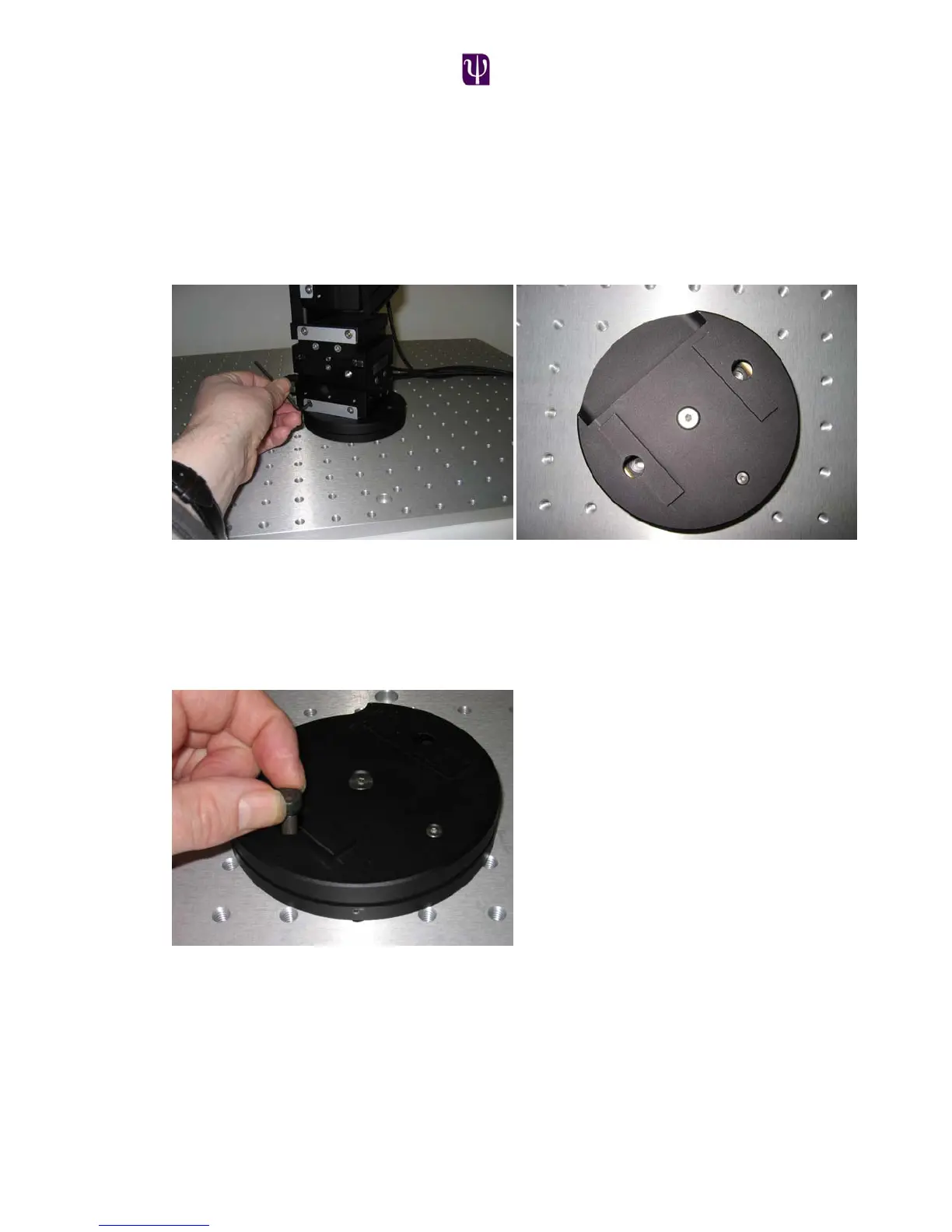
manipulator to the users table or platform. To do this; first remove the manipulator
assembly from the rotary base by loosening the two dovetail locking screws using
a 3mm allen key and sliding the assembly off the base.
Ensure that the 2 set screws that fix the rotary stop ring are loose thus enabling the
upper plate to rotate 360º. There are 4 mounting holes in the lower plate of the
base that are accessed by rotating the upper plate relative to the lower plate.
Insert two M6 or ¼”-20 socket head cap screws in two of the holes. Now position
the rotation plate in the desired location and tighten the two screws.
Next, rotate the upper plate to reveal the other two mounting holes and insert
and tighten two more screws.
Slide the manipulator assembly back onto the rotation base and tighten the 2
dovetail locking screws.



 To Next Page