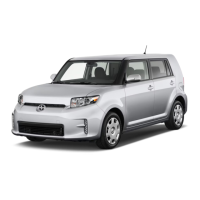
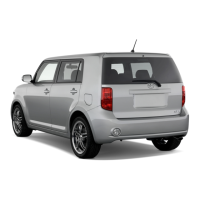
This document is a Quick Reference Guide for the 2012 Scion xB, providing a summary of basic vehicle operations and equipment. It is not a substitute for the Owner's Manual, which is located in the vehicle's glove box and contains more detailed information, including safety instructions and equipment malfunction warnings.
Overview
The guide begins with an overview of the instrument panel and steering wheel controls.
Steering Wheel Controls:
- Headlight and turn signal controls: Located on the left stalk, these control the vehicle's headlights and turn signals.
- Wiper and washer controls: Also on the left stalk, these manage the windshield wipers and washers.
- Cruise control: A separate stalk on the right side of the steering wheel activates and adjusts the cruise control system.
- Ignition switch: The key slot for starting the vehicle.
- Steering wheel audio controls: Buttons on the steering wheel allow for volume control and mode selection for the audio system.
- Rear window defogger button: Activates the defogger for the rear window.
- Front passenger occupant classification indicator/Front passenger seat belt reminder light: These indicators provide information about the front passenger's presence and seat belt usage.
- Air Conditioning controls: Buttons and dials for managing the vehicle's climate control system.
Instrument Panel Controls:
- Power outlet: A 12V power outlet for accessories.
- Emergency flasher button: Activates the hazard lights.
- Tire Pressure Monitoring (warning) System reset: A button to reset the TPMS after tire adjustments or replacements.
- Tilt steering lock release: A lever to adjust the steering wheel's tilt.
- “VSC OFF” (Vehicle Stability Control “OFF”): A button to deactivate the Vehicle Stability Control system.
- Power outside rearview mirror controls: Controls for adjusting the side mirrors.
- Instrument panel light control dial: Adjusts the brightness of the instrument panel lights.
Instrument Cluster:
The instrument cluster provides essential driving information:
- Service indicator and reminder: Notifies the driver of upcoming service needs.
- Speedometer: Displays the vehicle's current speed.
- Tachometer: Shows the engine's revolutions per minute (RPM).
- Fuel gauge: Indicates the fuel level.
- Clock: Displays the current time.
- Outside temperature: Shows the ambient temperature.
- Clock button: Used to adjust the clock.
- Odometer and two trip meters: Tracks total mileage and two resettable trip distances.
- Odometer/trip meter and trip meter reset button: Used to switch between odometer and trip meters, and to reset trip meters.
- Multi-information display: A digital display showing various vehicle data.
- Multi-information display control switch: Used to cycle through information on the multi-information display.
- Automatic Transmission shift position indicator (if equipped): Shows the current gear selection for automatic transmission models.
Indicator Symbols:
The guide lists various indicator and warning lights, including:
- Brake system warning
- Driver and front passenger seat belt reminders
- Charging system warning
- Malfunction/Check Engine indicator
- Low engine oil pressure warning
- Open door warning
- Airbag SRS warning
- Low Tire Pressure Warning
- Engine oil replacement reminder
- Front passenger occupant classification indicator/Front passenger airbag ON/OFF indicator
- Headlight low beam and high beam indicators
- Turn signal indicator
- Low fuel level warning
- Slip indicator
- Vehicle Stability Control OFF indicator
- Cruise control indicator and SET indicator
- Electric power steering system warning
- Anti-lock Brake System warning
- Traction Control OFF indicator
- Low engine coolant temperature indicator
- High engine coolant temperature warning light
Keyless Entry:
- Locking operation: Pressing the lock button on the remote locks the doors.
- Unlocking operation: Pressing the unlock button once unlocks the driver's door, twice unlocks all doors. If no door is opened within 60 seconds, all doors relock for safety.
- Panic button: Activates the vehicle's alarm system.
Hood Release:
- A lever inside the vehicle releases the hood latch. The hood can then be lifted by pulling up on a secondary latch.
Light Control - Instrument Panel:
- A dial allows adjustment of the instrument panel light brightness, from bright to dark.
Fuel Tank Door Release and Cap:
- A pull-up lever near the driver's seat releases the fuel tank door. The fuel cap is then unscrewed.
Engine Maintenance:
The guide identifies key components for basic engine maintenance:
- Windshield washer fluid tank: For refilling washer fluid.
- Engine coolant reservoir: For checking and refilling engine coolant.
- Engine oil filler cap: For adding engine oil.
- Engine oil level dipstick: For checking engine oil level.
Regularly scheduled maintenance, including oil changes, is recommended to extend vehicle life and maintain performance.
Features/Operations
Auto Lock/Unlock:
The automatic door locks can be programmed for four different modes or turned off:
- Doors lock when shifting from Park (Automatic Transmission only).
- Doors lock when vehicle speed exceeds approximately 12 mph.
- Doors unlock when the ignition key is turned to “ACC” or “LOCK” and the driver's door is opened.
- Doors unlock when shifting into Park (Automatic Transmission only).
The default setting for speed-based locking/unlocking is off.
Automatic Transmission (if equipped):
- Shift positions: P (Park), R (Reverse), N (Neutral), D (Drive), S (Sequential mode).
- "S" (Sequential) mode: Allows for manual gear selection (+ for upshift, - for downshift). Downshifting can be used for uphill power or engine braking downhill. For fuel economy, "D" position is recommended during normal driving.
- The ignition switch must be "ON" and the brake pedal depressed to shift from Park.
Parking Brake:
- Set: Pull the lever up to engage the parking brake.
- Release: Pull the lever slightly, then push the button and lower the lever to release.
Seats - Head Restraints:
- Head restraints are adjustable for height. A lock release button allows for adjustment.
Seat Adjustments - Front:
- Seat position: Lever for forward/backward adjustment.
- Height crank: For driver's side only, adjusts seat height.
- Seatback angle: Lever for reclining the seatback.
Seat - Folding Down Rear Seat:
- To fold down the rear seat, stow the seat belt buckles, push a release mechanism, and then fold the seat down.
Lights & Turn Signals:
- Headlights: A stalk control for turning headlights and parking lights on/off.
- High beam: Pushing the stalk forward engages high beams; pulling it back flashes them.
- Turn signals: Moving the stalk up for a right turn, down for a left turn. A partial movement can be used for lane changes.
Windshield Wipers & Washers:
- Front: A stalk control with settings for single wipe, interval wipe, slow, and fast. Pulling the stalk washes the windshield.
- Rear: A separate control for rear wash and wipe functions.
Windows:
- Driver side: Up/Down switch for the driver's window.
- Automatic operation (driver's window only): Pushing the switch completely down opens the window fully. Lightly pulling it up stops the window midway.
- Window lock switch: Deactivates all passenger windows, while the driver's window remains operable.
Cruise Control:
- System ON/OFF: A button on the cruise control stalk activates/deactivates the system.
- Functions: Buttons for Resume/Increase speed, Cancel, and Set/Decrease speed.
- The set speed can be cancelled by depressing the brake pedal or clutch pedal (manual transmission).
- The set speed can be resumed once vehicle speed reaches approximately 25 mph.
Tilt Steering Wheel:
- A lock release lever allows the steering wheel to be tilted up or down. Adjustment should not be attempted while the vehicle is in motion.
Air Conditioning/Heating:
- Airflow vent: Controls for airflow direction and mode (fresh air or recirculation).
- Fan speed: Dial for adjusting fan speed.
- Temperature selector: Dial for adjusting temperature.
- Air Conditioning ON/OFF: Button to turn the A/C on or off. Use fresh air to quickly cool, then recirculate for cooler air.
- Rear window defogger: Button to activate the rear window defogger.
- Recirculate cabin air: Button to recirculate cabin air (fresh air when OFF).
Steering Wheel Switches:
- Volume control: Adjusts audio volume.
- "AV" button: Used to search within the selected audio medium (radio, CD, iPod®, etc.).
- "MODE" button: Pushes to turn audio ON and select an audio mode. Push and hold to turn the audio system OFF.
AUX Port/USB Port:
- Allows connection of portable audio devices via a mini plug to play music through the vehicle's speaker system.
- Requires a SCION genuine audio system to use these ports.
Bottle Holders:
- Located in the front and rear doors for beverage storage.
The "DISP" button cycles through various information:
- Current gas mileage (MPG)
- Average gas mileage (AVG/MPG)
- Miles left on remaining fuel (RANGE/MI)
- Average vehicle speed from engine start (AVG/MPH)
- Running time from engine start (E/T)
Power Outlet:
- A power outlet on the instrument panel for car accessories. The key must be in the "ACC" or "ON" position to use.
Safety and Emergency Features
Door Locks:
- Switches on the door for locking and unlocking.
Doors - Child Safety Locks:
- Located on the rear doors, moving the lever to "LOCK" allows the door to be opened only from the outside, preventing children from opening it from the inside.
Seat Belts - Shoulder Belt Anchor:
- Adjustable shoulder belt anchor height. Pull the lock release to lower, push up to raise.
Seat Belts:
- If the belt is fully extended and then retracted slightly, it cannot be re-extended unless fully retracted again. This feature helps secure child restraint systems.
Tire Pressure Monitoring (warning) System:
- If the tire pressure indicator is on, check and adjust each tire.
- To reset: After adjusting pressures or rotating/replacing tires, turn the ignition to "ON" and press and hold the "SET" button until the indicator blinks three times. Allow a few minutes for initialization.
- Refer to the load label on the door jamb or Owner's Manual for tire inflation specifications.
- If the indicator flashes for over 60 seconds and remains on, consult a Toyota dealer.
- The warning light may come on due to temperature changes or natural air leakage. Setting pressures to factory specifications should turn off the light if the system hasn't been initialized recently.
- Location: The spare tire, jack, and wheel nut wrench are stored in the trunk under the luggage mat.
- Removing the spare tire:
- Remove the luggage mat.
- Remove the center auxiliary boxes.
- Loosen the center fastener securing the spare tire.
- Refer to the Owner's Manual for detailed jack positioning and tire changing procedures.
Star Safety System™:
All new Toyota vehicles come standard with this system, which combines:
- Vehicle Stability Control (VSC): Prevents loss of traction during cornering by reducing engine power and applying brake force to selected wheels. Monitors steering angle and vehicle direction, restoring traction when wheels slip.
- Traction Control (TRAC): Helps maintain traction on loose gravel, wet, icy, or uneven surfaces by applying brake force to spinning wheels and limiting engine output.
- Brake Assist (BA): Detects sudden or "panic" braking and adds additional braking pressure to decrease stopping distance.
- Electronic Brake Force Distribution (EBD): Works with ABS to maintain stability and balance during braking. Redistributes brake force to maximize effectiveness on all four wheels, especially during abrupt stops.
- Anti-Lock Brake System (ABS): Prevents brakes from locking up by "pulsing" brake pressure to each wheel independently, maximizing braking effectiveness and helping maintain control.
Brake Override:
- Smart Stop Technology: Automatically reduces engine power when the accelerator and brake pedals are pressed simultaneously under certain conditions.
- Engages when the accelerator is depressed first, and the brakes are applied firmly for over half a second at speeds greater than five miles per hour.
- Does not engage if the brake pedal is depressed before the accelerator pedal, allowing for safe starts on steep hills without rolling backward.
Floor Mat Installation:
- Toyota offers carpeted and all-weather floor mats, which are model-specific.
- Safety steps:
- Only use floor mats designed for your specific model.
- Use only one floor mat at a time, securing it with retaining hooks.
- Install floor mats right side up.

 Need help?
 General

 To Next Page