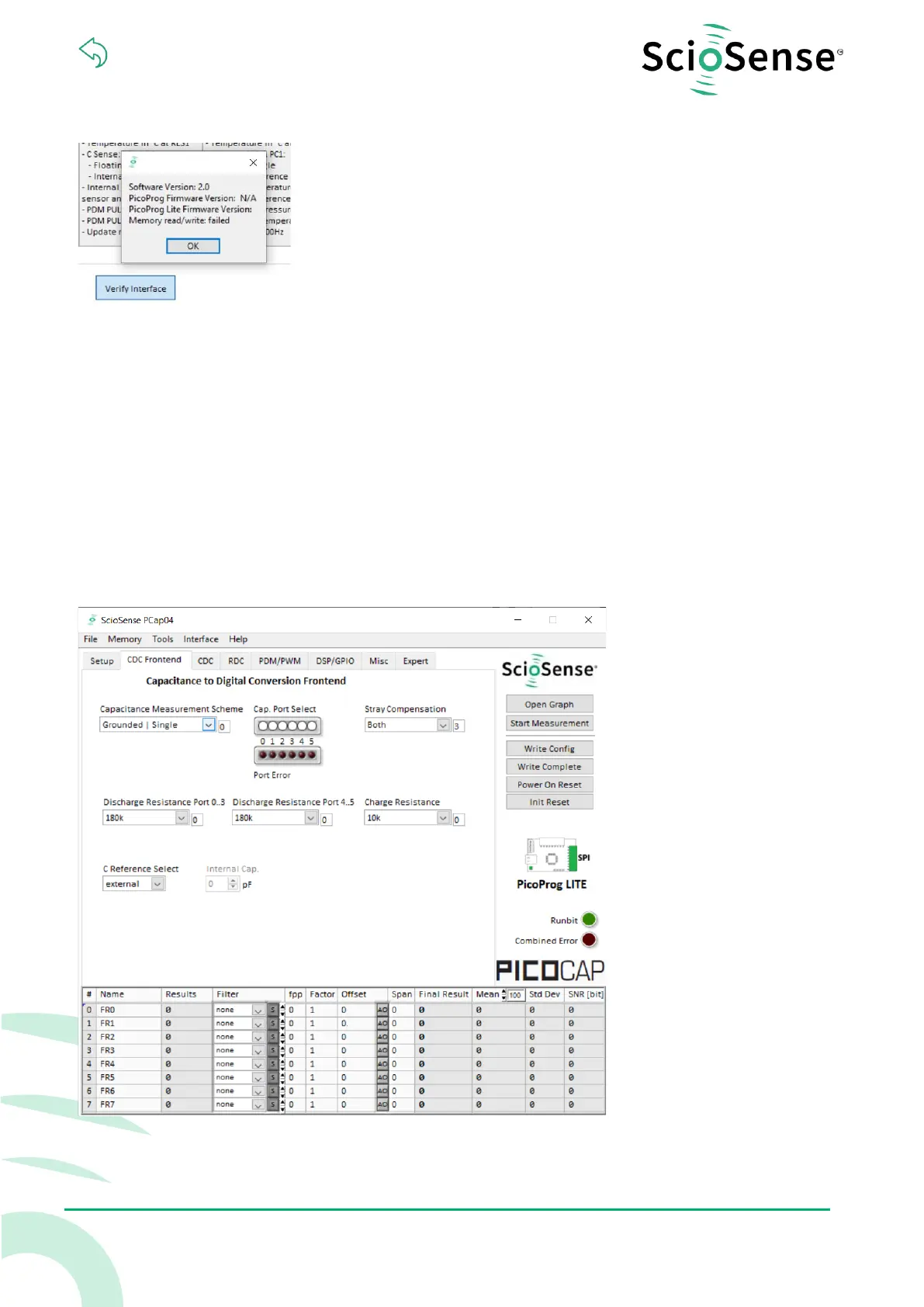
Figure 3: Verify
The PCap04 plug-in board is pre-assembled with ceramic capacitors to emulate capacitive sensors.
These capacitors, each 10 pF in value, are connected to the 6 ports PC0 to PC5.
To begin measurements using these preinstalled components, it is necessary to make the following
adjustments on the “CDC Frontend” tab:
1) “Capacitive Measurement Scheme” section should be set to “Floating | Single”.
2) All the capacitance ports should be turned on using the Cap. Port. Select buttons
3) The Stray Compensation setting should be set to “Both”.
The resulting settings under the CDC tab should look like this:
Figure 4: CDC Frontend page at the start


 To Next Page