EasyManua.ls Logo

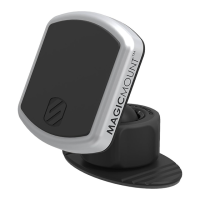
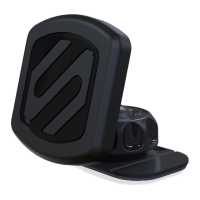
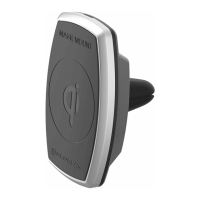
Scosche MAGICMOUNT CHARGE - User Manual

Scosche MAGICMOUNT CHARGE
40 pages
Print Icon
To Next Page IconTo Next Page
Loading...
Register your puct onllM at
.scosche.com/register
MQ2WD
CHARGE
MAGNETIC MOUNT
WITH Qi WIRELESS CHARGING

 










 
@ IMPORTANT!
DO NOT RETURN PRODUCT
TO THE RETAILER

TOLL FREE: 
  
   

Other manuals for Scosche MAGICMOUNT CHARGE

Question and Answer IconNeed help?

Do you have a question about the Scosche MAGICMOUNT CHARGE and is the answer not in the manual?

Summary

Customer Support

Contact and Returns Policy

Information on contacting Scosche for assistance and avoiding product returns.

Included Parts and Specifications

Parts List

Details of all components included in the MagicMount Charge kit.

Technical Specifications

Input/output ratings for the mount and power adapter.

MagicPlate Mounting Methods

Direct Device Application

Instructions for attaching the large MagicPlate directly to a mobile device.

Case Application

Instructions for attaching the small MagicPlates to a device case.

Metal Plate Removal

Safe Plate Removal

Guidance on removing adhesive metal plates without damaging the device.

In-Vehicle Wireless Interference

Placement Recommendations

Tips for positioning the mount to prevent interference with car systems.

Universal Holder Assembly

Connecting and Detaching Holder

Steps for attaching the device holder to the mounting plate and its removal.

Mounting Base Versatility

Switching Mount Bases

Procedure for swapping the suction cup and low-profile dash mounts.

Suction Cup Mount Installation

Window and Dash Mounting

Instructions for cleaning, positioning, and securing the suction cup mount.

Angle Adjustment

How to adjust the mount's viewing angle using the ball joint collar.

Low-Profile Dash Mount Installation

Adhesive Dash Mounting

Steps for cleaning and adhering the low-profile dash mount to a vehicle surface.

Device Placement for Charging

Aligning for Wireless Charging

How to correctly position the device on the mount for optimal wireless charging.

Wireless Charging and LED Status

Power Connection and Cable Management

Connecting the mount to the vehicle's power source and securing cables.

Interpreting LED Indicators

Understanding the meaning of the LED light states for operation.

Regulatory and Compliance Information

FCC Statement

Details on FCC compliance for wireless power chargers.

IC Statement

Details on Industry Canada compliance for radio frequency devices.

Summary

Customer Support

Contact and Returns Policy

Information on contacting Scosche for assistance and avoiding product returns.

Included Parts and Specifications

Parts List

Details of all components included in the MagicMount Charge kit.

Technical Specifications

Input/output ratings for the mount and power adapter.

MagicPlate Mounting Methods

Direct Device Application

Instructions for attaching the large MagicPlate directly to a mobile device.

Case Application

Instructions for attaching the small MagicPlates to a device case.

Metal Plate Removal

Safe Plate Removal

Guidance on removing adhesive metal plates without damaging the device.

In-Vehicle Wireless Interference

Placement Recommendations

Tips for positioning the mount to prevent interference with car systems.

Universal Holder Assembly

Connecting and Detaching Holder

Steps for attaching the device holder to the mounting plate and its removal.

Mounting Base Versatility

Switching Mount Bases

Procedure for swapping the suction cup and low-profile dash mounts.

Suction Cup Mount Installation

Window and Dash Mounting

Instructions for cleaning, positioning, and securing the suction cup mount.

Angle Adjustment

How to adjust the mount's viewing angle using the ball joint collar.

Low-Profile Dash Mount Installation

Adhesive Dash Mounting

Steps for cleaning and adhering the low-profile dash mount to a vehicle surface.

Device Placement for Charging

Aligning for Wireless Charging

How to correctly position the device on the mount for optimal wireless charging.

Wireless Charging and LED Status

Power Connection and Cable Management

Connecting the mount to the vehicle's power source and securing cables.

Interpreting LED Indicators

Understanding the meaning of the LED light states for operation.

Regulatory and Compliance Information

FCC Statement

Details on FCC compliance for wireless power chargers.

IC Statement

Details on Industry Canada compliance for radio frequency devices.

Scosche MAGICMOUNT CHARGE Specifications

General IconGeneral
BrandScosche
ModelMAGICMOUNT CHARGE
CategoryAutomobile Accessories
LanguageEnglish

Related product manuals