4
LIMITED WARRANTY
Scosche Industries Inc. warrants this product to be free from defects in
materialandworkmanshipforaperiodof1yearfrompurchase.ThisScosche
productissoldwiththeunderstandingthatthepurchaserhasindependently
determinedthesuitabilityofthisproduct.Thiswarrantyisofferedtotheoriginal
purchaser of the product only. This warranty does not cover the product if
physically damaged, subject to negligence or misuse, abuse, alteration,
accident,oranactofGOD.This warrantydoesnotapplyto productwhich
has water or physically damaged by accident or which has been misused,
disassembled or altered.
The original dated sales slip or proof of purchase will establish warranty
eligibility. If the product should prove defective within the warranty period,
returntheproductwithproofofpurchasetoScoscheIndustriesInc.Scosche,
atits option,willreplaceorrepairtheproductfreeof chargeandreturnthe
product postage paid.
Innoeventshall Scosche Industries,Inc.beresponsible forclaimsbeyond
the replacement value of the defective product, or in any way be liable or
responsibleforconsequentialorincidentaldamages.Noempresswarranties
and no implied warranties, whether for fitness or any particular use or
otherwise,exceptassetforthabove(whichismadeexpressly in lieu of all
otherwarranties)shallapplytoproductssoldbyScosche.ScoscheIndustries
cannotbeheldresponsiblefordiscrepancies/inconsistenciesthatmayoccur
due to automotive manufacturing changes or option.
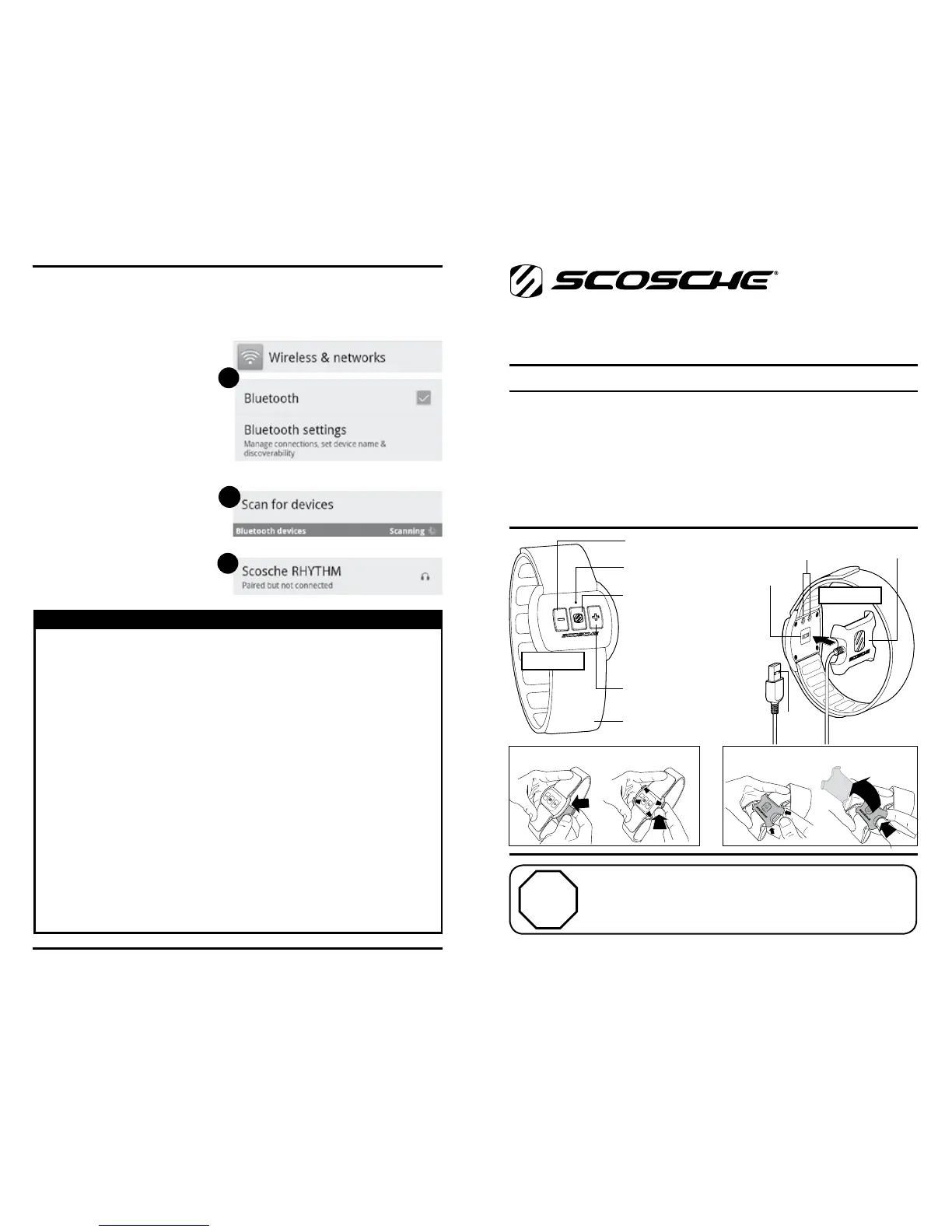
INITIAL PAIRING SETUP FOR ANDROID
1. GotoSettings>Wireless&networks>Bluetoothsettings.
2. Turn on the SCOSCHE
®
RHYTHMbypressingtheMFBonce,
andwaitfortheLEDtoblink
slowlyfromredtoblue.Tap
“Scan for devices”
ifnecessary.
3. Tap“ScoscheRHYTHM”
to pair.
4. GotoGooglePlaystore
and search for “Scosche
RHYTHM”.
5. Open the Scosche
RHYTHM App once
installed to get going.
1
2
3
RHYTHM
RTHMINTL
iPhone、iPad、iPod touch、
Android用ワイヤレスパルスモニター
重要
• これはクイックスタートガイドです。ご使用の前に、完全な取扱
説明書をお読みください。取扱説明書は、
SCOSCHE RHYTHMサイトの
製品ページから入手できます(scosche.com)。
• 免責事項:これは医療機器ではなく、レクリエーションにのみ使用する
ための装置です。適切な心拍数ゾーンの判定に用いる前 は、必ず医師
にご相談ください。
クイックスタートガイド
(日本語)
iPhone, iPadとiPod touchは、Apple Inc.の商標で、米国およびその他の国における登
録商標です。
停止
重要! ご購入後の製品の小売店への返品はご遠慮ください。
サポートやパーツの交換が必要な場合は、当社のフリーダイヤルま
でご連絡ください: 1-800-621-3695 X3
営業時間: 月曜日~金曜日: 午前8時から午後5時半まで(西海岸時間)
土曜日: 午前8時~午後2時(西海岸時間)
29
図1
図2
図3
図4
充電端子
センサー
USB
充電ベース
アームバンド
LED
マルチファンクションボタ
ン(MFB)
1度押し-オン/オフ/再生/
停止 2度
押し-次のトラック
3回-前のトラック
3秒押し続ける-切る
音量を上げる
音量を上げる


 To Next Page
 Loading...