GB-
3
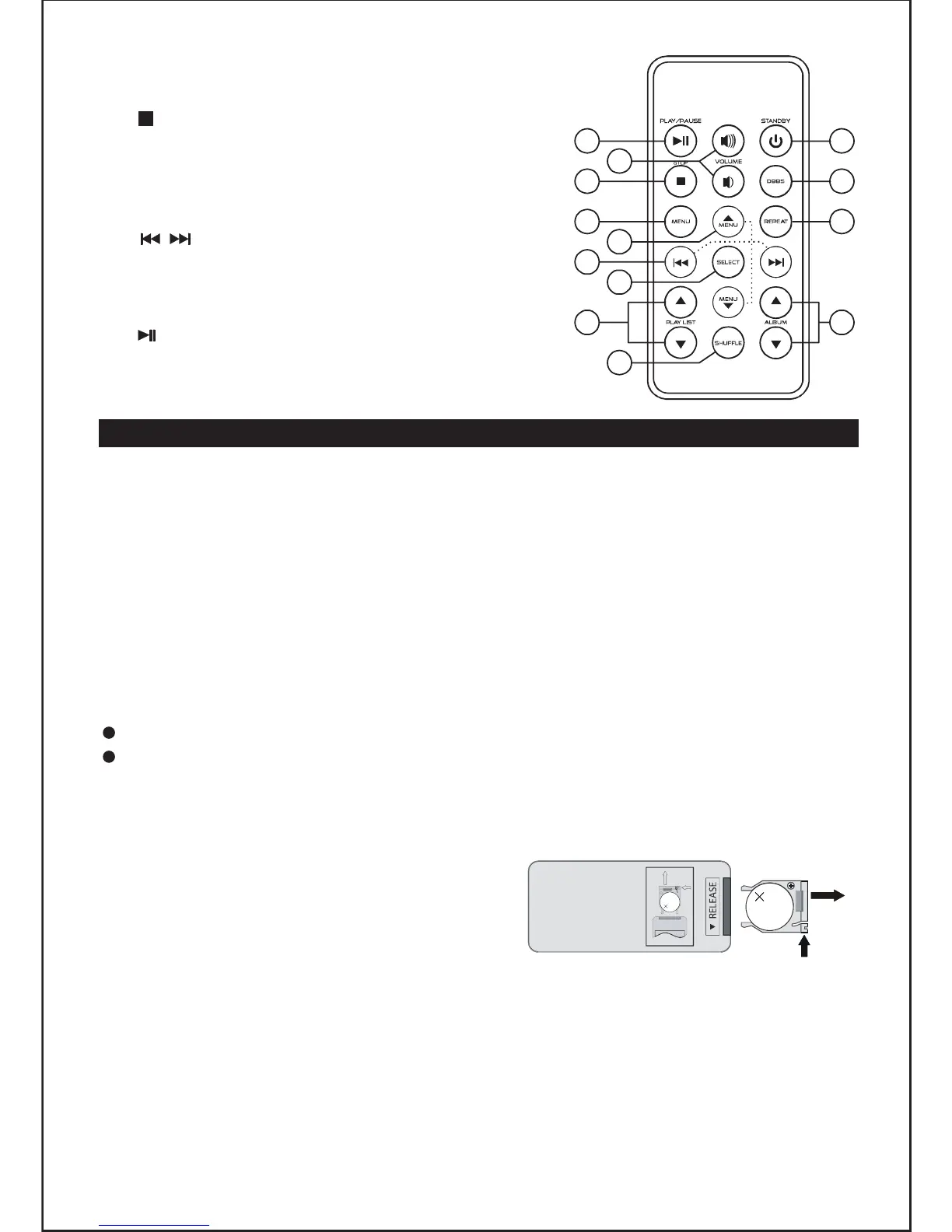
Remote control
1. ON/STANDBY
2. STOP
3. MENU/PROG (menu display/programming)
4. DBBS (Dynamic Bass Boost System)
5. REPEAT
6. MENU ▲/▼
7.
/ REW/FWD
8. SELECT
9. PLAYLIST ▲/▼
10. SHUFFLE
11. PLAY/PAUSE
12. VOLUME +/-
13. ALBUM ▲/▼
POWER SUPPLY
Using AC power supply
Insert the AC power cord into the AC mains outlet with a 230V AC ~ 50Hz power
source and the other end to the AC IN ~ socket at the back of the unit.
Using batteries
1. Open the battery compartment.
2. Insert 8 x UM2/ “C” size batteries (not supplied) with the polarities (+/-)
matching the engraved markings in the battery compartment. Reversed
batteries may damage the unit.
3. Close the battery compartment.
Note:
When AC power is supplied, the battery power is cut off automatically.
When a power failure or interruption occurs and the unit does not have
batteries installed, the time and preset memories will be backed up for about
a minute.
Installing the remote control
battery
1. Remove the battery compartment cover
on the bottom of the remote control, by
pushing the tab to the right while
removing the cover.
2. Insert a 3V lithium battery (CR2025 or equivalent) with the polarity (+)
matching the indication inside the battery compartment cover.
3. Replace the battery compartment cover.
Note: The remote control battery normally lasts for about one year, although it
depends on how often and for what operations the remote control is used.
If the remote control fails to work even when it is operated near the unit,
replace the battery.
L
IT
H
IUM
BA
T
TERY
C
R 2025
3
V
CR2025
PUSH
OPEN
L
I
TH
IU
M
B
AT
T
E
R
Y
C
R
2
0
2
5
3
V
CR2025
PUSH
OPEN
111
2
3
4
13
5
6
7
8
9
10
PROG
12



 To Next Page