9/40
Button Definition
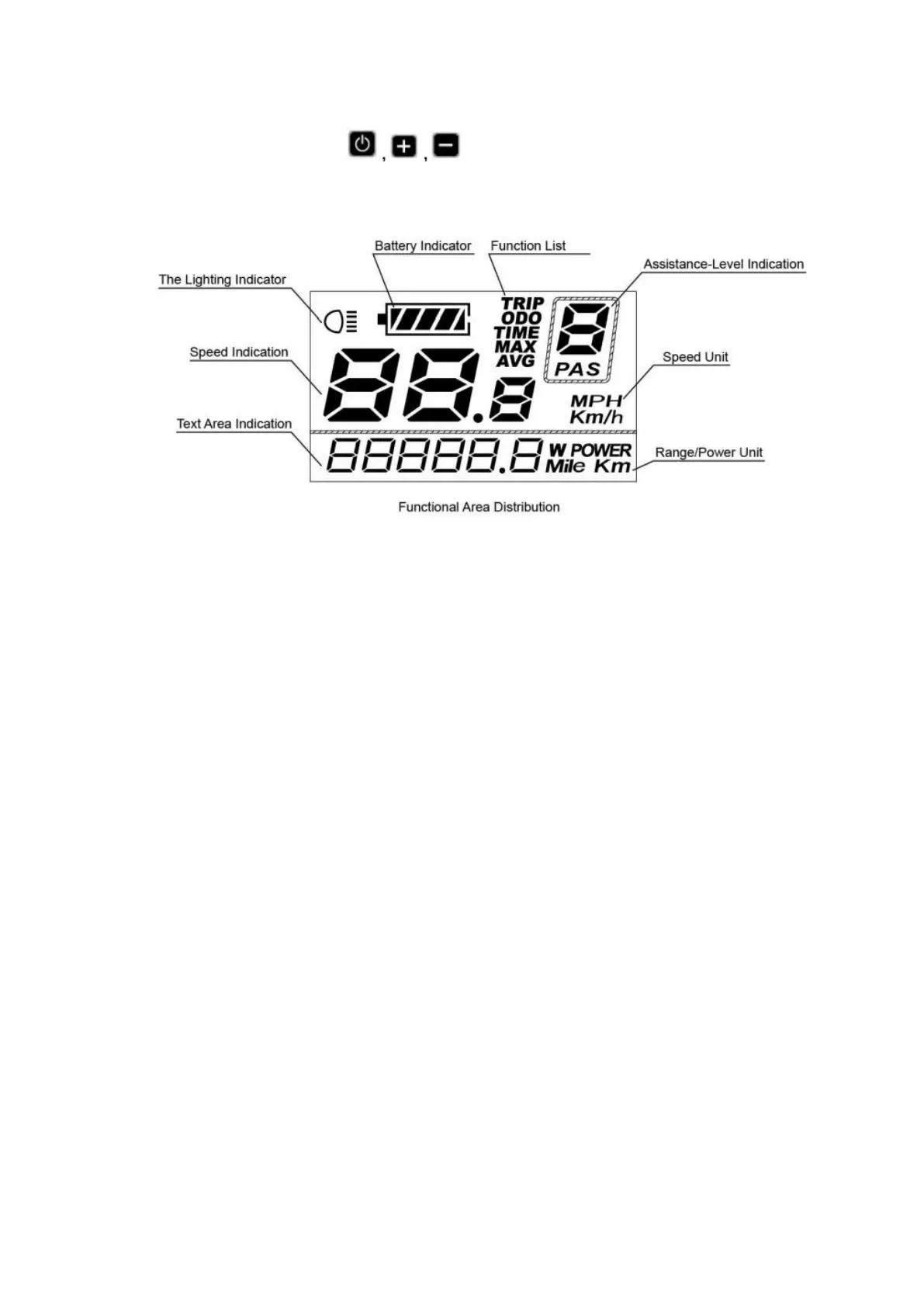
There are three buttons ( ) on display. In this manual, we use words
ON/OFF, UP, DOWN to represent these 3 symbols.
5.1 Power On/Off
To switch on the E-bike system and provide the power supply to the controller, hold the
On/Off button for 2s.
To switch off E-bike system, hold the On/Off button for 2s. The E-bike system no longer
uses the battery power.
When E-bike system is switched off, the leakage current is less than 1 μA.
When the E-bike is parked for approx. 10 minutes, the E-bike system switches off
automatically.
5.2 Assist level operating
The assist level of the E-bike drive can be changed anytime, even during riding.
The assist level ranges from 0 to 3 (level 0 to level 3). The default assist level is “1” when
the display is started. The output power is zero on Level “0”. Level “1” is the minimum
output power. Level “3” is the maximum output power.
Press UP/DOWN button to switch between the E-bike system assist levels and change the
motor output power.


 To Next Page