EasyManua.ls Logo

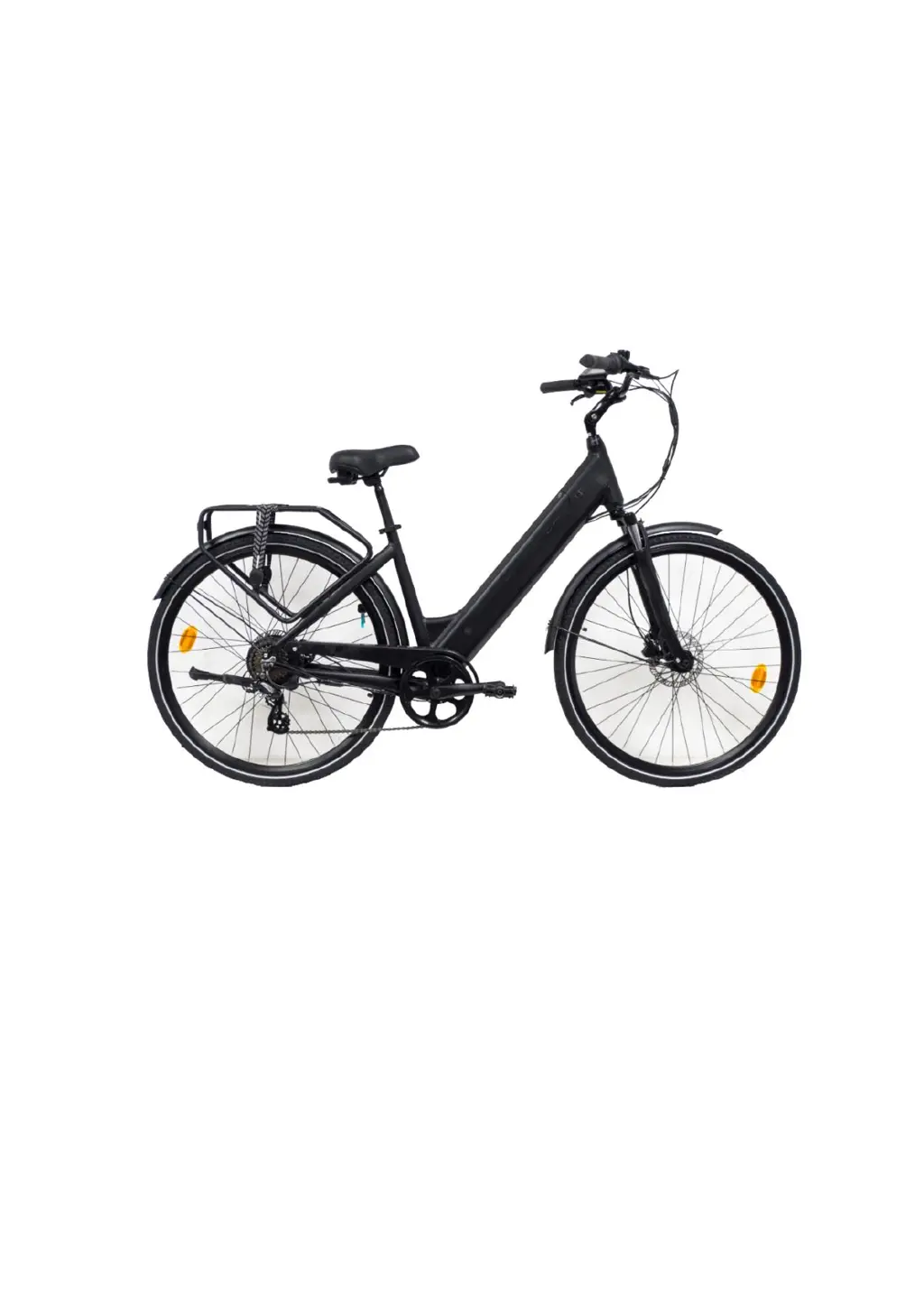
SCRAPPER E-STRADA E-8400 - User Manual

SCRAPPER E-STRADA E-8400
40 pages
Print Icon
To Next Page IconTo Next Page
Loading...
1/40
E-8400 E-STRADA
INSTRUCTIONS FOR USE AND MAINTENANCE
MODE D'EMPLOI ET D'ENTRETIEN

Questions and Answers

  • M
    Megan SmithAug 7, 2025
    What to do if my SCRAPPER Bicycle motor doesn't assist when pedaling?
    • K
      kathleenpowellAug 7, 2025
      If your SCRAPPER Bicycle motor isn't providing assistance, start by checking the battery charge level. If the battery is not empty, inspect the following: * Ensure the motor cable connection is secure. * Verify the brake lever returns to its normal position without activating the brakes. * Check the battery fuse for any breaks. * Adjust the distance between the magnetic ring and the speed sensor to be within 3mm. * Confirm that the connection between the sensor and the controller is firmly attached.
  • R
    Robert KnightAug 12, 2025
    Why is the distance per charge short on my SCRAPPER E-STRADA E-8400?
    • T
      Tamara OrtizAug 12, 2025
      The distance per charge on your SCRAPPER Bicycle might be reduced due to several factors: * Insufficient charging time. Ensure you charge the battery according to the instructions. * Low environmental temperature, which can affect battery performance. Store the battery indoors in winter or below 0°C. * Riding conditions such as frequent uphill climbs, headwinds, or poor road conditions. * Low tire pressure. Inflate your tires to 45psi. * Frequent braking and starting. * Prolonged storage without regular use. Charge the battery regularly.
  • G
    Gabriel BradfordAug 18, 2025
    What to do if SCRAPPER E-STRADA E-8400 charger LCD stays red after 4-5 hours?
    • S
      shawkathyAug 18, 2025
      If your SCRAPPER Bicycle charger LCD remains red after 4-5 hours, and the battery isn't full, consider these potential causes: * The ambient temperature is too high (40°C or above). Charge the battery in a cooler environment. * The ambient temperature is too low (under 0°C). Charge the battery indoors. * Over-discharge due to failure to charge the bike after riding. Maintain the battery to avoid over-discharge. * Low output voltage. Avoid charging when the power supply is below 100V.
  • M
    Martha RobinsonAug 25, 2025
    How to fix a SCRAPPER Bicycle charger with no LCD indicator light?
    • J
      Jennifer PerezAug 25, 2025
      If the charger indicator LCD on your SCRAPPER Bicycle doesn't light up after plugging it in: * Check the power outlet for any issues and repair if necessary. * Ensure the charger input plug is securely connected to the power outlet. * The temperature might be too low. Try charging it indoors.
  • S
    Scott HowardAug 30, 2025
    Why does my SCRAPPER Bicycle LCD not show speed/KM?
    • V
      Veronica PalmerAug 30, 2025
      If your SCRAPPER Bicycle LCD isn't displaying speed or kilometer readings, it's likely because the magnetic ball point on the wheel spoke is too far from the wheel speed sensor. Ensure the distance between them is within 5mm.

Summary

Conditions for Riding

Safe Cycling and Safety Tips

Pre-ride checks and general safety advice for operating the e-bike.

Wheel Maintenance Reminder

Specific warning regarding regular checks on wheel components.

Spoke Tension Attention

Instruction to regularly pay attention to spoke tension for proper wheel function.

E-8400 E-STRADA Components

Manual for Electric Parts

E-BIKE Structure Overview

Provides a general overview of the e-bike's structural components and design.

Crucial Safety Precautions

Outlines vital safety guidelines for riding and handling the electric bicycle.

E-Bike Operation Guide

Instructions on operating the e-bike, including essential pre-ride checks for safe use.

Battery Installation and Usage

Detailed instructions on how to properly install and use the electric bicycle's battery.

LCD Display Features Explained

Comprehensive explanation of the LCD display's functions and interface elements.

Control Button Functions

Identification and explanation of all control buttons on the e-bike for user interaction.

Powering the E-Bike On and Off

Step-by-step guide for the correct procedure to turn the e-bike system on and off.

Adjusting Electric Assist Levels

Guidance on how to select and modify the electric motor's assistance levels.

Speed and Mileage Unit Settings

Instructions for switching between metric and imperial units for speed and distance.

Display Backlight Control

How to manage the display's backlight, including turning it on and off.

Backlight Brightness Adjustment

Guide on adjusting the brightness of the e-bike's display backlight for optimal visibility.

6 km;h Walk Assist Feature

Details on activating and using the low-speed walk assist function for easier maneuvering.

Interpreting Display Modes

Explanation of the various data screens and modes available on the e-bike's display.

Understanding the Battery Indicator

How to read the battery indicator on the display to monitor charge status.

E-Bike Error Code Reference

A comprehensive list and explanation of all potential error codes shown by the e-bike system.

Clearing Trip Distance Data

Instructions on how to reset the trip distance counter displayed on the e-bike.

Battery Care and Longevity

Best practices for using and maintaining the battery to ensure maximum lifespan and performance.

Battery Charger Guidelines

Proper procedures and precautions for using and maintaining the battery charger.

Battery Charging Procedure

Step-by-step instructions for safely charging the e-bike battery.

Electric Motor Maintenance

Recommendations for the proper use and upkeep of the electric motor.

Controller Maintenance Advice

Guidelines for maintaining the electronic controller to prevent damage and ensure functionality.

Troubleshooting Common Issues

A guide to diagnosing and resolving common problems encountered with the e-bike.

Wiring Diagrams and Specifications

Visual diagrams of electrical connections and specifications for key components.

Comprehensive Technical Data

Detailed technical specifications for the e-bike, motor, battery, and charger.

Battery and Charger Technical Details

Specific technical data related to the battery type, voltage, and capacity, and charger.

Environmental Disposal Warnings

Important information regarding the safe and responsible disposal of electronic components.

SCRAPPER E-STRADA E-8400 Specifications

General IconGeneral
Motor250W
ChainKMC
CranksetAlloy
PedalsAlloy
HandlebarRiser