9
SETTING THE COMFORT MODE TEMPERATURE
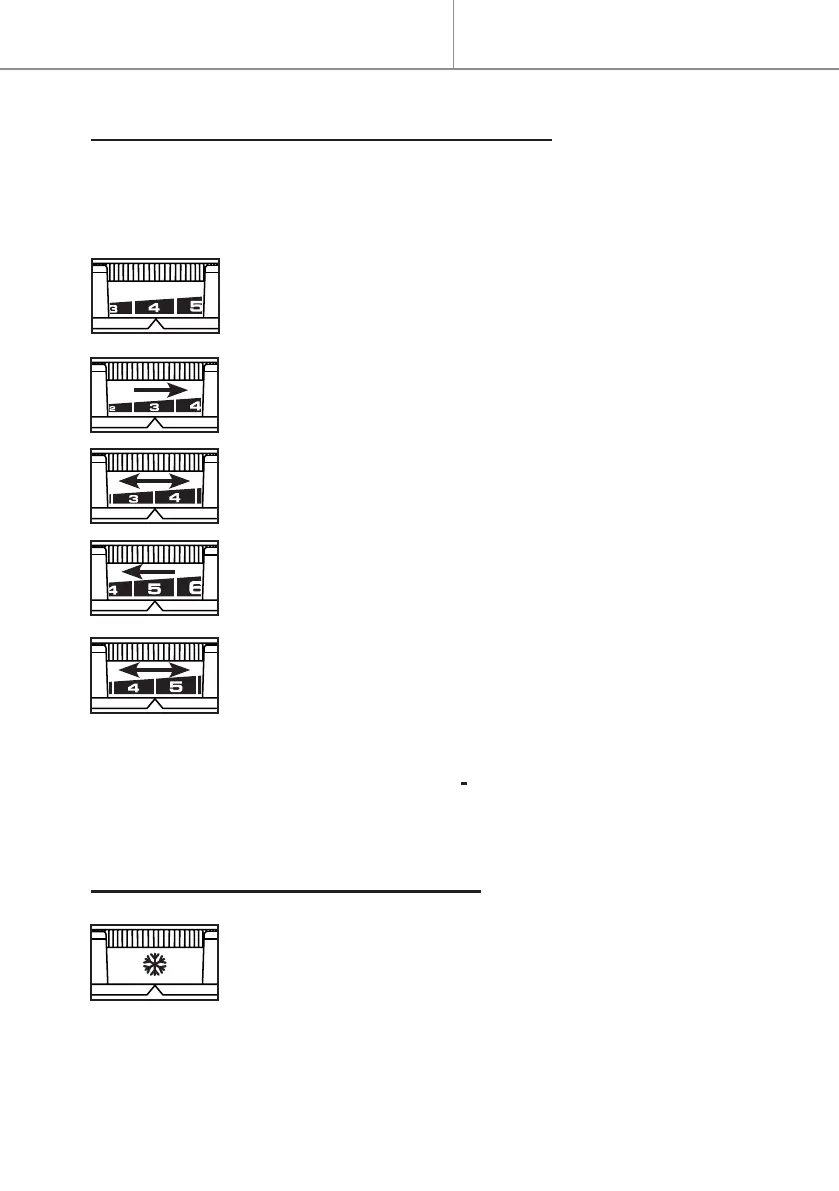
- The button runs between 2 and 8, setting the Comfort mode temperature
from 15°C to approximately 30°C.
What you need to do :
- Set the button to position 4: the red light comes on when
the set temperature is higher than the room temperature.
- If the room temperature exceeds the desired tempera-
ture, reduce the temperature setting until the red light
goes out.
- Wait at least one hour for the room temperature to stabi-
lise before adjusting the temperature setting again.
- If the room temperature does not reach the desired tem-
perature, increase the temperature setting.
- Wait at least one hour for the room temperature to stabi-
lise before adjusting the temperature setting again.
- When the temperature is right for you, set the tempera-
ture position once and for all.
Note : the room temperature depends on the temperature setting as well
as on the size and insulation of the room.
SELECTING FROST PROTECTION MODE
.
Frost protection mode is located on the temperature set-
ting button.
- Select a constant frost protection temperature of around
7°C.
Quick start


 To Next Page