Need help?
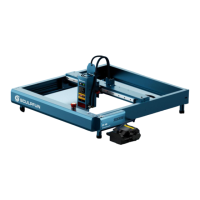
Do you have a question about the SCULPFUN iCube Pro-5W and is the answer not in the manual?
Steps to adjust the laser head height and focus.
Importance of refocusing for objects of different heights.
Connect to power, use data cable, access software settings.
Choose the correct COM port and connect the machine.
Enter WiFi details and get the device's IP address.
Set the speed for laser movement.
Define the distance the laser moves per click.
Choose from Gray, Strong, Sketch, Dither modes.
Set brightness and contrast for engraving.
Name the file and adjust engraving size.
Machine starts engraving after file upload.
View progress bar and control pause/start.
 General
| Laser Power | 5W |
|---|---|
| Connectivity | USB, Wi-Fi |
| Software Compatibility | LightBurn, LaserGRBL |
| Engraving Accuracy | 0.01mm |
| Laser Wavelength | 450 nm |
| Supported File Formats | BMP, JPG, PNG, DXF, SVG |
| Supported Materials | Wood, Acrylic, Leather, Paper, Fabric |


 To Next Page