SF-A9 Machine User Manual
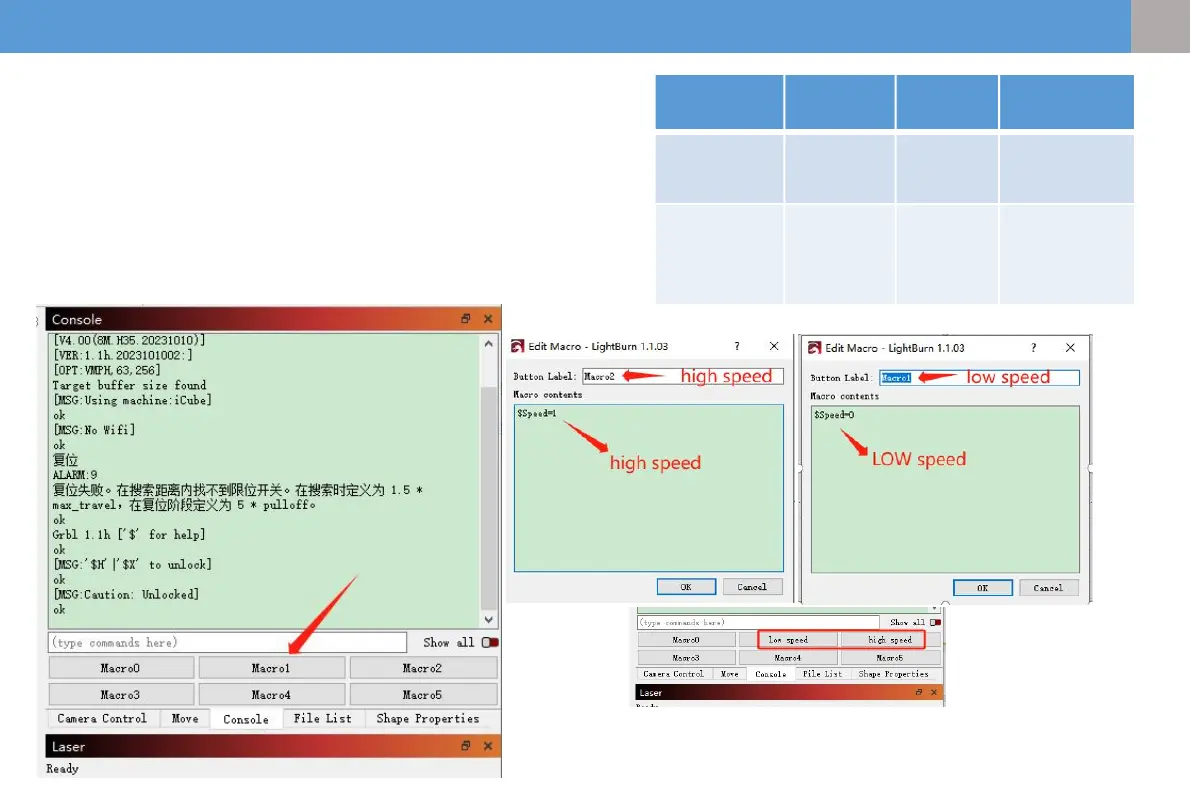
7.3 Computer mode switching
(precision mode-high-speed mode)
①The machine defaults to precision mode, which can be modified
through lightburn
②After opening lightburn, set the macro button in the console
③$Speed=0(low speed)、$Speed=1(high speed)
④ Subsequently, you can switch with one click through the set macro
button.
low More suitable for cutting
high More suitable for engraving and faster
16
EN
EN


 To Next Page