SF-A9 Machine User Manual
LightBurn
https://lightburnsoftware.com/pages/
download-trial
Mac OS:LightBurn
Linux:LightBurn
Windows:LightBurn & LaserGRBL
https://lasergrbl.com/download/
LaserGRBL
7 PC software introduction
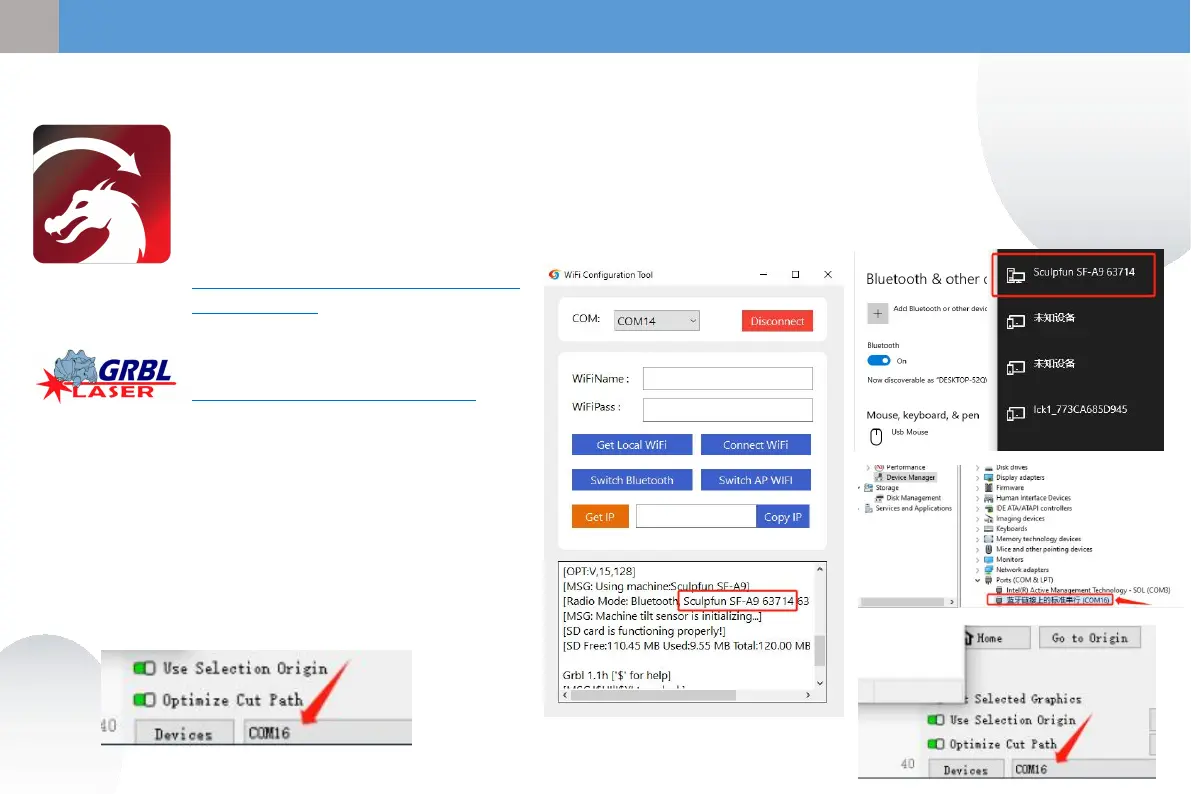
7.1 PC connection method 1 USB connection
① Connect the machine to the computer
using a data cable
② After powering on, open LightBurn or
LaserGRBL after selecting the machine port.
Ready to use
7.2 PC connection method 2 Bluetooth connection
① Connect the machine to the computer using a data cable
② After the machine is powered on, the computer opens the Sculpfun Laser Tool
configuration software
③ Click Switch Bluetooth to switch the machine to Bluetooth mode. The text box will
display the Bluetooth name of the machine.
④ Unplug the USB data cable,Computer Bluetooth connection machine
⑤ Open LightBurn or LaserGRBL and select the corresponding Bluetooth port
15
③
④
⑤
EN


 To Next Page