EasyManua.ls Logo

SDR-Kits DG8SAQ - User Manual

SDR-Kits DG8SAQ
52 pages
Print Icon
To Next Page IconTo Next Page
Loading...
SDR-Kits
®
, Office 11, Hampton Park West, Melksham, Wilts, SN12 6LH, United Kingdom
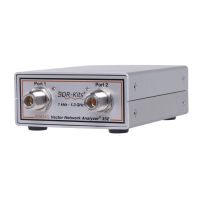
DG8SAQ Vector Network Analyzer
®
- VNWA 3E & 3
"Getting Started Manual” for Windows 10 – Windows 8.1 & Windows 7
For VNWA
License Code
see page 2
VNWA
Hints
see page 10
SDR-Kits
®
, the SDR-Kits Logo & DG8SAQ Vector Network Analyzer
®
are registered Trademarks
1. Introduction:
Thank you for purchasing the DG8SAQ VNWA 3 or VNWA 3E Vector Network Analyzer from SDR-
Kits
®
. This manual is a concise “Getting Started” guide for release VNWA 36.7.0 onwards, showing
what steps are necessary to place the DG8SAQ VNWA in operation for the Microsoft Windows 10,
Vista, Windows 8, 8.1 or Windows 7 Operating Systems using VNWA Application 36.7.0 and later.
For Windows XP refer to: https://sdr-kits.net/index.php?route=web/pages&page_id=30_30
The DG8SAQ VNWA has many advanced features and options, therefore VNWA Users are strongly
urged to study the VNWA pdf helpfile: www.sdr-kits.net/documents/VNWA_HELP.pdf
1.1 Shipment Damage:
You should receive the VNWA in good order, however in event of visible damage of the parcel, please
notify in first instance your Carrier or the Postal Service who delivered the shipment to you.
2. Important Information Copyright and Registered Trademarks notice
The design of the VNWA 3.x is copyright by Thomas Baier DG8SAQ & SDR-Kits
- All right reserved.
SDR-Kits
®
, the SDR-Kits Logo and DG8SAQ Vector Network Analyzer
®
are Registered Trademarks.
2.1 Caution - Safety Information:
1. The VNWA 3 or 3E is powered and controlled through the USB-cable supplied. The USB-
cable should be connected to the USB port of a Personal Computer capable of supplying
+5V DC at 500mA maximum.
2. Do NOT apply any DC Voltages to the RF Ports. The maximum safe input voltage into
the TX-out and Rx-in ports is an RF Voltage of 0dBm (225mV RMS with a frequency
between 1 kHz up to 1300 MHz). Exceeding this value may cause damage to the VNWA
and may invalidate product warranty.
3. Always check the SDR-Kits Website for current Product information including Safety
Information and latest Product Updates.
https://sdr-kits.net/index.php?route=web/pages&page_id=30_30
SDR-Kits
®
VNWA 3 - 3E "Getting Started" Manual v1.05c - copyright 2015 - 2018 by SDR-Kits
®
Page 1 of 52

Other manuals for SDR-Kits DG8SAQ

Question and Answer IconNeed help?

Do you have a question about the SDR-Kits DG8SAQ and is the answer not in the manual?

Summary

Introduction

Shipment Damage

Procedure for reporting damage upon receipt of the VNWA unit.

Important Information

Safety Information

Critical safety precautions for using the VNWA device, including voltage and port protection.

Accuracy of Measurements

Explains the intended use and limitations regarding measurement accuracy.

Product Documentation

Details on available documentation, including the helpfile and its PDF version.

VNWA License Code

Information on the VNWA license code format and its importance for operation.

VNWA Software Driver and Helpfile Installation

Windows 7 & Vista Installation

Step-by-step guide for installing the VNWA software on Windows 7 and Vista systems.

Windows 7 & Vista Application Configuration

Configuration steps for the VNWA application on Windows 7 and Vista after installation.

Windows 10, 8.1 & 8 Installation

Guide for installing the VNWA software on Windows 10, 8.1, and 8 operating systems.

Windows 10, 8.1 & 8 Application Configuration

Configuration steps for the VNWA application on Windows 10, 8.1, and 8 after installation.

VNWA Helpfile Installation

Instructions for installing a viewer for the VNWA help file on newer Windows versions.

Amateur Radio Root Certificate Installation

Procedure for installing the necessary Amateur Radio Root Certificate for driver validation.

VNWA Calibration

Master Calibration Procedure

Detailed steps for performing a master calibration of the VNWA for accurate measurements.

Reloading Master Calibration File

Instructions on how to load previously saved calibration files.

Some Practical VNWA Measurements

Antenna VSWR and Impedance Measurement

Guide to measuring antenna VSWR and impedance using the VNWA.

Transmission Measurements (2 Port)

How to perform transmission measurements (S21) and input impedance (S11) for two-port devices.

Time Domain Reflectometry (TDR)

Using the VNWA's TDR capability to measure coaxial cable impedance and length.

The VNWA Help File

VNWA 3 - 3 E Hardware Description

VNWA 3 E Expansion Board Description

Description of the VNWA 3E's expansion board and its additional functionalities.

VNWA 3 & 3 E Specifications

VNWA 3;3 E Deliverables

List of items included with the VNWA 3E and VNWA 3 purchase.

VNWA 3 E Optional Items

Details on optional items and presentation case for the VNWA.

VNWA User Support

VNWA User Group

Information on joining the VNWA user group for support and community interaction.

Warranty Information

Details on the VNWA's 24-month warranty and claim procedures.

Hardware Servicing Information

Guidance on hardware issues and contacting SDR-Kits for service.

WEEE Disposal Information

Information on the proper disposal of the VNWA according to WEEE directives.

CE Certification

Details on the CE certification of the VNWA product.

FCC & IC Statement

FCC and IC compliance statements for the VNWA device.

Notices and Acknowledgements

Acknowledgements to contributors and trademark notices for VNWA.

Contact Address

Contact details for SDR Kits, including email and physical address.

Ordering Terms and Conditions

Terms and conditions governing the purchase and ordering of SDR-Kits products.

SDR-Kits DG8SAQ Specifications

General IconGeneral
Input Impedance50 Ohms
InterfaceUSB 2.0
TypeVector Network Analyzer
Power SupplyUSB Powered
Output FormatI/Q data
Impedance50 Ohm
Dynamic Range100 dB

Related product manuals