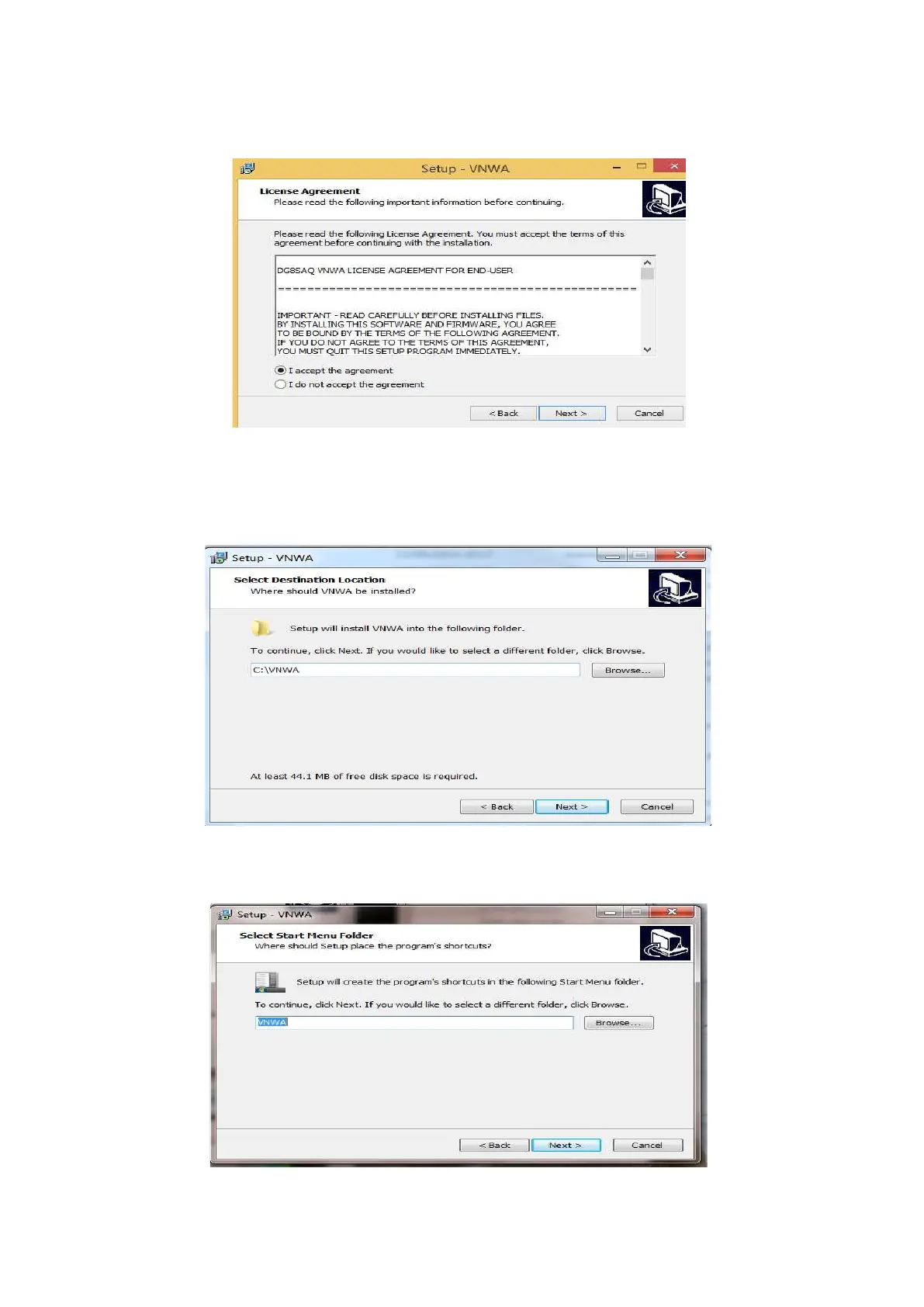
3.1.4 Press "Next >" – the VNWA License Agreement will be shown: Please read and tick the
correct box. Note: the VNWA Application is only licensed for VNWA hardware supplied by
SDR-Kits and our authorized Resellers.
Press "Next >" The default location where VNWA will be installed will be shown:
Note: Select a different Destination Location (ie C:\VNWA2) if you wish to install a second
VNWA application on the same PC. This will prevent overwriting the setup files of your first
VNWA application on the same PC.
3.1.5 Press "Next >" – This shows the default where program shortcuts will be installed. Press
“Next>” to continue
SDR-Kits
®
VNWA 3 - 3E "Getting Started" Manual v1.05c - copyright 2015 - 2018 by SDR-Kits
®
Page 4 of 52


 To Next Page