16
COUNTDOWN
COUNTDOWN TIMER SETTING
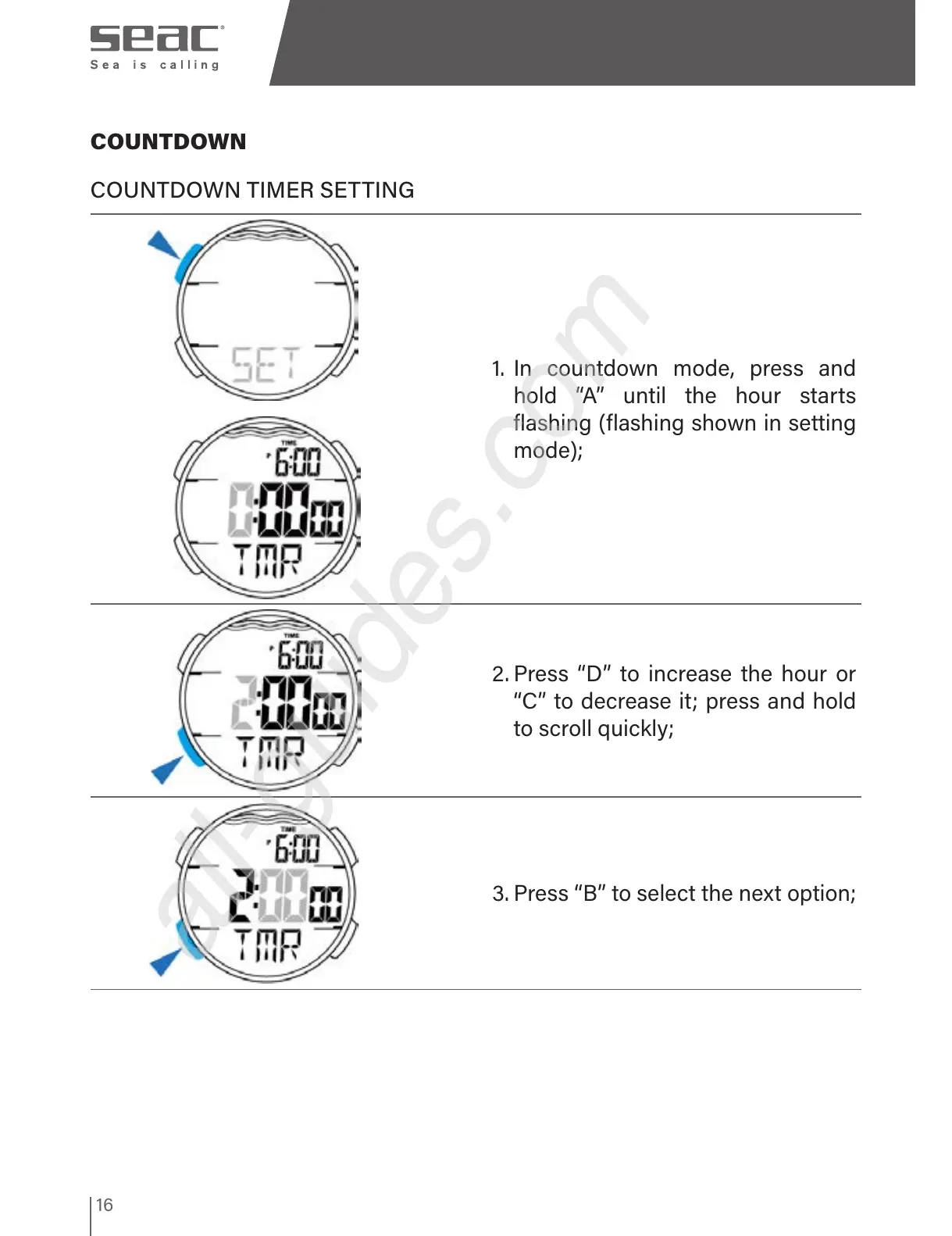
1. In countdown mode, press and
hold “A” until the hour starts
flashing (flashing shown in setting
mode);
2. Press “D” to increase the hour or
“C” to decrease it; press and hold
to scroll quickly;
3. Press “B” to select the next option;



 To Next Page