PARTNER
9
DIVING
SETTING DIVE PARAMETERS
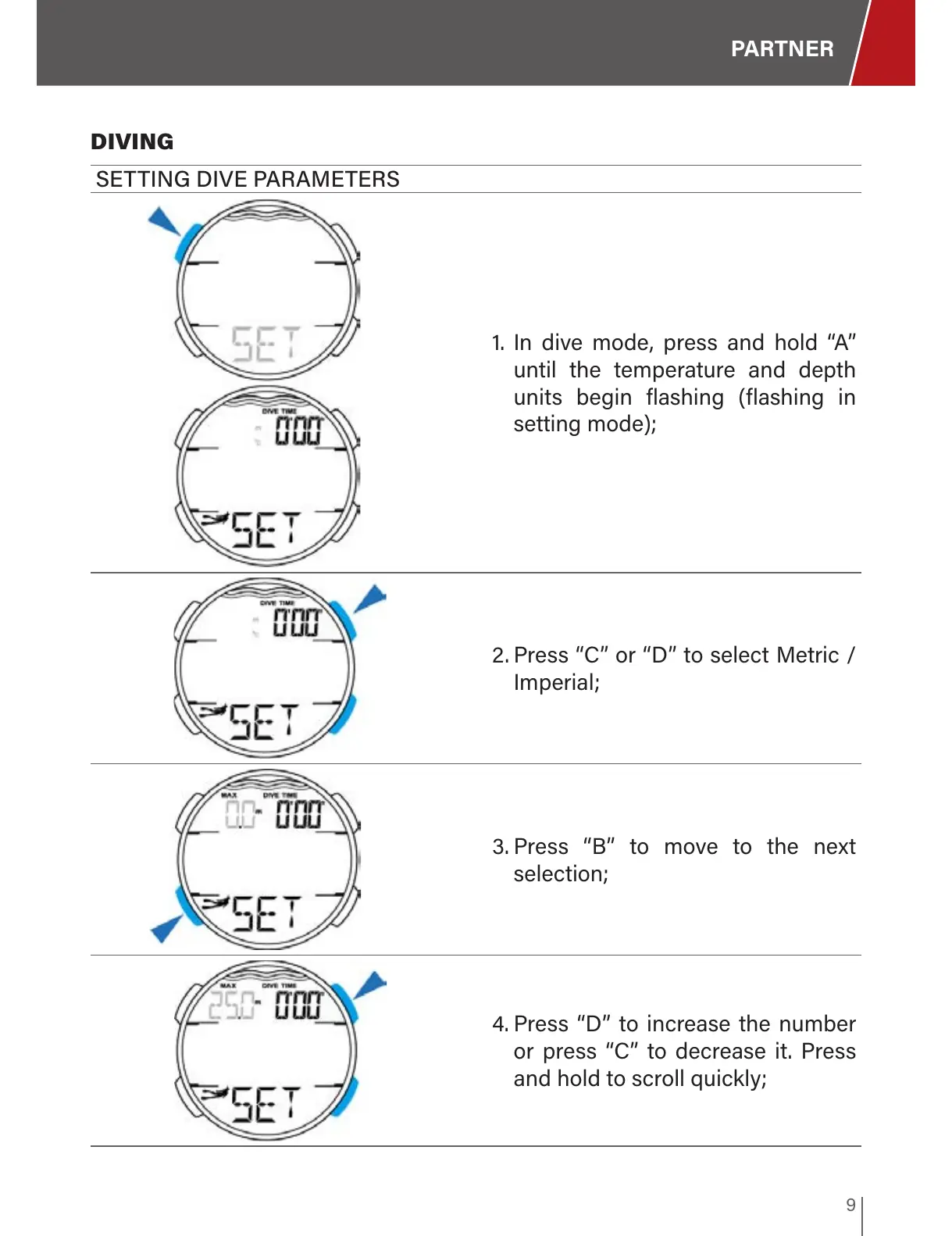
1. In dive mode, press and hold “A”
until the temperature and depth
units begin flashing (flashing in
setting mode);
2. Press “C” or “D” to select Metric /
Imperial;
3. Press “B” to move to the next
selection;
4. Press “D” to increase the number
or press “C” to decrease it. Press
and hold to scroll quickly;


 To Next Page