EasyManua.ls Logo

Seagate Backup Plus Hub - User Manual

Seagate Backup Plus Hub
3 pages
Print Icon
To Next Page IconTo Next Page
Loading...
Machine-hoz a merevlemezt a Mackel
kompatibilis formátumba kell formázni.
A teljesítmény maximalizálása érdekében
csatlakoztassa a meghajtót az USB 3.0
porthoz. USB 2.0 porttal is kompatibilis.
MEGJEGYZÉS:
Az adatok védelme
érdekében a termék leválasztásakor
mindig kövesse az operációs rendszernek
megfelelő biztonságos eltávolítási eljárást.
Ügyfélszolgálatunk elérhetőségét a
www.seagate.com/support/bup-hub
weboldalon találja.
A meghajtó szavatosságának
áttekintéséhez nyissa meg a meghajtón
található, Seagate kiskereskedelmi
termékekre vonatkozó korlátozott
jótállási nyilatkozatot vagy keresse fel
a www.seagate.com/retailwarranty
oldalt. Garanciális javítás igényléséhez,
az Ön területének ügyféltámogatásával
kapcsolatos további információkért,
vagy a legközelebbi hivatalos Seagate-
szervizközpontok helyeivel kapcsolatos
információkért keresse fel a
www.seagate.com weboldalt.
TR
WWW.SEAGATE.COM
Mac: Macinizde kullanmak için Paragon
sürücüsünü indirin: www.seagate.com/
paragon. Time Machinede, sabit disk Mac
için biçimlendirilmelidir.
Performansı en yüksek hale getirmek için,
sürücünüzü bir USB 3.0 bağlantı noktasına
bağlayın. USB 2.0 ile de uyumludur.
NOT: Verilerinizi korumak için
ürününüzün bağlantısını keserken her
zaman işletim sisteminiz için gereken
güvenli kaldırma işlemlerini uygulayın.
Müşteri desteği için, www.seagate.com/
support/bup-hub adresini ziyaret edin.
Sürücünüzün garanti ayrıntılarını gözden
geçirmek için, sürücünüzdeki Seagate
Perakende Sınırlı Garanti Bildirimi belgesini
açın veya www.seagate.com/retailwarranty
adresini ziyaret edin. Garanti hizmeti talep
etmek, bulunduğunuz bölgedeki müşteri
desteği konusunda ve yetkili Seagate servis
merkezlerinin yerleri hakkında bilgi almak
için www.seagate.com adresine gidin.
WWW.SEAGATE.COM
Mac: Unduh driver Paragon untuk
digunakan di Mac Anda: www.seagate.
com/paragon. Untuk Time Machine,
hard drive harus diformat untuk Mac.
Untuk memaksimalkan kinerja,
sambungkan drive Anda ke port USB
3.0. Juga kompatibel dengan USB 2.0.
Catatan: Untuk melindungi
data Anda, selalu ikuti prosedur
pelepasan yang aman untuk sistem
pengoperasian saat memutuskan
koneksi produk Anda.
Untuk dukungan pelanggan, kunjungi
www.seagate.com/support/bup-hub.
Untuk meninjau detail garansi drive
Anda, buka Pernyataan Garansi
Terbatas Retail Seagate di drive
Anda atau buka www.seagate.com/
retailwarranty. Untuk meminta layanan
garansi, dapatkan informasi terkait
dukungan pelanggan dalam yurisdiksi
Anda, atau untuk memperoleh informasi
terkait lokasi pusat layanan resmi
Seagate buka www.seagate.com.
ZH
_
CN
WWW.SEAGATE.COM
Mac:下载 Paragon 驱动程序,
以与您的 Mac 搭配使用:
www.seagate.com/paragon。
对于 Time Machine,必须将硬盘
格式为适用于 Mac。
要获得最佳性能,请将硬盘连接到
USB 3.0 端口。同时兼容 USB 2.0。
hårddisken vara formaterad för Mac.
Koppla din drivenhet till en USB 3.0
port för att maximera prestandan. Även
kompatibel med USB 2.0.
Obs! För att skydda dina data ska
du alltid följa de förfaranden för
säker borttagning som gäller för ditt
operativsystem när du kopplar från
produkten.
Besök www.seagate.com/support/
bup-hub för kundstöd.
Du kan kontrollera garantiuppgifterna
för din enhet genom att öppna Seagate
Retail begränsade garanti på enheten
eller besöka www.seagate.com/
retailwarranty. För att begära
garantiservice, få information om
kundstöd inom ditt område eller ta
reda på var auktoriserade Seagate-
servicecenter ligger, ska du besöka
www.seagate.com.
CS
WWW.SEAGATE.COM
Mac: Ovladač Paragon pro systém Mac
stáhnete na adrese: www.seagate.com/
paragon. Pokud pracujete s Time Machine,
musí být pevný disk naformátován pro Mac.
Za účelem maximalizace výkonu připojte
svou jednotku ke konektoru rozhraní
USB 3.0. Jednotka je také kompatibilní
s rozhraním USB 2.0.
POZNÁMKA: Při odpojování výrobku
vždy dodržujte postup bezpečného
odebrání pro váš operační systém za
účelem ochrany svých dat.
Zákaznickou podporu získáte na adrese
www.seagate.com/support/bup-desk.
Pokud chcete podrobněji prozkoumat
záruku na váš pevný disk, otevřete
prohlášení o omezené maloobchodní
záruce společnosti Seagate k vašemu
disku nebo přejděte na adresu
www.seagate.com/retailwarranty. Pokud
chcete požádat o záruční služby, získat
informace o zákaznické podpoře ve
vašem regionu, nebo získat informace
o poloze autorizovaných servisních
středisek společnosti Seagate, přejděte
na adresu www.seagate.com.
EL
WWW.SEAGATE.COM
Mac: Unduh driver Paragon untuk
digunakan di Mac Anda: www.seagate.com/
paragon. Για το Time Machine, ο σκληρός
δίσκος πρέπει να έχει διαμορφωθεί για Mac.
Για να μεγιστοποιήσετε την απόδοση,
συνδέστε τη μονάδα σας σε μια θύρα
USB 3.0. Επίσης συμβατή με USB 2.0.
ΣΗΜΕΙΩΣΗ:
Για την προστασία των
δεδομένων σας, να ακολουθείτε πάντοτε
τις διαδικασίες ασφαλούς κατάργησης
για το λειτουργικό σας σύστημα κατά την
αποσύνδεση της συσκευής σας.
Για υποστήριξη πελατών, επισκεφθείτε τη
διεύθυνση www.seagate.com/support/
bup-hub.
Για να δείτε τις λεπτομέρειες της εγγύησης
της μονάδας σας, ανοίξτε τη Δήλωση
Περιορισμένης Εγγύησης Προϊόντων
Λιανικής της Seagate στη μονάδα
σας ή μεταβείτε στη διεύθυνση
www.seagate.com/retailwarranty. Για την
αίτηση υπηρεσίας εγγύησης, τη λήψη
πληροφοριών σχετικά με την υποστήριξη
πελατών στην περιοχή σας ή για τη λήψη
πληροφοριών σχετικά με την τοποθεσία
εξουσιοδοτημένων κέντρων εξυπηρέτησης
της Seagate μεταβείτε στην τοποθεσία
www.seagate.com.
HU
WWW.SEAGATE.COM
Mac: A Paragon driver MAC verziója
a következő honlapon érhető el:
www.seagate.com/paragon. A Time
Para maximizar o desempenho, conecte
a unidade à porta USB 3.0. Compatível
também com USB 2.0.
NOTA: Para proteger seus dados,
sempre siga os procedimentos de
remoção segura do seu sistema
operacional ao desconectar o produto.
Para obter atendimento ao cliente, visite
www.seagate.com/support/bup-hub.
Para rever os detalhes da garantia
da sua unidade, abra a Declaração
de garantia limitada do varejista
Seagate na sua unidade ou acesse
www.seagate.com/retailwarranty.
Para solicitar um serviço de garantia,
obtenha informações sobre o suporte
ao cliente na sua jurisdição, ou para
obter informações sobre a localização
dos centros de serviço autorizados da
Seagate, acesse www.seagate.com.
RU
WWW.SEAGATE.COM
Mac: Загрузка драйвера Paragon для
использования на компьютере Mac:
www.seagate.com/paragon. Для Time
Machine жесткий диск должен быть
отформатирован для Mac.
Для обеспечения максимальной
производительности подключите
накопитель к порту USB 3.0. Также
совместимо с USB 2.0.
ПРИМЕЧАНИЕ. Чтобы обеспечить
сохранность данных, при отключении
продукта всегда выполняйте в
операционной системе процедуру
безопасного извлечения.
Посетите сайт поддержки клиентов:
www.seagate.com/support/bup-hub.
Для получения подробных сведений
о гарантии на накопитель откройте
на накопителе файл с заявлением об
ограниченной гарантии Seagate для
розничной торговли или перейдите по
ссылке www.seagate.com/retailwarranty.
Для получения гарантийного
обслуживания, дополнительной
информации об обслуживании клиентов
в вашем регионе или информации о
местонахождении уполномоченных
сервисных центров компании Seagate
посетите веб-сайт www.seagate.com.
FI
WWW.SEAGATE.COM
Mac: Lataa Paragon-ajuri Macille:
www.seagate.com/paragon. Time
Machine -toiminnon käyttämiseksi
kovalevy täytyy formatoida Macia varten.
Maksimoi laitteen suorituskyky
liittämällä levyasema USB 3.0 -porttiin.
Yhteensopiva myös USB 2.0 -portin
kanssa.
HUOMAUTUS: Suojaa tietojasi
laitetta irrotettaessa ja noudata
aina käyttöjärjestelmän ohjeita,
jotka koskevat laitteen turvallista
poistamista.
Asiakastukea saa osoitteesta
www.seagate.com/support/bup-hub.
Yksityiskohtaisia tietoja levyaseman
takuusta saa avaamalla levyasemalla
olevan Seagaten vähittäismyynnin
rajoitetun takuun lausunnon tai
vierailemalla osoitteessa
www.seagate.com/retailwarranty.
Jos haluat pyytää takuupalvelua
tai saada tietoja oman alueesi
asiakastuesta tai valtuutettujen
Seagate-huoltopisteiden sijainnista,
vieraile osoitteessa www.seagate.com.
SV
WWW.SEAGATE.COM
Mac: Hämta Paragon-drivrutinen för
användning på Mac: www.seagate.com/
paragon. För Time Machine måste
© 2017 Seagate Technology LLC. All rights reserved. Seagate, Seagate Technology and the
Spiral logo are registered trademarks of Seagate Technology LLC in the United States and/or
other countries. The Backup arrow design is either a trademark or registered trademark of
Seagate Technology LLC or one of its affiliated companies in the United States and/or other
countries. All other trademarks or registered trademarks are the property of their respective
owners. Complying with all applicable copyright laws is the responsibility of the user. Seagate
reserves the right to change, without notice, product offerings or specifications.
Seagate Technology LLC
10200 S. De Anza Blvd.
Cupertino, CA 95014
U.S.A.
PN: 100822921 11/17
Seagate Singapore International
Headquarters Pte. Ltd.
Koolhovenlaan 1
1119 NB Schiphol-Rijk
The Netherlands
OOOOOX
OOOOOX
OOOOOX
OOOOOX
OOOOOO
Hazardous Substances
有害物质
Part Name
(Pb) (Hg) (Cd) (Cr
+6
) (PBB) (PBDE)
部件名称
六价铬 多溴联苯
多溴二苯醚
硬盘驱动器
HDD
外接硬盘印刷电路板
Bridge PCBA
电源(如果提供)
Power Supply (if provided)
接口电缆(如果提供)
Interface cable (if provided)
其他外壳组件
Other enclosure components
本表格依据 SJ/T 11364 的规定编制。
This table is prepared in accordance with the provisions of SJ/T 11364-2014
O: 表示该有害物质在该部件所有均质材料中的含量均在 GB/T 26572 规定的限量要求以下。
O:
Indicates that the hazardous substance contained in all of the homogeneous materials for this part is below the limit requirement of
GB/T26572.
X: 表示该有害物质至少在该部件的某一均质材料中的含量超出 GB/T 26572 规定的限量要求。
X:
Indicates that the hazardous substance contained in at least one of the homogeneous materials used for this part is above the limit
requirement of GB/T26572.
China RoHS 2 table
China RoHS 2 refers to the Ministry of Industry and Information Technology Order
No. 32, effective July 1, 2016, titled Management Methods for the Restriction of
the Use of Hazardous Substances in Electrical and Electronic Products. To
comply with China RoHS 2, we determined this product’s Environmental
Protection Use Period (EPUP) to be 20 years in accordance with the Marking
for the Restricted Use of Hazardous Substances in Electronic and Electrical
Products, SJT 11364-2014.
中国 RoHS 2 是指 2016 年 7 1 日起施行的工业和信息化部令第 32 号“电力电子产品限制使
用有害物质管理办法”。为了符合中国 RoHS 2 的要求,我们根据“电子电气产品有害物质限
制使用标识”(SJT 11364-2014) 确定本产品的环保使用期 (EPUP) 为 20 年。
OOOOO
OOOOO
OOOOO
OOOOO
OOOOOO
限用物質及其化學符號
設備名稱:硬盤設備/SSD,型號:外接使用
Unit
Equipment Name: Hard Disk Device/SSD, Type Designation: External Use Only
Restricted Substance and its chemical symbol
(Pb) (Hg) (Cd) (Cr
+6
) (PBB) (PBDE)
單元
六价铬 多溴联苯
多溴二苯醚
硬盤驅動器
HDD
外接硬盤印刷电路板
Bridge PCBA
电源(如果提供)
Power Supply (if provided)
接口电缆(如果提供)
Interface cable (if provided)
其他外壳组件
Other enclosure components
備考 1.
O
係指該项限用物質之百分比含量未超出百分比含量基準值。
Note 1.O indicates that the percentage content of the restricted substance does not exceed the percentage of reference value of presence.
備考 2.
係指該项限用物質為排除項目。
Note 2. indicates that the restricted substance corresponds to the exemption.
Taiwan RoHS table
Taiwan RoHS refers to the Taiwan Bureau of Standards, Metrology and Inspection’s (BSMI’s)
requirements in standard CNS 15663, Guidance to reduction of the restricted chemical
substances in electrical and electronic equipment. Beginning on January 1, 2018, Seagate
products must comply with the “Marking of presence” requirements in Section 5 of CNS
15663. This product is Taiwan RoHS compliant.
The following table meets the Section 5 “Marking of presence” requirements.
台灣 RoHS 是指台灣標準局計量檢驗局 (BSMI) 對標準 CNS 15663 要求的減排電子電氣設備
限用化學物質指引。從2018年1月1日起,Seagate 產品必須符合 CNS 15663 第 5 節「含有
標示」要求。本產品符合台灣 RoHS。
下表符合第 5 節「含有標示」要求。
Desktop Storage with
Integrated USB Hub
QUICK START GUIDE
HURTIG STARTVEJLEDNING
SCHNELLSTARTANLEITUNG
GUÍA DE INICIO RÁPIDO
GUIDE DE DÉMARRAGE RAPIDE
GUIDA DI AVVIO RAPIDO
SNELSTARTHANDLEIDING
HURTIGVEILEDNING
SZYBKIE WPROWADZENIE
GUIA DE INÍCIO RÁPIDO
КРАТКОЕ РУКОВОДСТВО
ПОЛЬЗОВАТЕЛЯ
PIKAOPAS
SNABBGUIDE
RYCHLÝ PRŮVODCE SPUŠTĚNÍM
Ο∆ΗΓΟΣ ΓΡΗΓΟΡΗΣ ΕΚΚΙΝΗΣΗΣ
ÜZEMBE HELYEZÉSI ÚTMUTA
HIZLI BAŞLANGIÇ KILAVUZU
PANDUAN MEMULAI CEPAT
入门
入門
퀵 스트 가
クストガ
注意:
为保护您的数据,请在断开产
时,总是按照适用于您的操作系统的
安全卸下过程操作。
如需客户支持,请访问
www.seagate.com/support/
bup-hub。
要查看您硬盘保修的详细信息,请打
开硬盘上的 Seagate 零售有限保修
声明 ,或访问 www.seagate.com/
retailwarranty。要请求保修服务、获取
有关您所在地区客户支持的信息,或要
获取有关 Seagate 授权服务中心地址的
信息,请访问 www.seagate.com。
有关合规信息,请访问
www.seagate.com/support/
bup-hub。
ZH
_
TW
WWW.SEAGATE.COM
Mac:下載 Paragon 驅動程式,
以與您的 Mac 搭配使用:
www.seagate.com/paragon。
對於 Time Machine,必須將硬碟機
格式為適用於 Mac。
若要獲得最佳效能,請將磁碟機連接到
USB 3.0 連接埠。同時與 USB 2.0 相容。
備註:
為保護您的資料,請在中斷您
產品的連接時始終執行作業系統的安
全移除 程序。
如需客戶支援,請造訪
www.seagate.com/support/
bup-hub。
要查看您磁碟機保固的詳細資料,請開
啟磁碟機上的 Seagate 零售有限保固
聲明,或造訪 www.seagate.com/
retailwarranty。要請求保固服務、獲取
有關您所在地區客戶支援的資訊,或要
獲取有關 Seagate 授權服務中心地址的
資訊,請造訪 www.seagate.com。
有關合規資訊,請造訪
www.seagate.com/support/
bup-hub。
KO
WWW.SEAGATE.COM
Mac: Mac에서 사용할 Paragon
드라이버는: www.seagate.com/paragon
에서 다운로드하십시오. Time Machine
경우, 하드 드라이브는 Mac용으로
포맷해야 합니다.
성능을 극대화할 수 있게 드라이브를
USB 3.0 포트에 연결하십시오. USB 2.0
과도 호환됩니다.
위해서 제품과의 연결을 끊을 때에는
항상 하드웨어 안전 제거 절차를
준수하십시오.
고객 지원을 받으려면 www.seagate.com/
support/bup-hub를 방문하십시오.
사용 중인 드라이브의 보증 기간에 대한
자세한 내용을 확인하려면 드라이브의
Seagate Retail Limited Warranty
Statement를 열거나 www.seagate.com/
retailwarranty를 방문하십시오. 보증
서비스를 요청하려면 www.seagate.com
방문하여 관할지역의 고객 지원에
관한 정보 또는 공인 Seagate 서비스
센터에 관한 정보를 얻으십시오.
JA
WWW.SEAGATE.COM
Mac: Mac で使用すにはParagon
ードしてく:
www.seagate.com/paragonTime
Machine 使用す場合は、
Mac 用に
る必ます
性能最大限に活用すには
USB 3.0 ポーに接続USB 2.0
にも対ています
注:
取り外ング シス
の手順に従いい方法で切断
ださい。
マー ポーにつは、
www.seagate.com/support/bup-hub
ださい。
お使いのブの保証の詳細につい
ブに添付 Seagate
小売限定保証書かwww.seagate.com/
retailwarranty ご覧保証サー
込むには該当区域内の
マー サポに関す情報を入手
Seagate 認定サー
ーの場所調べたい場合は
www.seagate.com ご覧
Question and Answer IconNeed help?

Do you have a question about the Seagate Backup Plus Hub and is the answer not in the manual?

Overview

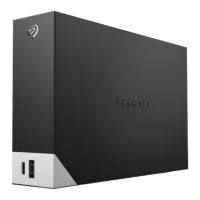
The Seagate Backup Plus Hub is a desktop storage solution designed to provide ample space for your digital life while also offering the convenience of an integrated USB hub. This device is ideal for users who need to expand their computer's storage capacity and streamline their desktop setup by consolidating USB connections.

Function Description

At its core, the Seagate Backup Plus Hub serves as an external hard drive, offering significant storage for backing up files, storing large media libraries, and freeing up space on your computer's internal drive. The "Backup Plus" designation indicates its primary purpose: to facilitate easy and reliable data backup. This is crucial for protecting important documents, photos, videos, and other digital assets from potential data loss due to hardware failure, accidental deletion, or other unforeseen circumstances.

Beyond its storage capabilities, a key distinguishing feature of this device is its "Hub" functionality. It integrates a USB hub, which means it provides additional USB ports that you can use to connect other devices, such as smartphones, tablets, cameras, or other external drives. This is particularly useful for desktop users who often find themselves with a limited number of accessible USB ports on their computer. By centralizing these connections through the Backup Plus Hub, it helps to reduce cable clutter and makes it easier to manage multiple peripherals. The integrated hub typically supports USB 3.0, ensuring fast data transfer speeds for connected devices, while also being backward compatible with USB 2.0.

The device is designed for desktop use, implying it requires an external power source and is not intended for portable, on-the-go use like smaller, bus-powered external drives. Its robust design and larger capacity are tailored for a stationary setup where it can serve as a central storage and connectivity point.

Usage Features

Setting up the Seagate Backup Plus Hub is straightforward. For Windows users, the process typically involves connecting the device to a power outlet and then to your computer via a USB cable. Once connected, the drive usually appears in "My Computer" or "This PC." To initiate the backup process or access the drive's features, users are guided to an executable file (e.g., "Start_Here_Win") on the drive itself. This file often launches a setup wizard or provides links to download necessary software, such as Seagate's backup utility, which can automate backups and manage the drive's settings.

For Mac users, an additional step is required to ensure full compatibility and optimal performance. Macs typically require a special driver, specifically the Paragon driver for NTFS, to write to NTFS-formatted drives (which is a common format for external drives out of the box, especially those designed for cross-platform use). Users are directed to a specific Seagate website (www.seagate.com/paragon) to download and install this driver. Once installed, the Mac can fully interact with the drive, allowing for seamless file transfers and backup operations. For those intending to use the drive with Apple's Time Machine backup software, the drive must be formatted specifically for Mac, which is a standard procedure within macOS Disk Utility.

To maximize performance, especially for large file transfers or when using the integrated USB hub with high-speed devices, it is recommended to connect the Backup Plus Hub to a USB 3.0 port on your computer. USB 3.0 offers significantly faster data transfer rates compared to USB 2.0, ensuring that backups and file access are as efficient as possible. However, the device is also fully compatible with USB 2.0 ports, albeit with reduced speed.

The integrated USB hub functionality allows users to connect other USB devices directly to the Backup Plus Hub. This means you can plug in your phone to charge or sync, connect a USB flash drive, or even another external hard drive, all while using only one USB port on your computer for the Backup Plus Hub itself. This feature is particularly beneficial for decluttering your workspace and simplifying cable management.

Maintenance Features

Maintaining the Seagate Backup Plus Hub primarily revolves around ensuring data integrity and proper handling. A critical aspect emphasized in the documentation is the importance of following safe removal procedures for your operating system when disconnecting the product. This means using the "Safely Remove Hardware and Eject Media" option on Windows or dragging the drive icon to the Trash (which changes to an Eject icon) on Mac before physically unplugging the USB cable or power adapter. Failing to do so can lead to data corruption, loss of files, or even damage to the drive itself. This practice ensures that all read/write operations are completed and the drive's file system is properly unmounted, preventing potential issues.

While the device is designed for reliability, users may occasionally need to check its health or perform routine maintenance. This can involve using disk utility tools provided by the operating system (e.g., Disk Utility on macOS, Disk Management on Windows) to check for errors, repair file system issues, or reformat the drive if necessary. Seagate's own backup software, often included with the drive or available for download, may also offer diagnostic tools or features to monitor the drive's status.

For customer support and warranty information, Seagate provides dedicated resources. Users can visit specific support pages (e.g., www.seagate.com/support/bup-hub) for troubleshooting guides, FAQs, and contact information. Details regarding the drive's warranty are typically available in a "Seagate Retail Limited Warranty Statement" on the drive itself or on Seagate's website (www.seagate.com/retailwarranty). This information is crucial for understanding the terms of coverage, how to request warranty service, and where to find authorized service centers.

Regularly updating the Paragon driver for Mac users, if new versions become available, can also be considered a maintenance practice to ensure continued compatibility and optimal performance with macOS updates. Keeping the drive's firmware up to date, if Seagate releases any, would also fall under maintenance, though firmware updates for external drives are less frequent than for internal components.

In essence, the Seagate Backup Plus Hub is a comprehensive desktop solution that combines high-capacity storage with the practical utility of a USB hub, designed for users seeking to expand their digital storage and simplify their peripheral connections. Its ease of setup, cross-platform compatibility (with the necessary drivers), and emphasis on safe handling contribute to a reliable user experience.

Seagate Backup Plus Hub Specifications

General IconGeneral
Capacity4TB, 6TB, 8TB, 10TB, 12TB, 14TB, 16TB
InterfaceUSB 3.0
Warranty2-year limited warranty
Weight1.06 kg (2.34 lbs)
USB Ports2 x USB 3.0
CompatibilityWindows and Mac OS
Form Factor3.5 inch
PowerExternal power supply
SoftwareSeagate Toolkit (backup, mirroring, encryption)

Related product manuals