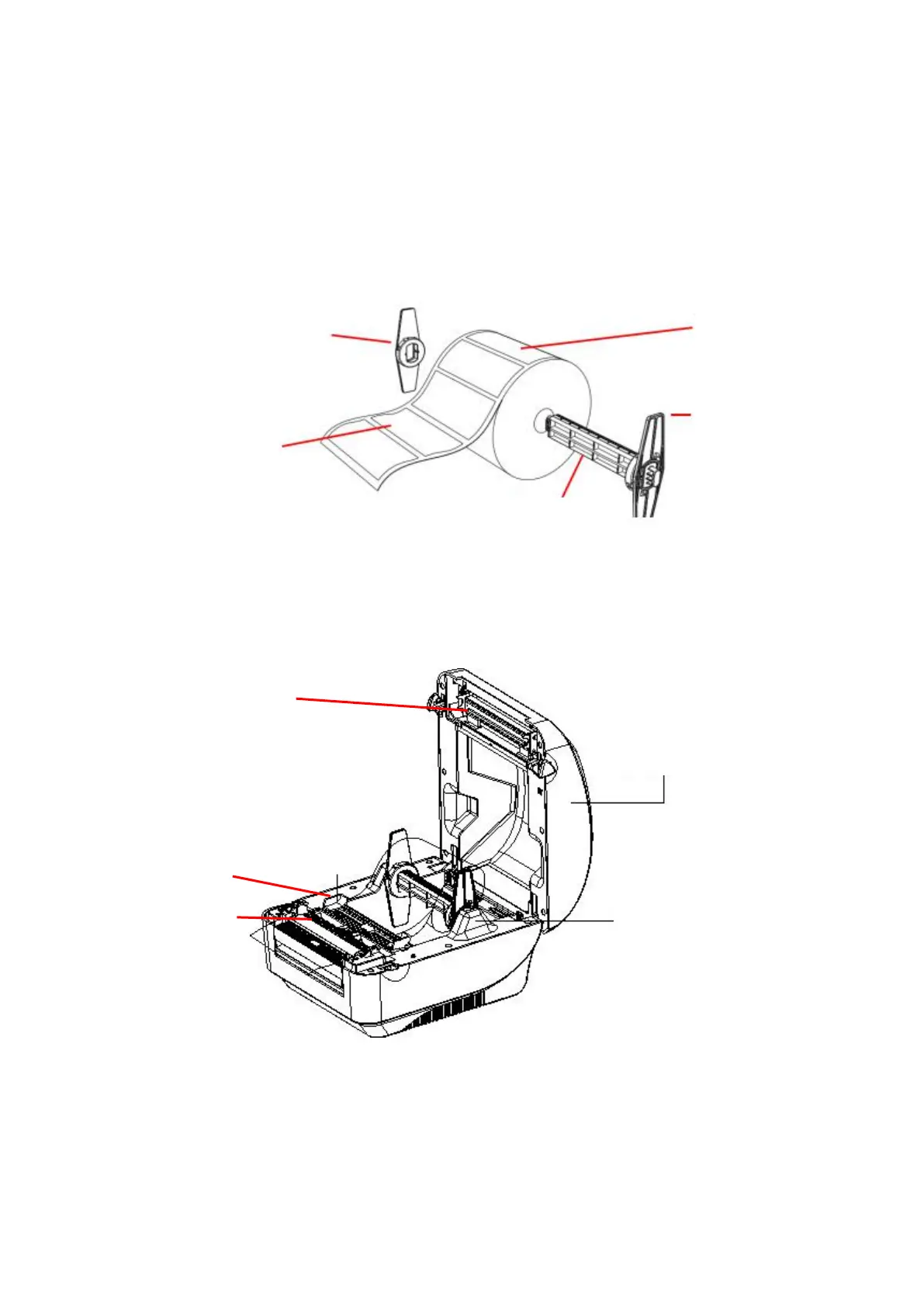
3.2 Install the label
1. Insert the paper roll shaft into the paper roll and insert it into the paper roll shaft bushing.(*If
the paper roll you are using has a core of 1 inch, remove the 1.5" paper roll shaft bushing, and
simply use the paper roll shaft only.)
*1.5"纸卷轴榇套
纸卷
2. Push the printer cover release button forward with both hands to open the printer cover.
3. Place the label roll on the label roll holder. (Print side up)
4. Pass the label through the paper guide and pull the label over the rubber roller.
1.5” Paper roll
shaft bushing


 To Next Page