OPERATION
MANUAL
11 of 22
Section 2: SYSTEM OPERATION
2.2 START-UP INSTRUCTIONS
2.2.1 POWER ON
1. Energize Seakeeper 1 Battery Isolation Switch.
2. Energize Seakeeper 1 High Current DC Power Supply (12 VDC, 80A) at customer-supplied
circuit breaker.
3. Energize 12 VDC seawater pump power supply at the customer-supplied circuit breaker
(unless a fuse is supplied as overcurrent protection).
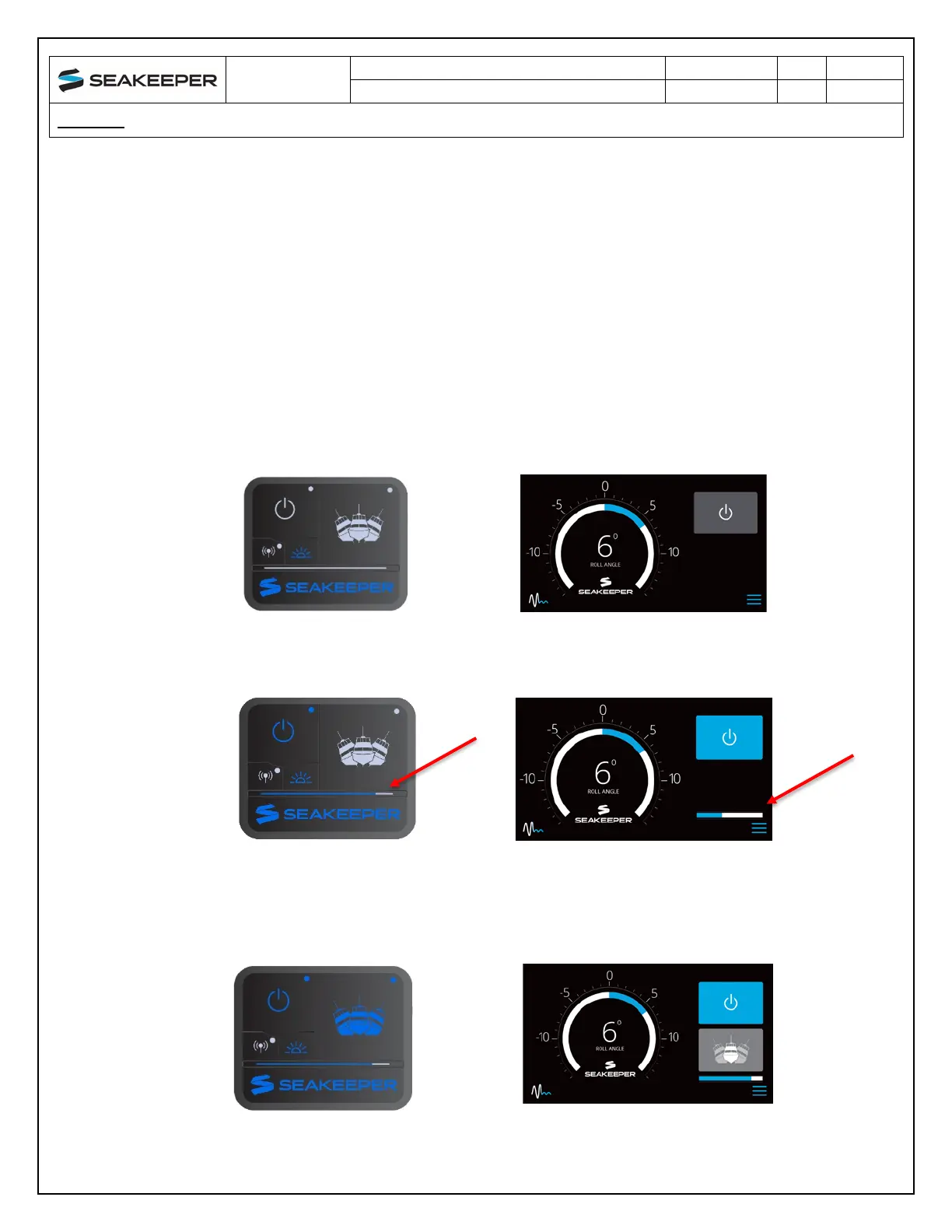
4. When the high DC power is turned on, the ConnectBox and Seakeeper 5” Touch Display and/or
MFD application will initialize as seen below. The Seakeeper 1 can be powered on and
controlled by either the Seakeeper Application or the ConnectBox.
5. With system energized, check the Seakeeper display for any ALARMS. If there are any ALARMS
present, they must be addressed to proceed.
6. To turn the Seakeeper on, press the POWER button; the button will turn blue. The progress
bar will appear and indicate how soon the Seakeeper will be available for stabilization. The
progress bar indicates the speed of the flywheel as it accelerates to its rated operating RPM.
7. W
hen the Seakeeper is initialized and up to Stabilization RPM the STABILIZE button will appear
on the application, or if using the ConnectBox, the STABILIZE button will illuminate blue and
pulsate. At this point, the Seakeeper is available for stabilization by pressing the STABILIZE
button.



 To Next Page