OPERATION
MANUAL
5 of 22
Section 2: SYSTEM OPERATION
2.0 SYSTEM OPERATION
The Seakeeper 1 requires the ConnectBox as well as connection to either a Seakeeper 5” Touch Display
or compatible MFD. Both the Seakeeper 5” Touch Display and compatible MFD will show the same
Seakeeper Application outlined in this section.
2.1 DISPLAY SCREENS AND CONNECTBOX OVERVIEW
1. When 12 VDC power is applied to the Seakeeper, the ConnectBox will illuminate and the
Seakeeper Application on the 5” Touch Display and/or MFD will initialize. If connecting the
ConnectBox to an MFD and the Seakeeper App does not appear on the MFD, please refer to
appropriate Technical Bulletin to troubleshoot, at www.seakeeper.com/technical-library/
and
select the Seakeeper 1:
• Garmin and Seakeeper Compatibility (TB_90478)
• Raymarine and Seakeeper Compatibility (TB_90479)
• Simrad and Seakeeper Compatibility (TB_90480)
2.1.1 CONNECTBOX AND HOME SCREEN
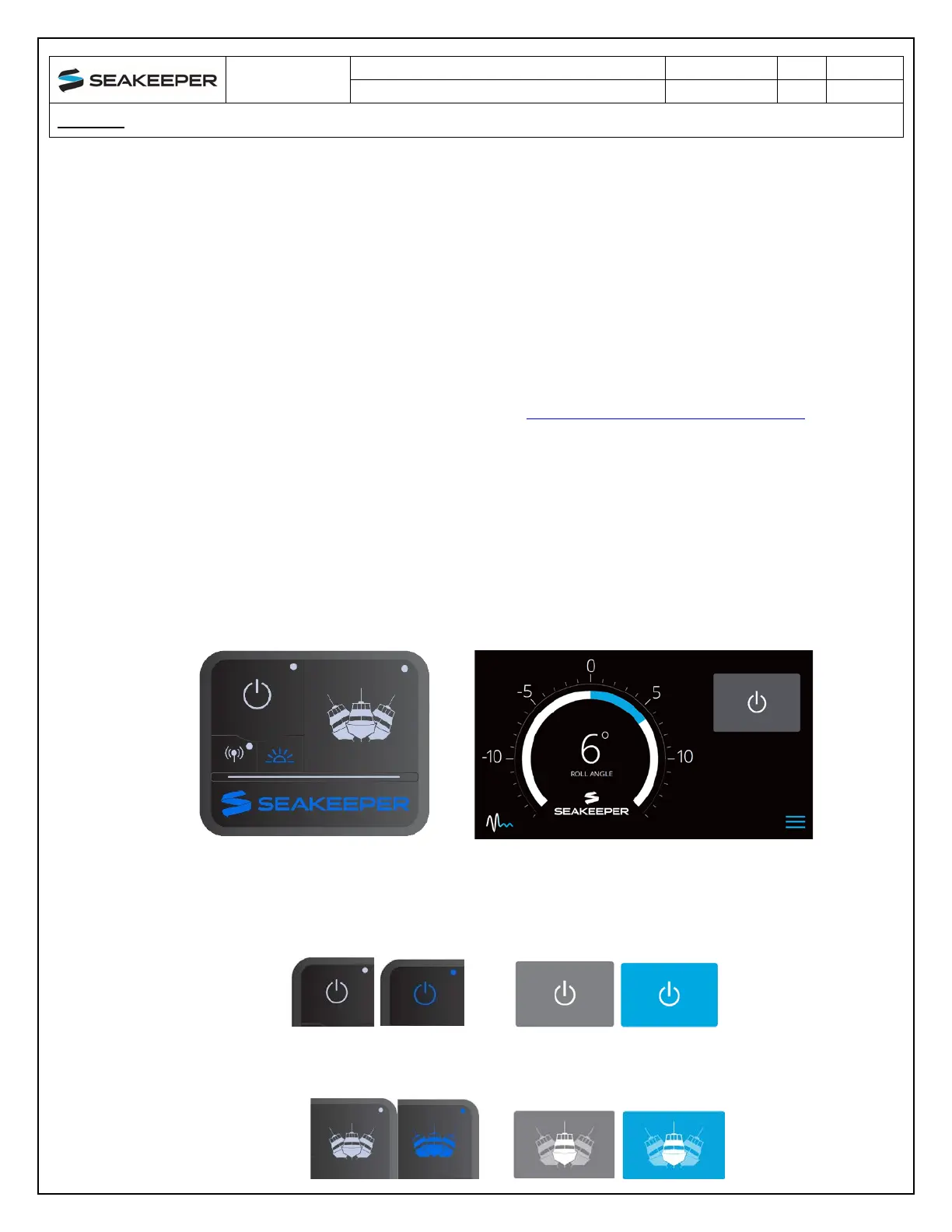
2. After the Seakeeper ConnectBox and Application have initialized, the ConnectBox and
Application Home Screen will be displayed as shown below.
3. Th
e Seakeeper can be controlled by either the ConnectBox (shown in the left pictures) or the
Application on the Seakeeper 5” Touch Display or compatible MFD (shown in the right
pictures). Seakeeper POWER button: when pressed, the button will change from grey
(Seakeeper Off) to blue (Seakeeper On).
4. Seake
eper STABILIZE button: when pressed, the button will change from grey (Stabilize Off) to
blue (Stabilize On).



 To Next Page