OPERATION
MANUAL
6 of 22
Section 2: SYSTEM OPERATION
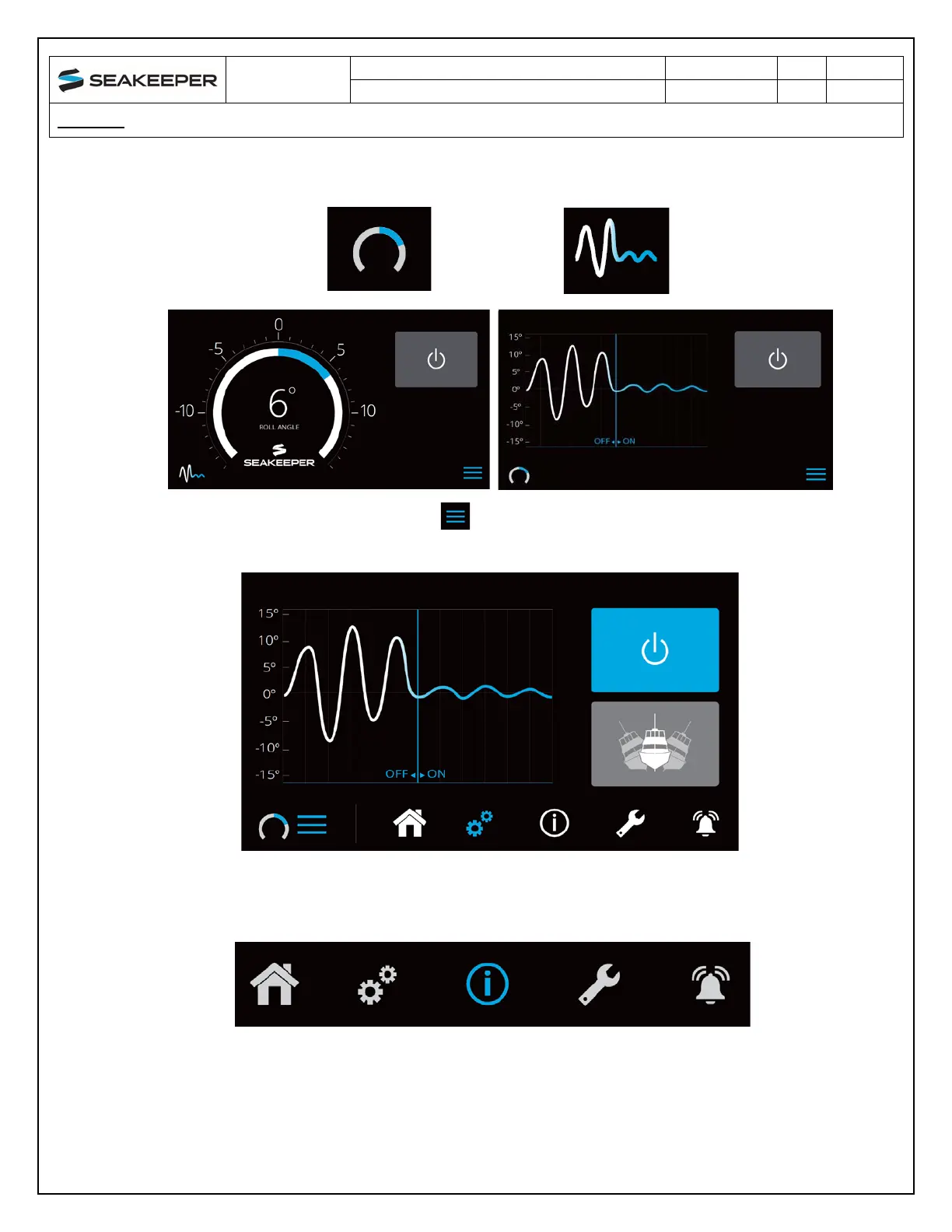
5. On the Application Home Screen view, these buttons can be pressed to toggle Home Screen
vi
ews between the Roll Angle Gauge and the Roll Angle Graph as shown below.
6. W
hen the MENU button is pressed, the Menu Bar will appear or disappear at the
bottom of the screen.
7. Th
e Menu Bar is used to navigate between pages. From left to right, the available pages are
Home, Settings, Information, Service, and Alarm History. The selected page is highlighted in
blue on the Menu Bar.



 To Next Page