OPERATION
MANUAL
8 of 22
Section 2: SYSTEM OPERATION
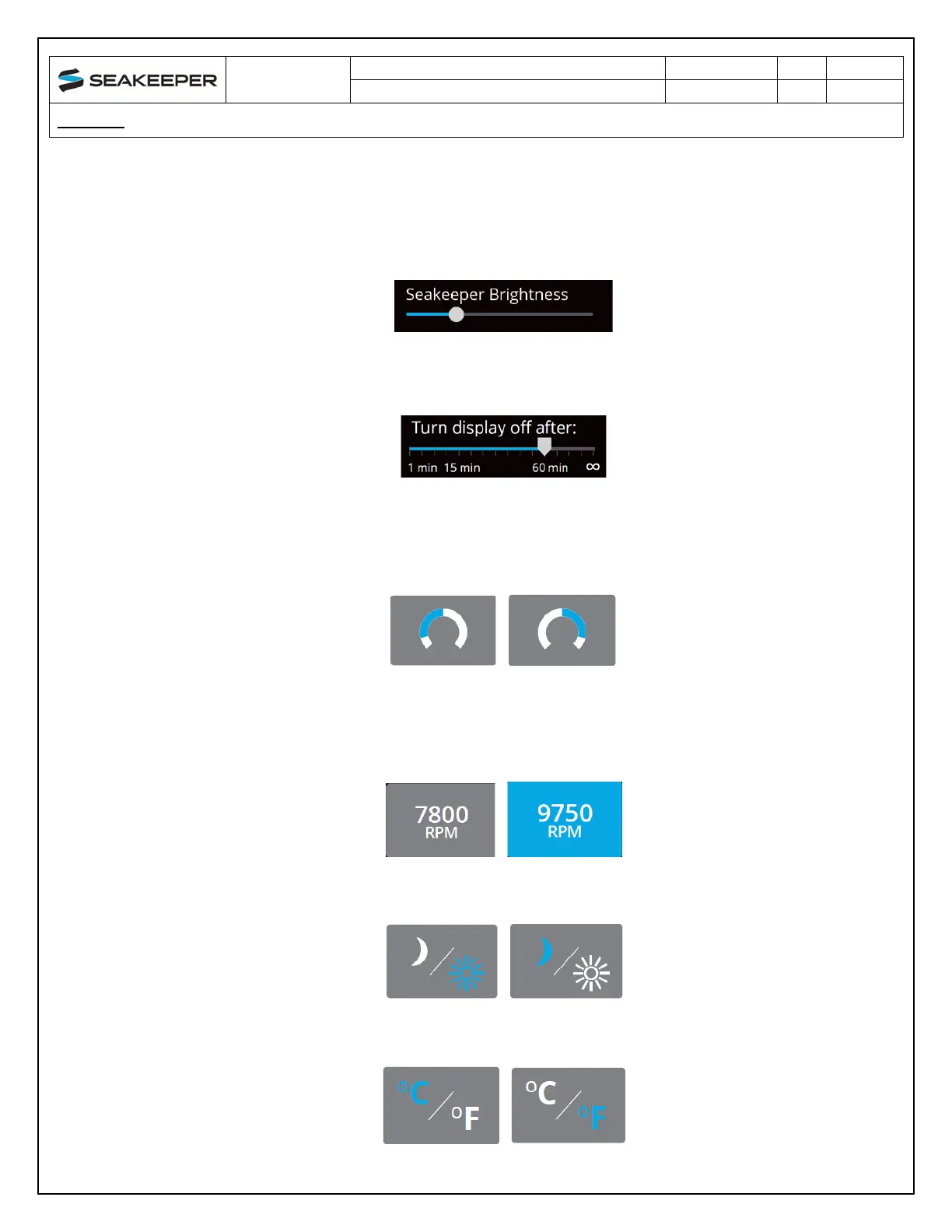
12. When the SYNC BRIGHTNESS Button is off, increase or decrease the brightness of the LED
Seakeeper lights with the brightness slider by sliding the white dot left to decrease brightness
and right to increase brightness. When the SYNC BRIGHTNESS Button is On, by adjusting one
of the Controller or Seakeeper brightness bars, both brightness settings will adjust to the same
brightness.
13. O
n the Seakeeper 5” Touch Display only, there is a sleep timer. Adjust the sleep timer from 1
minutes to infinite using sleep time slider. Touching the screen will wake the display up after
it has gone to sleep. The MFD should be controlled within the MFD’s settings.
14. I
f the Seakeeper is facing the bow of the vessel, the Roll Angle Gauge should show the blue on
the left (pictured left). If the Seakeeper is facing the stern of the vessel, you should select the
Roll Angle Gauge with the blue on the right (pictured right). A positive roll angle should be
displayed when the vessel rolls to starboard.
15. C
hange the speed of the Seakeeper between normal operation and low power operation. Low
power mode consumes less power and should generate less noise. The selected speed i
s
c
olored blue. When power is cycled (or Seakeeper turned Off), this speed will default back to
the normal operating speed.
16. Ch
ange the display between day and night mode. The selected mode is colored blue and to
change between day and night mode, press the button.
17. C
hange the units of the temperatures displayed on the Service Page between degrees Celsius
and degrees Fahrenheit. The selected units are colored blue.



 To Next Page