Section 2: SYSTEM OPERATION
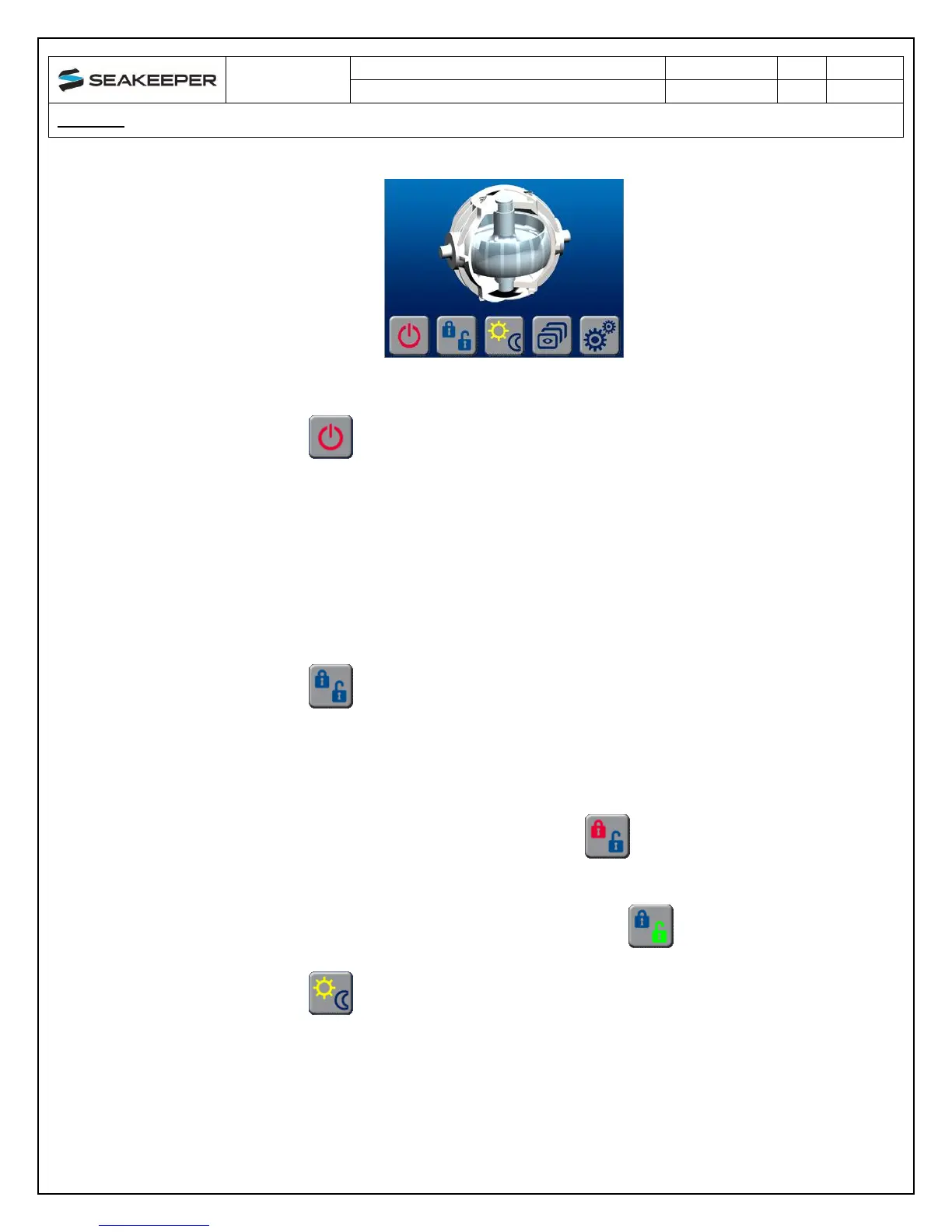
a. HOME Screen BUTTON function
i. Seakeeper ON/OFF and FAULT RESET
1. The ICON will change from red (Seakeeper OFF) to green
(Seakeeper ON)
2. The ICON will turn red indicating the SEAKEEPER is off when
a fault appears
3. When a FAULT occurs the BUTTON is used to reset the active
fault
ii. SEAKEEPER LOCK/UNLOCK
1. When the Seakeeper control is initializing, or the Seakeeper is
off, the lock symbols will both be blue
2. When the Seakeeper is in LOCK mode, stabilization is off, and
the LOCK symbol will be red
3. When the Seakeeper is UNLOCKED, stabilization is on, and
the UNLOCK symbol will be green
iii. DISPLAY DAY/NIGHT
1. Toggles the DISPLAY brightness between the Day and Night
settings


 To Next Page