4. Service Menu Items
The Service Menu Items can be utilized for adjusting certain parameters of your Seakeeper Ride
system.
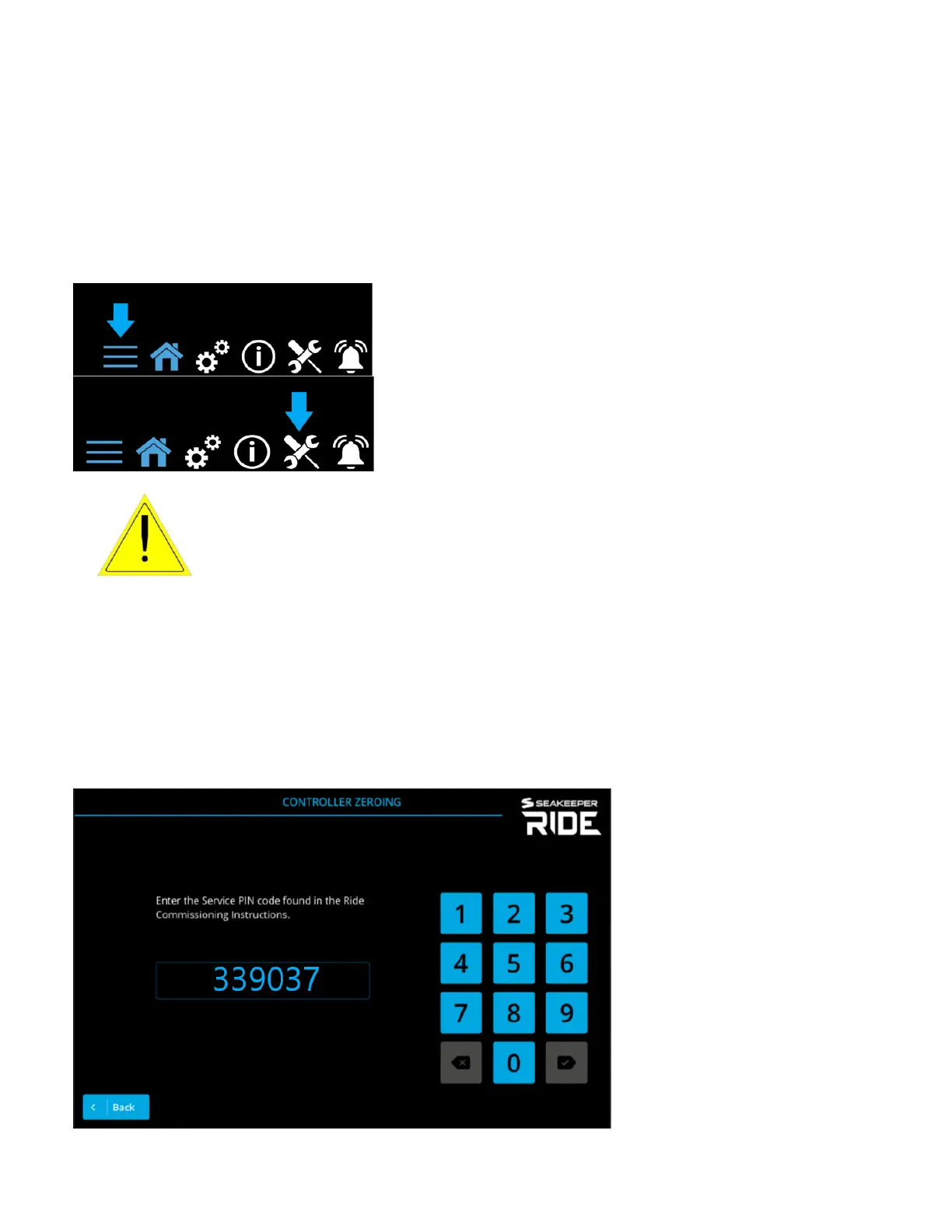
To access the Service Menu Items, choose the button with three lines on the bottom right of the
MFD, then choose tool icon on the bottom right.
ATTENTION!Changing these critical settings can render the system
nonfunctional and create an unsafe operating condition. Please
proceed only if you have read and understand this manual in full.
Service menu items should be chosen from top to bottom starting with ‘System Status’ to see what
needs to be completed. The System Status screen will give an overview of the current Seakeeper
Ride settings. It is helpful for troubleshooting and understanding your installation.
Before Service Menu Screens are accessed to make changes, there is a pass code which must be
used when accessing these pages due to the risk associated with these procedures.
Note: If equipped with a keypad, the Keypad will be disabled while in all service screens.



 To Next Page