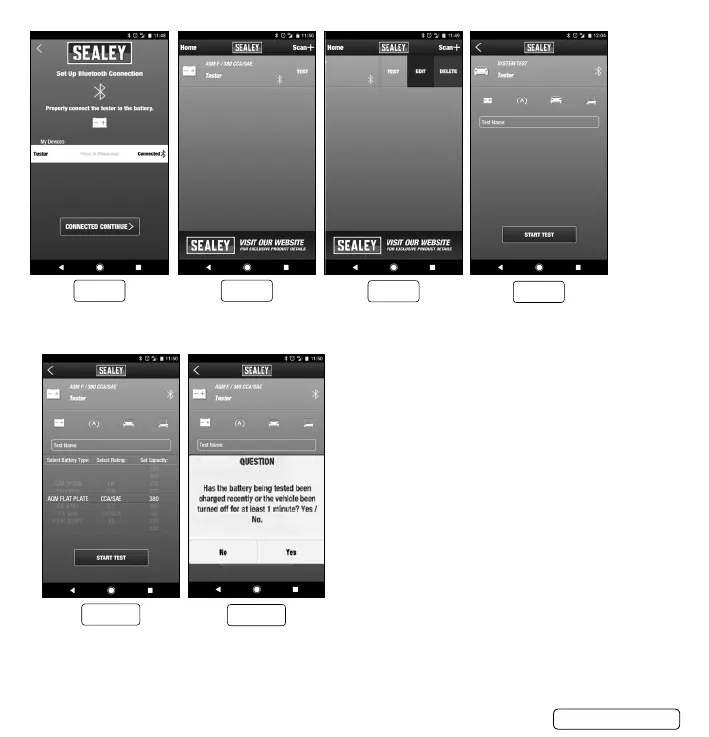
7.1.5. Press “TEST” to enter the testing process.
7.1.6. Select “Battery Test” Set up test on each icon to select Battery Type, Rating and Set Capacity (or Rated CCA)
7.1.7. Press “START TEST” to begin testing. At any time in the process
press “<” to return to the previous screen. (g.10)
7.1.8. Conrm whether the battery has been charged. (g.11)
g.6
g.8
g.7
g.9
g.10
BT3000 | Issue 1 12/04/17
Original Language Version
© Jack Sealey Limited
g.11


 To Next Page