7.4. Start-Stop Test
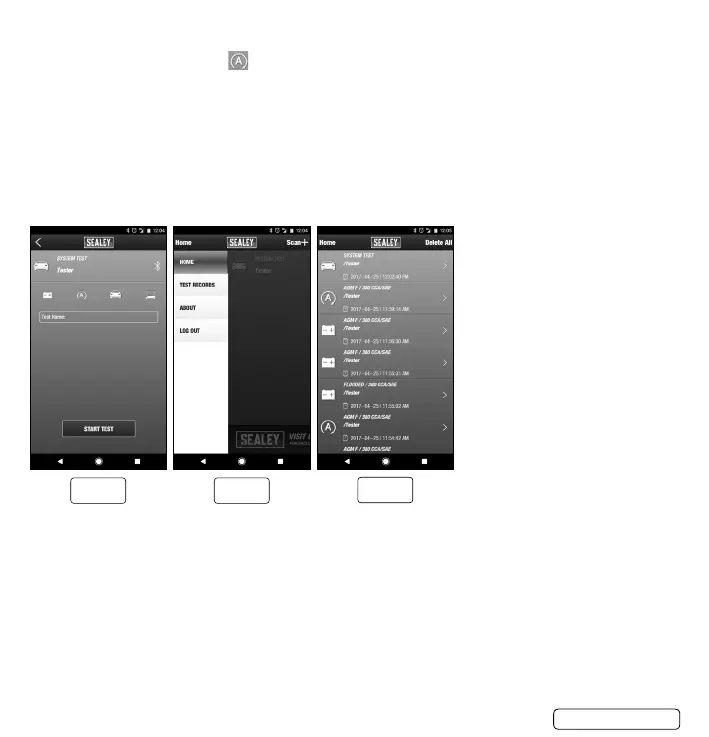
7.4.1. From the TEST menu select.
7.4.2. Press “START TEST” to begin testing. (g.24)
7.4.3. Follow all screen prompts.
7.4.4. The test report is displayed.
7.4.5. Press “EMAIL/TEXT RESULTS” and then select the application.
Note: Your mobile device must have E-Mail capability to use the EMAIL/TEXT RESULTS function.
7.4.6. Results will be sent.
7.5. Accessing Test Results.
7.5.1. From the HOME screen, scroll down and select “TEST RECORDS”.(g.25)
7.5.2. Select from stored test records to view, email/text or delete.(g.26)
BT3000 | Issue 1 12/04/17
Original Language Version
© Jack Sealey Limited
g.24 g.25
g.26


 To Next Page