Maintenance Schedule
Item Daily Check 20hrs or rst month 50hrs or every 3 months 100hrs or every 6 months 200hrs or yearly
Check Engine Oil Check
Replace Engine Oil Replace Replace
Check Air Filter Check
Clean Air Filter Clean
Spark Plug Clean Replace
WARNING! DO NOT attempt to start an automobile engine with the generator still connected to the battery. The generator may be
damaged.
NOTE: The DC receptacle can be used while the AC output is in use. If you use both at the same time, be sure not to exceed the
total power for AC and DC.
6.5. USB SOCKET
6.5.1. The output from the USB socket is 5V in an unloaded state. Only use the USB socket to charge a mobile phone.
6.5.2. To avoid damage to mobile phone battery, connect the charging lead to the generator first, then to the phone.
6.5.3. Disconnect the phone first, then unplug the charging lead from the generator.
WARNING! DO NOT start the generator whilst connected to a mobile phone; there is the risk of damage to the phone battery.
6.6. OUTPUT AND OVERLOAD INDICATORS
(fig.2 or 3)
6.6.1. The output indicate LED (green) will flash during normal operating conditions.
6.6.2. If the generator is overloaded, or if there is a short in the connected appliance, the output indicate LED (green) will go out, the
overload indicator LED (red) will light and current to the connected appliance will be shut off.
6.6.3. Stop the engine if the overload indicator LED (red) comes on and investigate the overload source.
6.7.1. In an emergency: Turn the fuel switch and ignition switch to the 'OFF' position.
6.7.2.. In normal use: unplug appliances from the generator, turn the fuel switch and ignition switch to the 'OFF' position, turn the fuel cap
breather to the 'OFF' position after the machine has cooled down.
7.1.1. Drain the oil while the engine is still warm to assure rapid and complete draining.
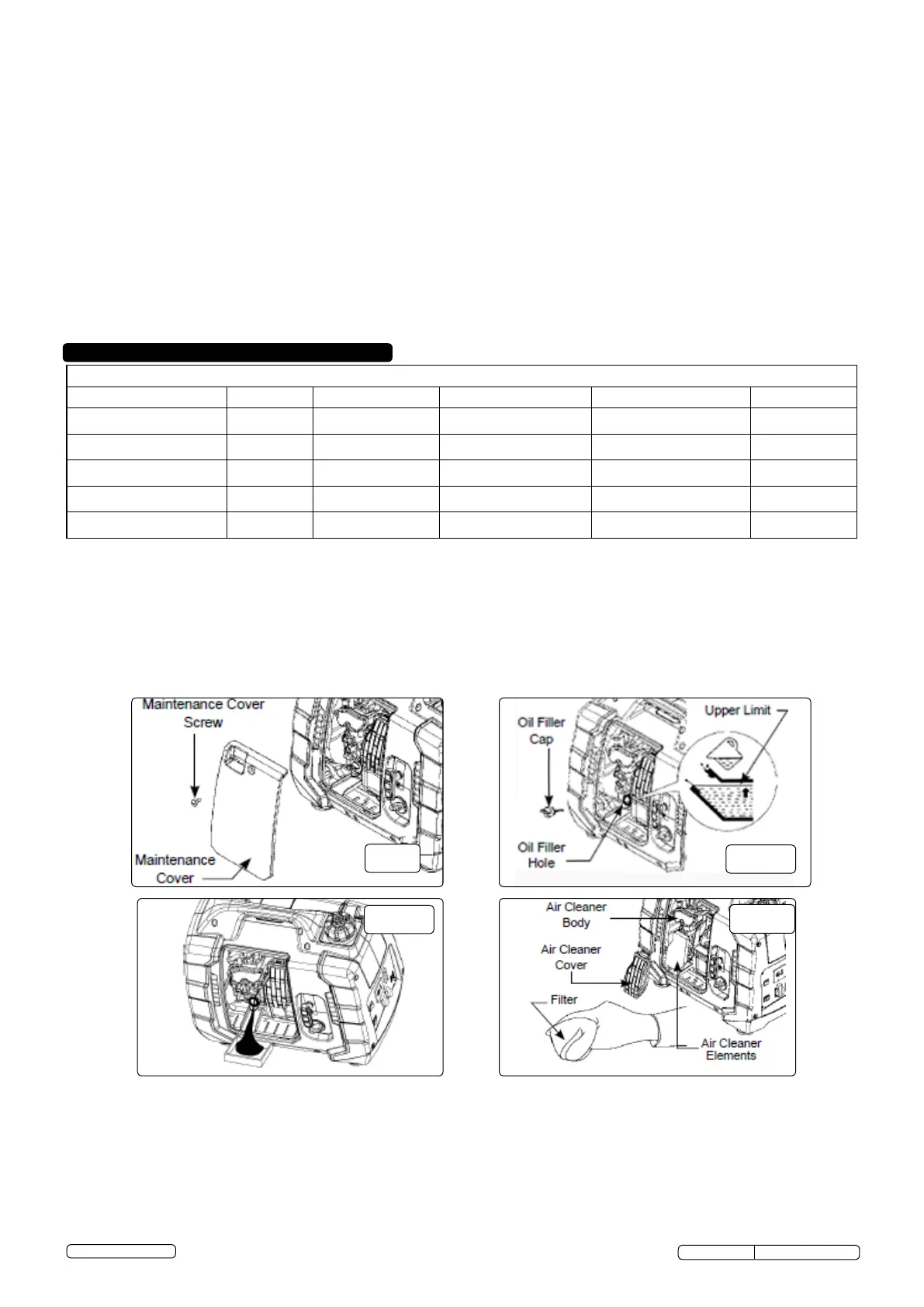
7.1.2. Loosen the cover screw and remove the maintenance cover (g.9).
7.1.3. Remove the oil ller cap (g.10).
7.1.4. Drain dirty oil into a container (g.11).
7.1.5. Rell with the recommended oil, and check the oil level.
7.1.6. Reinstall the maintenance cover and tighten the cover screw securely.
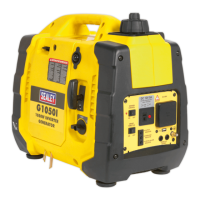
7.1.7. Engine oil capacity: G1050I: Approx ∙18ltr, G2000I: Approx ∙35ltr. For normal temperatures, a 10W-30 oil is recommended.
7.1.8. Dispose of used oil responsibly, complying with local environmental regulations.
A dirty air cleaner will restrict air ow to the carburettor. To prevent carburettor malfunction, service the air cleaner regularly. Service
more frequently when operating the generator in extremely dirty areas.
Never run the generator without the air lter, otherwise rapid engine wear may result.
7.2.1. Loosen the cover screw and remove the maintenance cover. (g.9)
7.2.2. Remove the air cleaner cover. (g.12)
7.2.3. Wash the lter in a non-ammable or high ash point solvent and dry it thoroughly.
7.2.4. Soak the lter in clean engine oil and squeeze out the excess oil.
7.2.5. Reinstall the air lter and the air cleaner cover.
7.2.6. Reinstall the maintenance cover and tighten the cover screw securely.
Original Language Version
© Jack Sealey Limited
G1050I, G2000I Issue: 1 - 06/06/14


 To Next Page
 Loading...