INSTRUCTIONS FOR
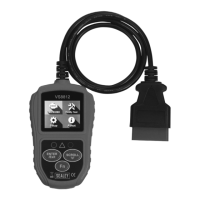
EOBD CODE READER - LIVE DATA
MODEL NO: VS8812
Thank you for purchasing a Sealey product. Manufactured to a high standard, this product will, if used according to these
instructions, and properly maintained, give you years of trouble free performance.
IMPORTANT: PLEASE READ THESE INSTRUCTIONS CAREFULLY. NOTE THE SAFE OPERATIONAL REQUIREMENTS, WARNINGS & CAUTIONS. USE
THE PRODUCT CORRECTLY AND WITH CARE FOR THE PURPOSE FOR WHICH IT IS INTENDED. FAILURE TO DO SO MAY CAUSE DAMAGE AND/OR
PERSONAL INJURY AND WILL INVALIDATE THE WARRANTY. KEEP THESE INSTRUCTIONS SAFE FOR FUTURE USE.
1. TABLE OF CONTENTS
2. Safety Precautions and Warnings ....................................2
3. General Information.............................................................2
3.1 On-Board Diagnostics EOBD .......................................... 2
3.2 Diagnostic Trouble Codes (DTCs) .................................. 2
3.3 Location of the Data Link Connector (DLC) ....................2
3.4 EOBD Readiness Monitors ............................................3
3.5 EOBD Monitor Readiness Status ......................................3
3.6 EOBD Denitions ..............................................................3
3.7 EOBD Modes of Operation ..............................................3
4. Using the Scan Tool ............................................................4
4.1 Tool Description ..............................................................4
4.2 Specications ................................................................. 4
4.3 Navigation Characters ...................................................4
4.4 Keyboard ........................................................................4
4.5 Power supply..................................................................5
4.6 Tool Setup ...................................................................5/6
4.7 About .................................................................................7
4.8 Vehicle coverage ............................................................ 7
4.9 Product Troubleshooting ................................................7
5. EOBD Diagnostics ............................................................ 7
5.1 Read Codes ...................................................................8
5.2 Erase Codes ..................................................................9
5.3 Data Stream ................................................................. 10
5.4 View Freeze Frame ...................................................... 10
5.5 I/M Readiness ..............................................................10
5.6 Vehicle Info .................................................................. 11
5.7 Exiting the EOBD Test ..................................................... 11
6. I/M Readiness ................................................................ 11
6.1 Ready Test Mode .........................................................12
6.2 Scan Tool Mode ...........................................................13
VS8812 | Issue 1 27/02/17
Original Language Version
© Jack Sealey Limited
Refer to
instructions
Page 1


 To Next Page