VS912 | Issue 1 20/05/16
Original Language Version
© Jack Sealey Limited
4. OPERATION
4.1. Install Battery
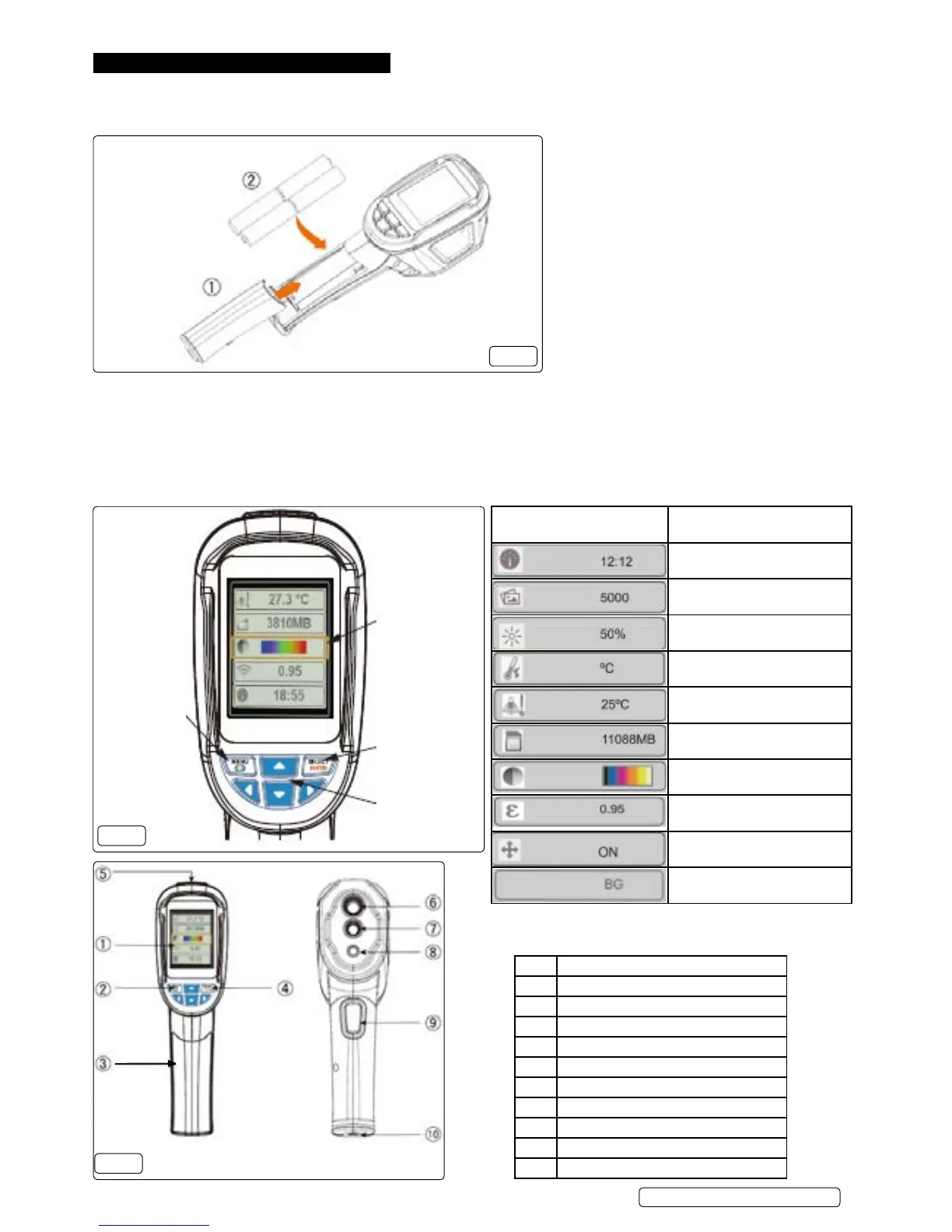
4.1.1. Installthefourbattery`sintotheThermalImagingCamera(g.1)ensuringthecorrectpolarity.
g.1
Yellow op-
tion box
Select/Input
Navigation
keys
Start-up/en-
ter menu
4.2. Basic Functions
4.2.1. Press “start-up” key for 5 seconds and the instrument starts up.
4.2.2. Press“menu”keyfor1secondtoenterbasicsettingsmenu,veoptionswillbeshownonthescreen
4.2.3. Press up or down key to scroll the menu.
4.2.4. Press “select” key to select option within yellow option box.
4.2.5. Toedittheselectedoptionpress“up”or“down”keyAfteradjustment,conrmthenewvaluebypressing“menu”keytoexittheedit
mode.
4.2.6. To turn camera off press start up key for 5 seconds.
g.2
g.3
Item Description
1 TFThighdenitioncolourscreen
2 Start-up / menu key
3 Battery cover
4 Select / enter key
5 Small SD card
6 Infrared imaging
7 Visible light camera
8 LED
9 Image capturing
10 Interface for the installation of tripod
Icon Description
Time Setting
Save Image
Background light setting
Temperature unit setting
Background temperature setting
Capacity of memory card
Colour palette setting
Emissivity setting
Marking of spot temperature
Background temperature



 To Next Page