10
NOTE:
Programming by the user is only needed on
replacement remotes, or when controlling two bases
from one remote control.
Programming the Remote Control
S T E P 1
Insert batteries into the remote control
(2 x AA batteries).
S T E P 2
Make sure your Adjustable Base is plugged into
a working grounded outlet or surge protector.
Follow steps 1 through 6 below to use the remote control with 1 power base.
To use the remote control with 2 power bases, repeat the steps for the second power
base using the same remote.
Press any button on the remote control.
When the receiver light flashes and then
remains illuminated, the RF frequency code
learning process is complete.
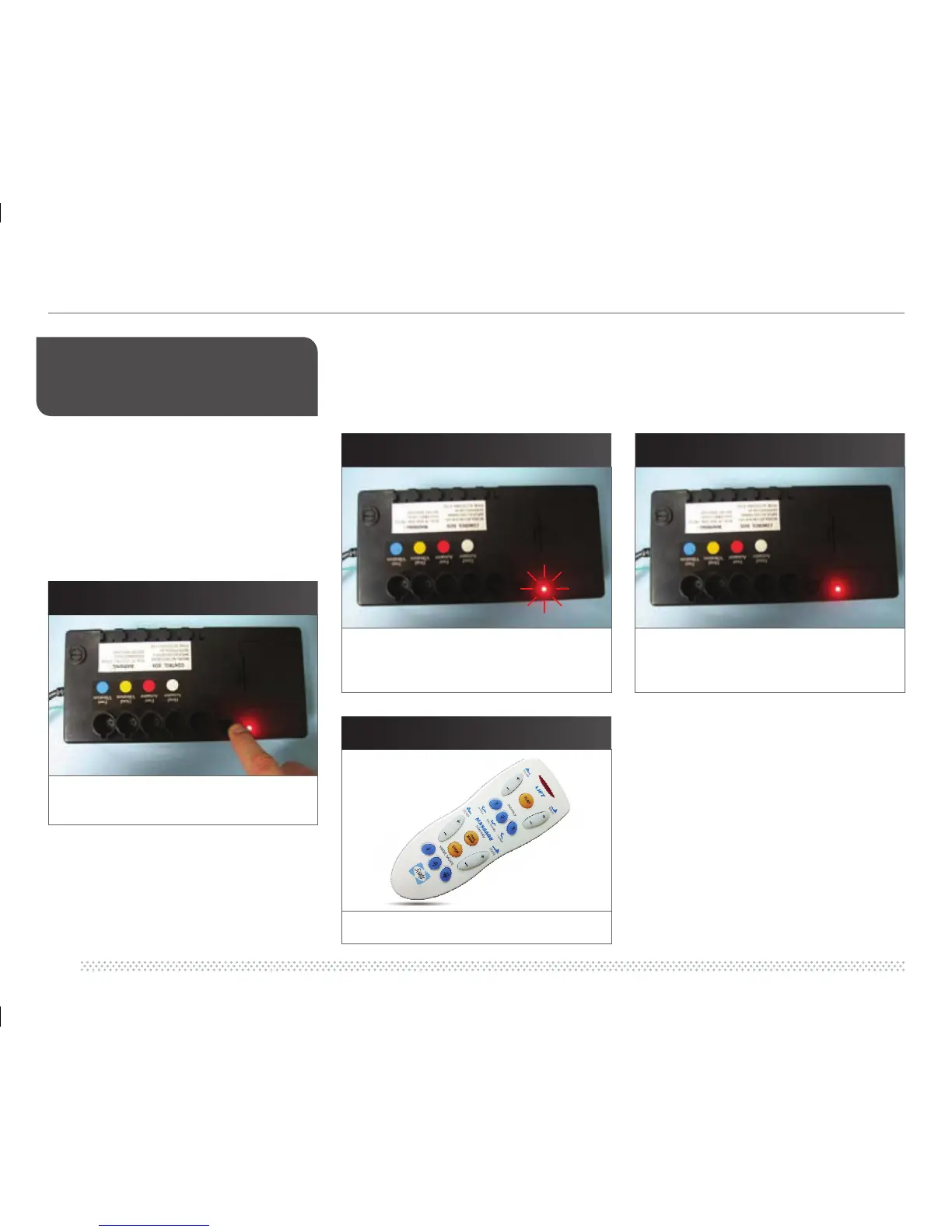
Illuminated. Hold down the “Learn” button for
3 seconds to initiate the RF learning mode.
The LED signature light will flash.
This means the RF frequency code setting
function has been activated.
S T E P 5
S T E P 6
S T E P 3
S T E P 4


 To Next Page