CARPET PREPARATION
For best results prepare carpet for cleaning as follows:
1. Vacuum carpet to remove loose dirt before using Cleaner,
2. To remove stains and ground in dirt present in heavy traffic
areas of the carpet, spray or rub Sears Heavy Traffic Fre-
Trealanent (82833) into carpet before using Cleaner. Follow
directions on the bottle.
FILLING CLEANER WITH WATERAND
CLEANING SOLUTION
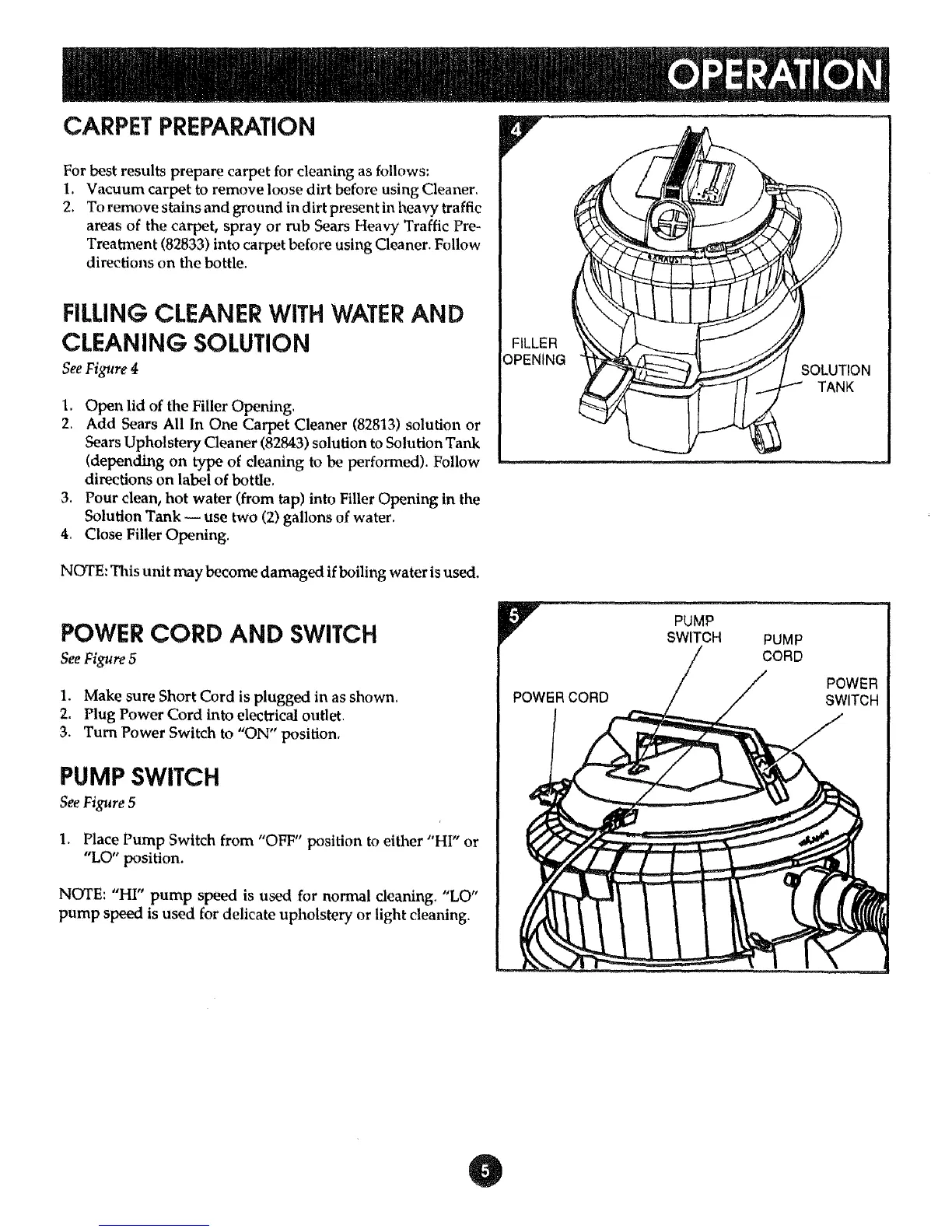
See Figure 4
1. Open lid of the Filler Opening.
2. Add Sears All In One Carpet Cleaner (82813) solution or
Sears Upholstery Cleaner (82843) solution to Solution Tank
(depending on type of cleaning to be performed). Follow
directions on label of bottle.
3. Pour clean, hot water (from tap) into Filler Opening in the
Solution Tank -- use two (2) gallons of water.
4. Close Filler Opening.
NOTE: This unit may become damaged if boiling water is used,
FILLER
OPENING
POWER CORD AND SWITCH
See Figure 5
1. Make sure Short Cord is plugged in as shown.
2. Plug Power Cord into electrical outlet.
3. Turn Power Switch to "ON" position,
PUMP SWITCH
See Figure 5
1. Place Pump Switch from "OFF" position to either "HI" or
"LO" position.
NOTE: "HI" pump speed is used for normal cleaning. "LO"
pump speed is used for delicate upholstery or light cleaning.
PUMP
SWITCH
PUMP
CORD
POWER
SWITCH



 To Next Page