EasyManua.ls Logo

Sears 200.71210 - User Manual

Sears 200.71210
12 pages
Print Icon
To Next Page IconTo Next Page
Loading...
OWNER’S
MANUAL
Model No.
200.71210
Sears, Roebuck and Co., Hoffman Estates, IL 60179 U.S.A.
10/2 AMP
MANUAL
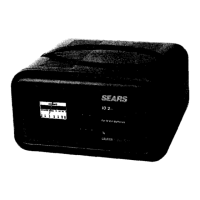
BATTERY CHARGER
CAUTION:
Read and Follow All Safety
Rules and Operating Instructions
Before Every Use of this Product.

Questions and Answers

  • D
    Daniel YoungJul 31, 2025
    What to do if circuit breaker cycles on and off with a clicking sound on Sears Battery Charger?
    • K
      Kyle FordJul 31, 2025
      If the circuit breaker in your Sears Battery Charger cycles on and off accompanied by a clicking sound, it could be due to several reasons. First, ensure the battery clamps are separated, as a shorted connection can cause this issue. The circuit breaker cycles when the current draw is excessively high. Inspect the cables for wear and replace them if necessary. If the problem persists, it might be a shorted battery, or that charger leads reversed on battery. In this case, it's recommended to have a Sears technician test the battery.
  • M
    Mr. Brian Barker DVMAug 7, 2025
    Why Sears 200.71210 has no ammeter reading?
    • K
      Kayla WeaverAug 7, 2025
      If your Sears Battery Charger shows no ammeter reading, there are several potential causes. Begin by checking the battery connections to ensure they are secure and clean. Poor connections can prevent an accurate reading. Also, verify that the AC outlet and any extension cords are properly connected and functioning, looking for loose plugs. It is possible that the 2-amp charge rate is selected and in this case ammeter needle will indicate little activity. Finally, check the fuse or circuit breaker supplying the AC outlet to ensure it's not open or tripped, preventing power from reaching the charger.
  • S
    Sarah RiveraAug 15, 2025
    What to do if ammeter reads less than selected charge rate when charging with Sears Battery Charger?
    • R
      Rebecca WardAug 15, 2025
      If the ammeter reads less than the selected charge rate when charging with your Sears Battery Charger, the issue might stem from a few sources. A common cause is using an extension cord that's either too long or has too small of a wire gauge. Try using a shorter or heavier-duty extension cord. Alternatively, the battery itself might have a weak cell or sulfated plate. If sulfation is the issue, leaving the battery connected for an extended period may allow it to eventually take a normal charge. Lastly, if the battery is only partially discharged, simply continue charging it to see if the reading normalizes. If the battery still won't take a charge, have it tested by a Sears technician.
  • C
    Christopher JacksonAug 22, 2025
    Why Sears 200.71210 makes a loud buzz or hum?
    • S
      Stephen HodgesAug 22, 2025
      A loud buzz or hum from your Sears Battery Charger can indicate different issues. If it's a buzz, it's likely due to the transformer laminations vibrating, in which case you can continue charging. However, if it's a hum, it might indicate a shorted diode, which requires testing by a qualified technician.

Summary

Important Safety Instructions

General Safety Precautions

Safety guidelines for operating the battery charger and handling batteries to prevent hazards like explosion or electric shock.

Personal Safety Precautions

Measures to protect personal safety, including eye protection, clean water availability, and avoiding metal objects near batteries.

Product Parts and Diagram

Wiring Diagram

Illustrates the electrical connections and layout of the battery charger's components.

Before Using Your Battery Charger

Plugging in the Charger

Instructions on how to properly connect the charger to a grounded electrical outlet.

Using an Extension Cord

Guidelines and recommendations for selecting and using extension cords with the battery charger.

Battery Preparation for Charging

Pre-Charge Battery Steps

Essential steps before charging, including checking battery type, cleaning terminals, and ensuring ventilation.

Using Your Battery Charger

Setting the Controls

Explanation of the selector switches and ammeter for choosing charge rate and monitoring battery status.

Charging a Battery in the Vehicle

Step-by-step guide for connecting and charging a battery while it remains installed in the vehicle.

Charging a Battery Outside the Vehicle

Instructions for safely removing a battery from a vehicle and charging it separately.

Calculating Charge Time

The Chart Method for Charge Time

Using tables to estimate charging duration based on battery type and rating.

Hydrometer or Electronic Method

Using testing equipment to determine battery charge level for accurate time calculation.

Calculating Charge Time Formula

Method to calculate approximate charging time using Amp Hour rating and charge needed.

Maintenance and Care

Product Upkeep

Routine cleaning and storage practices to ensure the longevity and proper functioning of the charger.

Troubleshooting

Sears 200.71210 Specifications

General IconGeneral
BrandSears
Model200.71210
CategoryBattery Charger
LanguageEnglish

Related product manuals