P/N VT-108731-IE, Manual revision: B
S
ETUP
1.
Remove the components from their protective shipping containers and vi-
sually inspect them for obvious damage. Contact Vante
®
Customer Care
Center if any damage is found.
Note: If possible, retain shipping containers and packing materials for future use.
2.
Connect the AC power cord to the power input receptacle located on the
rear of the Power Source. Refer to the serial plate located on the back of
the unit to determine the appropriate AC power input. The Power Source
must be 100, 120 or 230 VAC, 50/60 Hz as indicated on the serial plate.
Note: Check to see that the power cord plug matches the power receptacle for
the country in which the Power Source is being used. If it does not, contact
Vante Customer Care Center.
3.
Place the Power Source on a desk or lab counter for convenient use and
route the AC power cord to prevent interference with other equipment or
activities. Verify the AC power switch is in the off position and connect
the AC power cord to the AC power receptacle.
4.
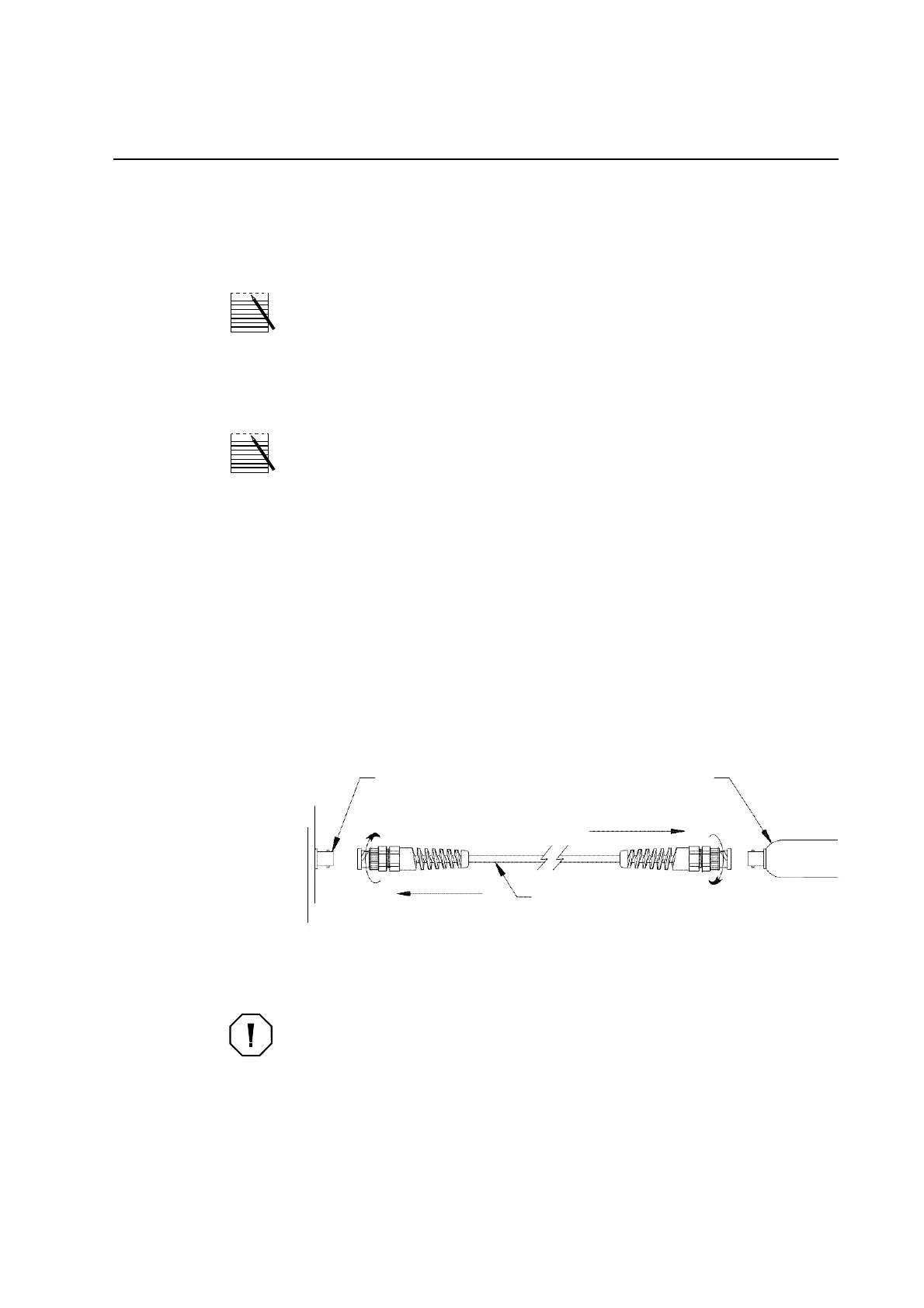
When using the Power Source with a Hand-Held Sealing Head, attach
one end of the RF power cable to the Power Source and the other end to
the sealing head. Connect the cable by pushing the connectors together
and rotating clockwise until locked (see Figure 3-1, RF Power Cable At-
tachment (For Use with a Model 1105)).
Model 2600
RF Power Source
Outlet
Model 1105
Sealing Head
Model 1103
RF Power Cable
Figure 3-1, RF Power Cable Attachment (For Use with a Model 1105)
Caution:
Do NOT attempt to use any other length or type of RF power cable. Un-
authorized substitution of the RF power cable may result in malfunction of the
Power Source and will void the warranty!


 To Next Page