18
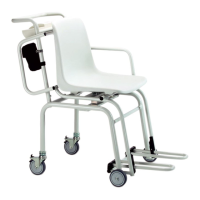
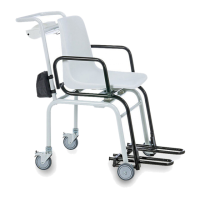
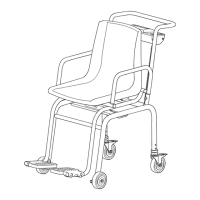
– Once the person who is to be weighed
is seated, the foot-rests are pulled out
and tilted downwards. The patient can
now place his or her feet on the foot-
rests.
Correct weighing
– Press the start key with no load on the
scale.
se(A, 8.8.8.8.8. and 0.0 appear consec-
utively in the display. The scale is then
automatically set to zero and ready to
use.
– Get the patient to sit on the scale.
– The patient’s weight can only be deter-
mined once he or she is no longer in
contact with the floor. Be sure, there-
fore, that the patient’s feet remain on
the footrests throughout the weighing
operation.
– Read the weighing result off the digital
display.
– If a load greater than 200 kg is placed
on the scale, SToP appears in the dis-
play.
Take the weight off the scale when the
word SToP appears in the LC display.
– To switch off the scale, press the start
key again.
Automatic switch-off/economy mode
The scale switches off automatically after approx. 3 minutes if it has no load on it. If the
TARE or HOLD functions are activated, or at the minimum load of 10 kg, the scale switch-
es off after approx. 2 minutes.
SToP



 To Next Page