1 of 6
Model 26-1000
INSTALL GUIDE
ADVANTAGE ONE
WARNING
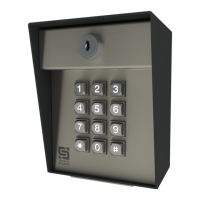
Keypad Unit Key Carriage Bolt
( 4x )
Hex Nut
( 4x )
Relay Status LEDs
Relay is active when lit
Power Status LED
Power and Relay Terminals
For wiring to gate operator or door
opener, accessories, and power
Event Input Terminals
For wiring to an exit device or
magnetic contact
Reset Button
For performing reset procedures
Keypad Unit Faceplate
Continued on next page...
Unit shown with faceplate fully open.
What’s what?
Important components labeled
AUTOMATIC GATES CAN CAUSE SERIOUS
INJURY OR DEATH!
ALWAYS CHECK THAT THE GATE PATH IS
CLEAR BEFORE OPERATING!
REVERSING OR OTHER SAFETY DEVICES
SHOULD ALWAYS BE USED!
Unpack box and make sure you have everything
shown here.
21
Unlock and open faceplate of
keypad unit; then using included
carriage bolts and hex nuts, attach
unit to pedestal as shown.

 Need help?
 General

 To Next Page