
 Need help?
Do you have a question about the Security Camera King HDIR7907VF and is the answer not in the manual?
Key operational guidelines and precautions for using the camera safely and effectively.
Disclaimers regarding photos, specifications, and manual updates.
Configuration options for the camera lens, including iris and aperture control.
Settings for controlling screen brightness, shutter speed, and auto exposure.
Adjusts camera color based on environmental color temperature (Auto/Preset/Manual).
Reduces background noise in low-light environments with Low/Middle/High settings.
Adjusts image parameters like sharpness, gamma, color gain, mirror, flip, and zoom.
Configuration for motion detection sensitivity, position, and size settings.
Settings for communication, output mode, color space, frame rate, language, and reset.
Procedure for selecting Lens settings using the UP and Down buttons.
Adjusting camera color based on environmental temperature using Auto/Autoext/Preset/Manual.
Function to reduce background noise in low-light environments.
Detailed explanation of image adjustment parameters like Sharpness, Gamma, Mirror, and ACE.
Configuration of motion detection sensitivity, position, and size.
Inhibits strong light and compensates brightness of the area around it.
Provides clear pictures of objects even in strong backlight conditions.
Makes both bright and dark areas visible on the screen simultaneously.
Controls the screen brightness of the camera.
Manual or automatic control of the shutter speed for image capture.
Selection to prevent picture flicker by adjusting shutter speed.
Automatic control of shutter speed based on ambient screen brightness.
Automatically detects light levels at night to maintain a clear picture.
Adjusts gain level to brighten the screen, potentially increasing noise.
Adjusts motion detection sensitivity to recognize smaller movements.
Setting for motion detection window tone.
Configuration of horizontal and vertical position and size for motion detection.
Option to enable or disable Motion On-Screen Display.
Option to enable or disable alarm functionality for motion detection.
Configuration for camera ID and baud rate.
Selection of image range options: USER, FULL, or COMP.
Selection of video output resolution: 1080P or 720P.
Selection of color space: HD-CbCr, YUV, or SD-CbCr.
Setting the video frame rate to 25FPS or 30FPS.
Selection between PAL and NTSC for Composite Video signals.
Selection of the user interface language.
Option to enable or disable the colorbar display.
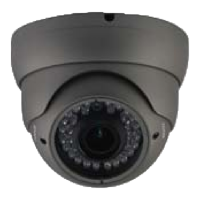
This document describes the HD CCTV Camera, a security monitoring device featuring a 2.1-megapixel Panasonic CMOS sensor. It is designed for clear image capture and offers extensive customization options for output parameters.
The camera is primarily designed for security monitoring, leveraging its 2.1-megapixel progressive scan CMOS to deliver high-definition video. It supports various output modes and allows users to fine-tune image settings for optimal surveillance.
Key functions include:
The camera is designed for ease of use with a comprehensive OSD (On-Screen Display) menu, accessible via UP and DOWN buttons for navigation.
Application methods include:
The camera's robust feature set, including advanced exposure controls, backlight compensation, and noise reduction, allows it to perform effectively in various lighting conditions. The ability to customize image parameters, such as sharpness, color gain, and digital zoom, provides flexibility for specific surveillance needs. Motion detection with adjustable sensitivity and privacy masking further enhances its utility for security applications.
Proper maintenance ensures the longevity and optimal performance of the camera.
Key maintenance guidelines:
 General
| Brand | Security Camera King |
|---|---|
| Model | HDIR7907VF |
| Category | Security Camera |
| Language | English |

 To Next Page