12
Step 3: Execute the transaction
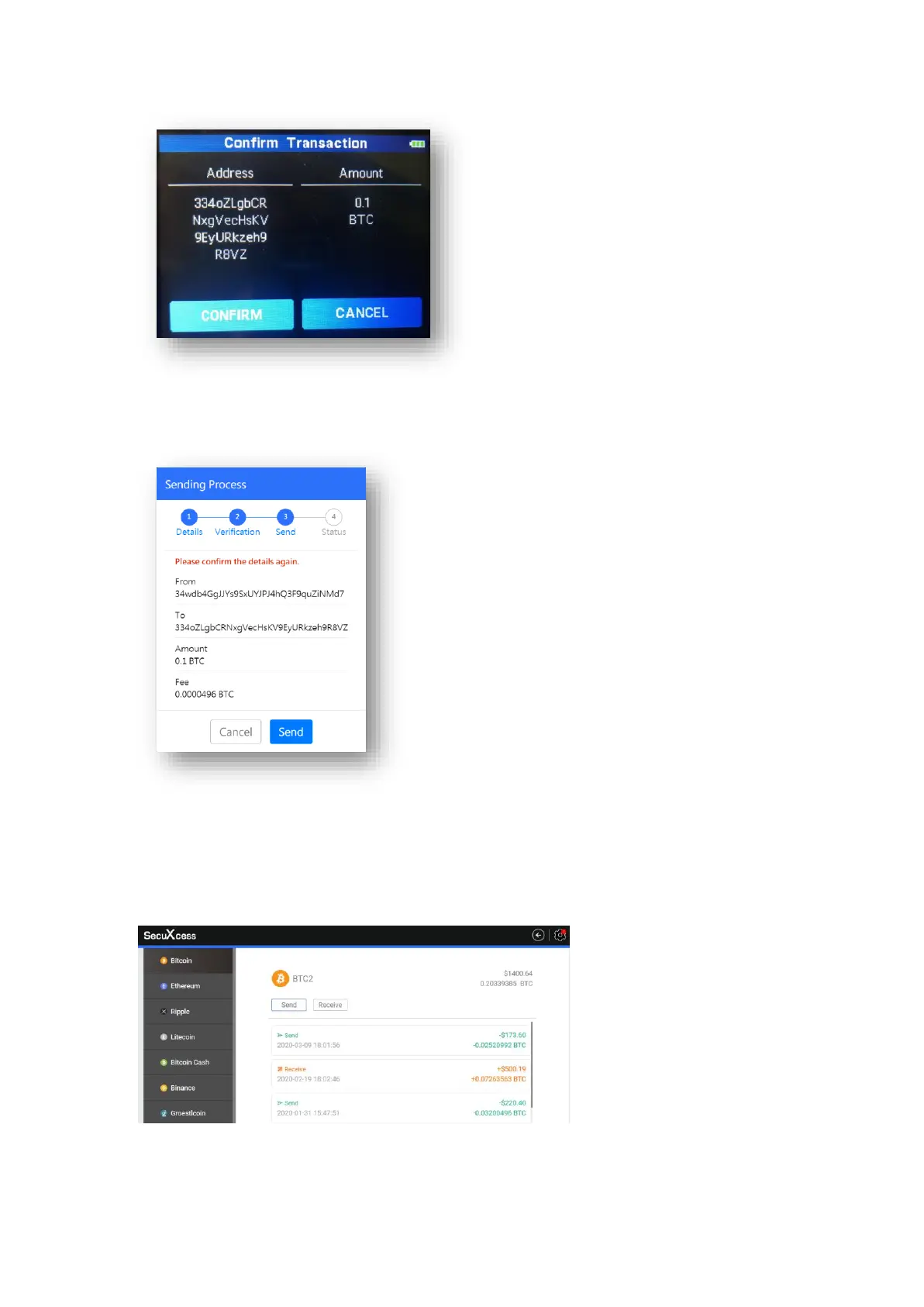
The transaction summary will be displayed on the SecuXcess web wallet screen for final
confirmation. Click Send to execute this transaction if the transaction details are correct.
Step 4: Transaction Result
You will be notified of the transaction result (completed or invalid). Click Details to view
the transaction details from the Blockchain explorer (a third party website will open).
And each account will show its transaction history as below. You still can click each
transaction to view the transaction details listed in the Blockchain service node.


 To Next Page