8
After selecting a crypto asset, the SecuXcess web wallet will first check the balance
of your existing accounts on the blockchain network. It may take a while depending
on the number of transaction history records.
If the selected crypto asset has no account yet, you need to create a new account
before you receive assets.
Note that ERC-20 type tokens are managed under Ethereum accounts. To create an
ERC-20 token sub-account, please refer to the Add new account section below for
details.
● Add New Account
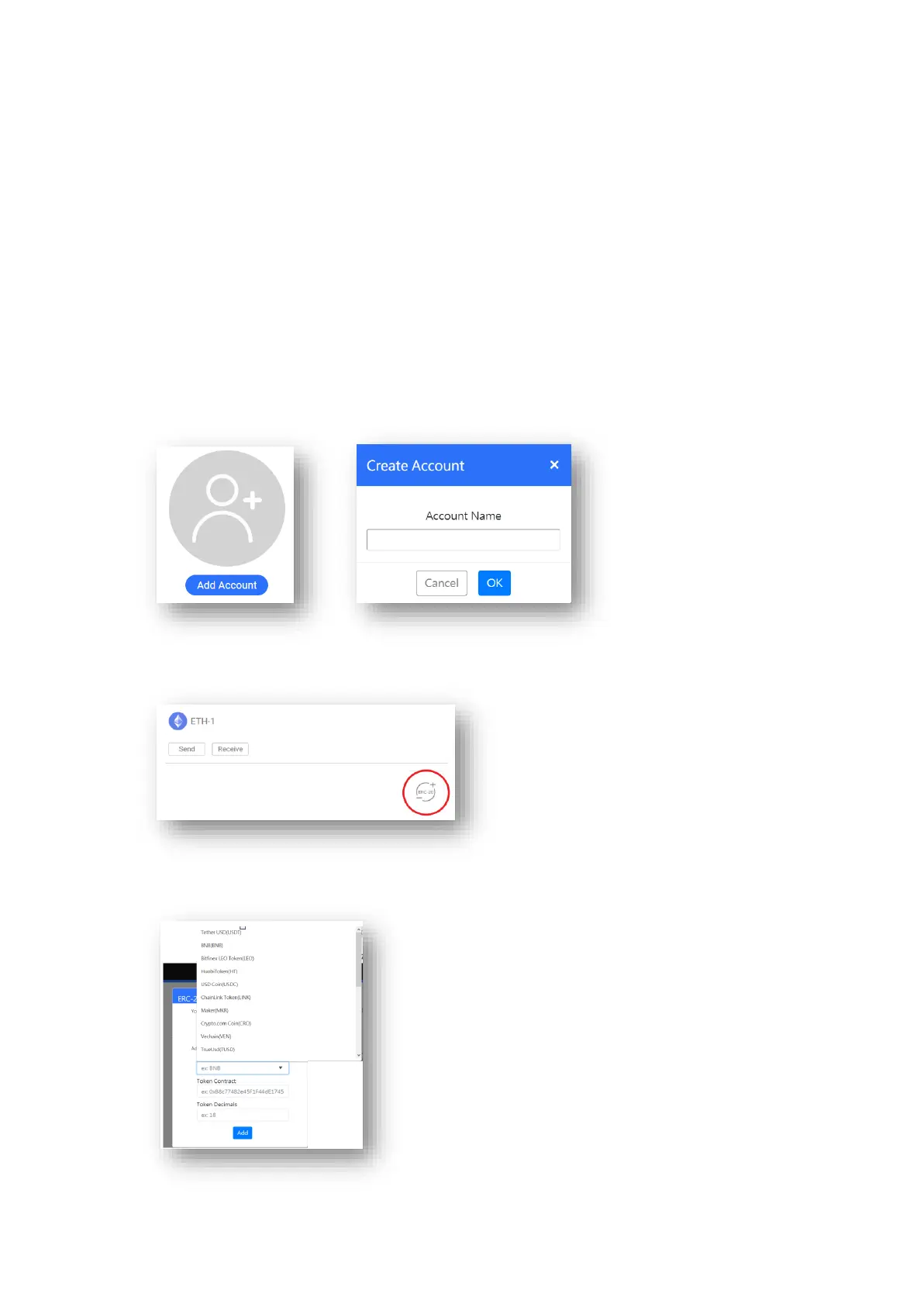
Select the crypto asset from the list. Then click Add Account and enter account name.
Click OK to add this new account.
If you want to add ERC-20 token account, you need to create an ETH account first. Then open it and
click ERC-20 icon to add any token sub-account.
Select your token from the token name drop-down menu. The contract address and decimals
number will be filled in the columns.


 To Next Page
 Loading...