9
If the desired token is not in the list, please visit https://etherscan.io/tokens to find out the contract
address and decimals number and fill in each column.
Notes: If the latest opened account of a crypto asset does not have any transaction history
yet, you will not be able to create a new account for this asset.
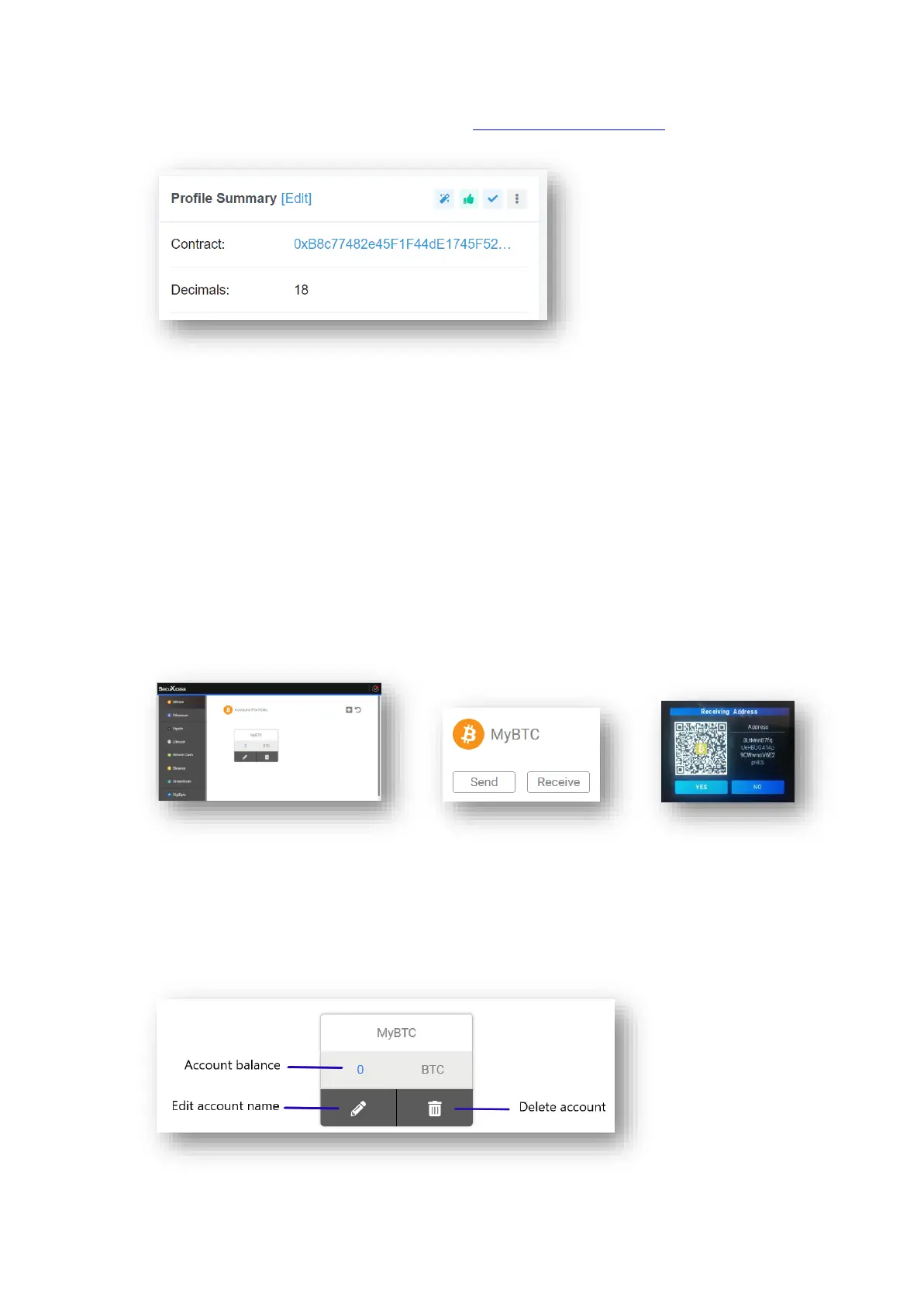
● Receive crypto assets
To receive crypto assets, you need to have existing accounts for these assets.
Follow the steps below to receive crypto assets.
❶ Select the crypto asset from the list
❷ Select the account for receiving the crypto assets
❸ Click Receive to get a receiving address generated by the SecuX wallet
❹ Verify the receiving address shown on both the SecuXcess interface and the device
❺ Click Yes if the two displayed addresses are identical
❻ Click the copy icon or scan the QR code to forward the receiving address to the sender
Note: Support for Bech32 addresses beginning with ‘bc1’ (Bitcoin), ‘ltc1’ (Litecoin),
etc., is coming soon.
● Manage your account


 To Next Page
 Loading...