EasyManua.ls Logo

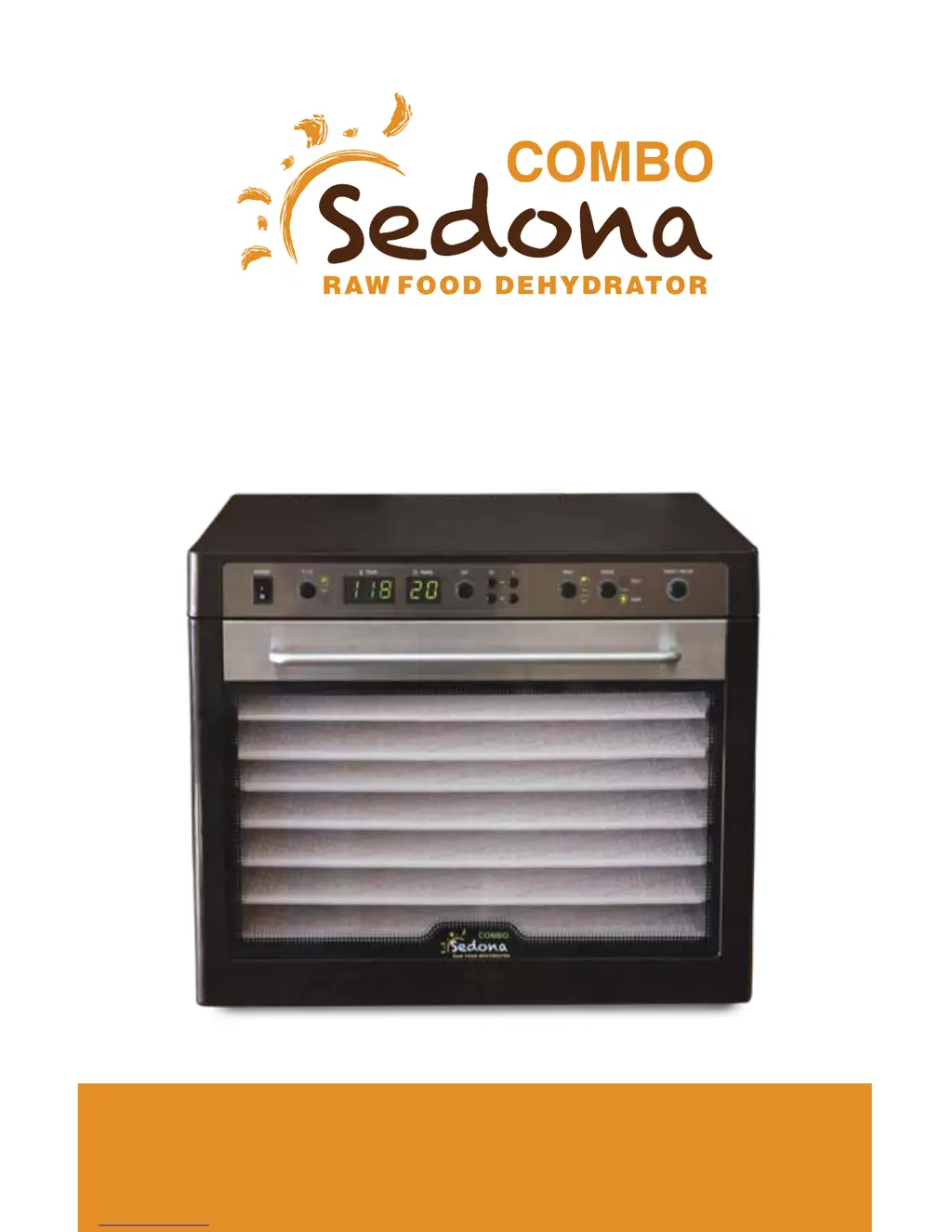
SEDONA SD-P9150 - User Manual

SEDONA SD-P9150
32 pages
Print Icon
To Next Page IconTo Next Page
Loading...
SD-P9150
OPERATION MANUAL
Read Instructions Before Using

Questions and Answers

  • P
    paul32Aug 15, 2025
    How to fix a SEDONA Kitchen Appliances that doesn’t turn on?
    • J
      Justin CaseyAug 15, 2025
      If your SEDONA Kitchen Appliance doesn't turn on, first, make sure the plug is correctly positioned in the electrical outlet. If it is not, plug it in again. Also, verify that the machine is switched on by turning the switch to the ON position.
  • J
    Julie FlemingAug 18, 2025
    What to do if my SEDONA Kitchen Appliances is not dehydrating food properly?
    • W
      William JohnsonAug 18, 2025
      If your SEDONA Kitchen Appliance is not dehydrating, there might be too much food on the tray. Reduce the quantity of food. Also, check if the food is overlapped on the tray; if so, evenly spread the food in a single layer. If the fan is running slow, turn the machine OFF and contact the nearest service center.
  • H
    Heather GalvanAug 21, 2025
    Why are my foods not evenly dehydrated in my SEDONA SD-P9150?
    • T
      Tyler GoodmanAug 21, 2025
      If foods are not evenly dehydrated in your SEDONA Kitchen Appliance, ensure that the thickness of the food is uniform by cutting it to the same thickness and size. Also, reduce the amount of food on the tray.
  • C
    Casey BarnettAug 25, 2025
    What to do if the heater works but the fan doesn't on my SEDONA SD-P9150?
    • D
      Debra JohnsonAug 25, 2025
      If the heater is working but the fan isn't functioning in your SEDONA Kitchen Appliance, it could be due to two reasons. The fan may be out of order, in which case you should turn the machine OFF and contact the nearest service center. Alternatively, foreign material might be stuck on the fan; if so, remove the foreign material.
  • S
    Sherry BentonAug 28, 2025
    Why are there water drops on the door of my SEDONA SD-P9150 Kitchen Appliances?
    • C
      Cynthia HarrisAug 28, 2025
      If you notice water drops on the door of your SEDONA Kitchen Appliance, it could be because there is too much food on the tray, so reduce the food quantity. Alternatively, the food might contain too much water; in that case, reduce the food quantity and increase the dehydration time.
  • A
    Alexis ZimmermanAug 31, 2025
    What to do if the display lights are not on for SEDONA SD-P9150?
    • F
      flemingmariaAug 31, 2025
      If the display lights are not on for your SEDONA Kitchen Appliance, ensure that the power is switched ON.
  • B
    brittany86Sep 4, 2025
    What to do if the fan is working but there is no heat in my SEDONA SD-P9150?
    • S
      smcgrathSep 4, 2025
      If the fan is working but there is no heat in your SEDONA Kitchen Appliance, the heating system may be out of order. Turn the machine OFF and contact the nearest service center.
  • S
    Susan BlackSep 7, 2025
    What causes overheating or little heating in SEDONA Kitchen Appliances?
    • E
      Erin MitchellSep 7, 2025
      If your SEDONA Kitchen Appliance is overheating or providing little heat, the temperature control system may not be working properly. Turn the machine OFF and contact the nearest service center.
  • C
    Cindy ThompsonSep 12, 2025
    Why is there an abnormal sound coming from the fan of my SEDONA SD-P9150?
    • M
      Mark ClarkSep 12, 2025
      If you are hearing an abnormal sound from the fan of your SEDONA Kitchen Appliance, the fan may be out of order. Turn the machine OFF and contact the nearest service center.

Summary

INTRODUCTION

IMPORTANT SAFETY PRECAUTIONS

SAFETY TIPS

PARTS LIST

SET-UP GUIDE

OPERATING INSTRUCTIONS

Two-Stage Sequential Temperature-Timer (TST) Operation

Explains the two-phase dehydration mode combining FAST and RAW settings sequentially.

Fast Mode Operation

Details how to use the FAST mode for higher temperature, faster dehydrating.

Raw Mode Operation

Details how to use the RAW mode to prevent overheating and preserve nutrients.

CLEANING AND MAINTENANCE

DUAL FAN TECHNOLOGY EXPLAINED

TROUBLESHOOTING GUIDE

PRODUCT WARRANTY INFORMATION

SERVICE AND SUPPORT

DEHYDRATING TIPS AND GUIDELINES

RECIPES OVERVIEW

PRODUCT SPECIFICATIONS

SEDONA SD-P9150 Specifications

General IconGeneral
BrandSEDONA
ModelSD-P9150
CategoryKitchen Appliances
LanguageEnglish

Related product manuals