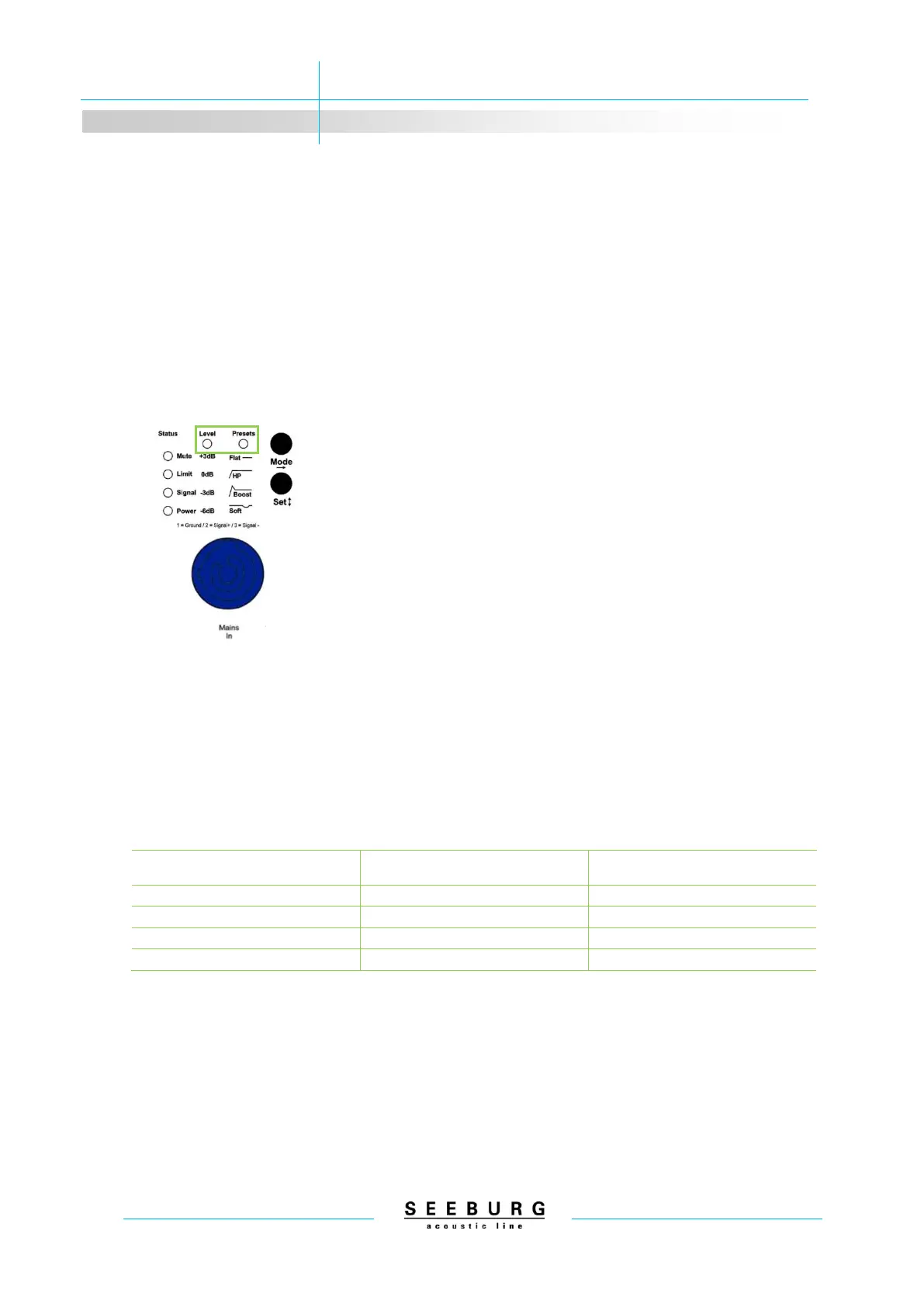
system. The Mute LED will go off, and signal will be passed.
The loudspeaker presets are stored in the DSP controller in up to 3
banks. To change banks, press and hold the Mode button whilst the
loudspeaker is switched on.
1. Press and hold the Mode button.
2. Connect the power cable (PowerCon blue).
3. Corresponding LEDs blink to indicate the chosen bank.
4. Release the Mode button.
When the power cable is connected, the level and/or preset LED
lamps blink to indicate which bank is selected. The level LED blinks
to indicate the first bank, the preset LED for the second. The third
bank is indicated by both LEDs blinking.
If only one bank is programmed, there is no possibility to switch the
bank.


 To Next Page