
 Need help?
Do you have a question about the Seedburo Count-A-Pak 801 and is the answer not in the manual?
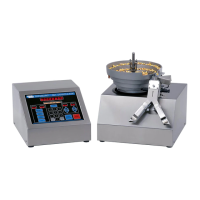
Instructions for carefully removing and placing the OPERATOR CONTROL CONSOLE and SEED HANDLING BASE.
Details on connecting OCC and SHB units, including power and control cables, and setting voltage.
Steps for turning on the unit, calibration, and initial mode display.
Configuration of bag detection, gate delay, seed tone, and auto print settings.
Explanation of TOTAL, SINGLE BATCH, BATCH REPEAT, and MULTIPLE BATCH modes.
Procedure for initiating a counting cycle with seeds and bags in place.
Methods for stopping the feeder, including manual stop and automatic stops.
Advice on achieving accurate counts, cleaning, and general usage best practices.
Description of the Count, Message, Batch, Group, Sensitivity, and Speed displays.
Explanation of MODE, MENU, Numeric, ENTER/YES, CLEAR/NO, START/RESTART, and STOP switches.
Details on Sensitivity/Speed Up/Down arrows and Mode/Feeder Off indicators.
Messages that scroll on the display requiring operator intervention or information.
Fixed messages indicating status, prompts, or errors like "SELECT MODE", "SPEED OK?".
Procedure to adjust the delay between seed detection and diverter gate switch.
Using seed tone to set the detector sensitivity for optimal counting.
How to adjust the voltage selector card for the OCC unit.
Aligning the feeder bowl to the diverter chute for a 1/16 inch gap.
Adjusting Track Width Slide and Track Wiper for proper seed feeding.
Instructions for checking and replacing springs in the vibratory feeder.
List of common spare parts and optional accessories for the seed counter.
Diagnosing and resolving issues with the feeder's operation and feeding.
Troubleshooting electrical and mechanical problems with the diverter chute.
Addressing issues related to the control console, LEDs, fuses, and response to inputs.
Details on data transmission formats, baud rates, and serial port connector pinouts.
 General
| Display | LED |
|---|---|
| Hopper Capacity | 3000 coins |
| Counting Modes | Add, Batch |
| Batch Quantity | 1 to 9, 999 coins |
| Power Supply | 110V, 60Hz |
| Functions | Counting, Batching |

 To Next Page
