5
Cautions for use of the memory card
4
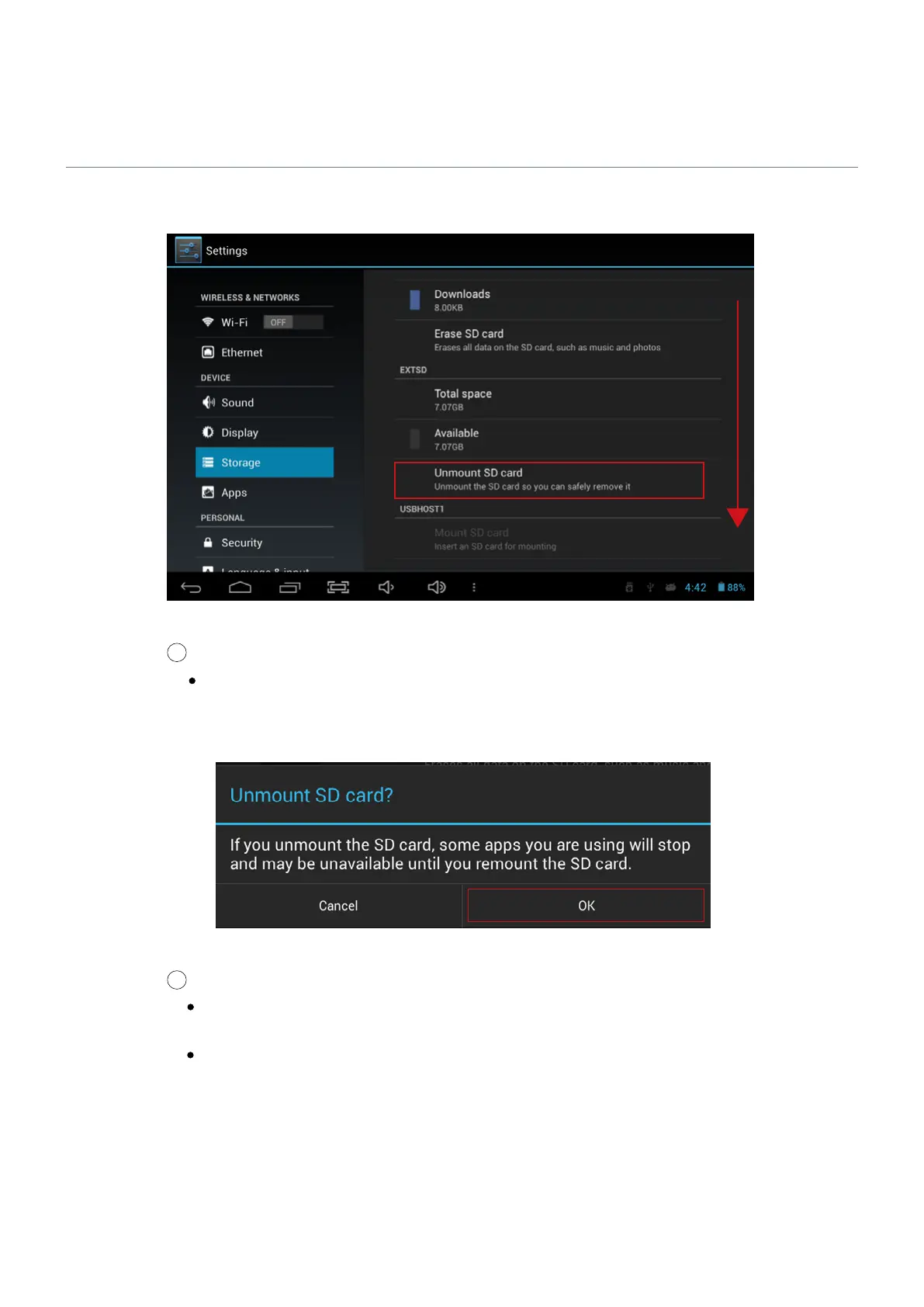
Check if the Unmount SD card is enabled in the storage page.
Storage Screen
Recheck the inserted SD card status if the Unmount SD card is disabled even though the SD
card is inserted. Please remove the SD card and insert it again.
5
Select OK when a message for unmounting the SD card is shown on the screen.
Unmount Screen
If the SD card unmount is still enabled even after selecting OK button, please reboot this test
monitor and try the steps above again.
For SD card insertion, no settings are required.


 To Next Page