Need help?
Do you have a question about the Seek Thermal FirePRO 300 and is the answer not in the manual?
Ensures users read and understand the manual to avoid injury or death, and keep safety information for future reference.
Product intended as a personal safety aid, not for navigation. Misuse invalidates warranty and can cause serious injury or death.
User manuals are updated regularly. Latest version available at www.thermal.com/support.
This is the English manual. Manuals in other languages are available upon request.
Lists the items included with the FirePRO 300 thermal imaging camera, such as the camera, dock, cables, and documentation.
Details technical specifications and ratings for the camera, including battery, environmental, altitude, and IP ratings.
Identifies and describes the various physical buttons and displays on the front and rear views of the camera.
Explains the different indicators, bars, and readings displayed on the camera's screen during operation.
Illustrates the battery charge levels and their corresponding visual indicators on the device.
Provides instructions on how to charge the FirePRO 300 using the charging dock and USB cable.
Describes the three thermal imaging modes: TI Basic, TI Basic+, and Survey, and their applications.
Explains the process for capturing still images using the Media Capture button and saving them to internal memory.
Details how to record video clips, stop recording, and information on maximum clip length and memory usage.
Instructs on connecting the camera to a computer via USB for transferring images and videos.
Guides users on how to check for and install firmware updates for the camera.
States that the product development and manufacturing comply with ISO 9001 Standard. Seek Thermal reserves rights for changes.
Provides a checklist of common errors and their solutions for the thermal imager.
Details US export control regulations applicable to the thermal imagers and user adherence.
Outlines user responsibilities for security, authorized use, and return of the item at its end of service life.
States that specifications are subject to change, and products may be subject to US Export Regulations.
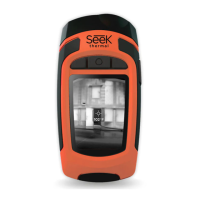
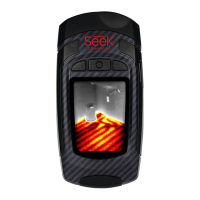
The Seek Thermal FirePRO 300 is a dependable thermal imaging camera designed specifically for firefighters, serving as a crucial situational awareness tool. It is intended to be a personal safety aid, providing thermal imaging capabilities to assist users in navigating and assessing environments where visibility may be compromised. However, it is explicitly stated that users should never become wholly dependent on the thermal imager for personal navigation and must always maintain awareness of their location and escape routes. The camera is designed to be efficient and effective in fire service operations worldwide.
The FirePRO 300 offers straightforward operation with several key features to enhance usability in demanding environments.
Before initial use, the camera requires charging for 3.5 hours using the supplied charging dock, or until the charge screen indicates a full battery. To power on, users simply push the Power button, and the camera will begin imaging within 7 seconds. The camera's front lens should be aimed toward the scene of interest for optimal thermal capture.
The device features three distinct thermal imaging modes: TI Basic, TI Basic+, and Survey. To cycle through these modes, users press and hold the Mode/Flashlight button for 3 seconds. The modes cycle in the order of TI Basic, TI Basic+, and Survey. A mode icon indicator will appear in the bottom left of the screen for TI Basic+ and Survey modes, providing visual confirmation of the active setting.
A built-in LED flashlight can be turned on or off by a simple press and release of the Mode/Flashlight button.
The FirePRO 300 allows for both still image and video capture.
The temperature units can be switched between Fahrenheit and Celsius by inserting the tip of a pen into a pinhole located between the Power button and the Mode/Flashlight button.
The LCD display provides critical information to the user:
To transfer images and video files, the camera is placed on its charging dock, and the USB cable is connected to a Windows or MAC computer. The FirePRO will appear as a removable drive. Users can then navigate to the DCIM folder on the FIREPRO device, copy and paste files to their desired location on the computer, and finally eject the FirePRO.
Seek Thermal periodically releases firmware updates to improve product performance. Users can check for the latest version at thermal.com/firepro-300. To check the current firmware version, connect the camera to a computer, and the version (e.g., 34.27.X) will be displayed on the USB connect screen under "Firmware Version." If an update is available, download the THERMAL.STR file, drag it onto the FIREPRO device, wait approximately 10 seconds, eject the camera, remove it from the dock, and power it on. After 5 seconds, the camera will begin updating, and a green tick will indicate a successful update. It is crucial that the firmware file name remains in the THERMAL.STR format for the update to succeed.
The manual emphasizes the importance of comprehensive training and understanding before using the FirePRO 300 in hazardous situations. It warns against misinterpretation of thermal images, which can lead to serious injury or death. Training should cover the interpretation of thermal images, distinguishing between harmless and hazardous heat sources, and identifying actual heat sources versus reflections. Users are advised to update their training with each new piece of equipment due to potential operational differences between thermal imager brands and models.
The FirePRO 300 requires minimal maintenance, but adherence to specific guidelines ensures its longevity and optimal performance.
When not in use, the thermal imager should be stored at an average room temperature of 23°C (73°F) and protected from potential physical damage.
Before sending the camera for service to a reseller or Seek Thermal, it must be thoroughly cleaned, decontaminated, and disinfected. This includes removing chemical fire extinguishing compounds, radioactivity, biohazardous materials, and residues from chemical fires. Seek Thermal reserves the right to charge for decontamination and disinfection if cameras are shipped to their service department without proper cleaning.
Users should avoid covering original product labels, markings, the thermal imager lens, flashlight window, functional buttons, or the display if adding company or department information to the device.
 General
| Resolution | 320 x 240 pixels |
|---|---|
| Thermal Sensitivity | < 50 mK |
| Frame Rate | 9 Hz |
| Connectivity | USB-C |
| Water Resistance | IP54 |
| IP Rating | IP54 |
| Display | 3.5" LCD touchscreen |
| Spectral Range | 7.5 - 14 μm |
| Storage | MicroSD card support |

 To Next Page