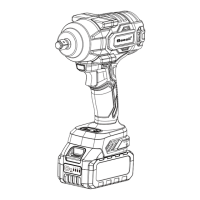
Need help?
Do you have a question about the SeeSii RT800L and is the answer not in the manual?
Keep work area clean, well-lit, and free from flammable substances. Keep bystanders away.
Do not expose tools to rain or wet conditions to prevent electric shock.
Stay alert, use common sense, avoid fatigue or impairment. Dress properly and keep away from moving parts.
Ensure the switch is off before plugging in and avoid carrying tools with fingers on the switch.
Remove any attached keys or wrenches before turning the tool on to prevent injury.
Maintain proper footing and balance for better control of the tool in unexpected situations.
Always wear eye protection, dust mask, safety shoes, and hard hat as appropriate.
Identifies key components of the electric ratchet wrench including drive, indicators, and switches.
Details model, drive size, max torque, speed, voltage, and weight of the tool.
Hold the tool by insulated grips when near hidden wiring to prevent electric shock.
Slide the battery pack into the tool body until it latches securely; push release buttons to remove.
Align accessory with drive anvil, push firmly. Pull off to remove. Use only impact tool accessories.
Rotate toggle counterclockwise for forward, clockwise for reverse. Check direction before use.
Shows battery charge level with red, yellow, and green lights indicating capacity.
Align battery pack with the bay and slide into the charger. Red light indicates charging status.
Details red/green indicator light status for charging, charged, or short-circuited battery.
Read instructions, do not disassemble, stop use if performance drops to prevent overheating or explosion.
Rinse eyes with clear water and seek medical attention immediately if electrolyte contacts eyes.
Avoid shorting the battery by touching terminals with conductive material or storing with metal objects.
Product warranted for three years against defects in workmanship and materials from original purchase.
Warranty is voided by unauthorized repairs, normal wear and tear, abuse, misuse, or alterations.
 General
| Brand | SeeSii |
|---|---|
| Model | RT800L |
| Category | Power Tool |
| Language | English |

 To Next Page