Need help?
Do you have a question about the SEGAFREDO SZ MINI and is the answer not in the manual?
Details the machine's technical attributes like voltage, power, capacity, weight, and dimensions.
Highlights potential safety hazards and intended household use.
Specifies age restrictions, supervision, and safety for users with reduced capabilities.
Warns against inserting fingers, operating without drip tray, immersion, and non-specified capsules.
Advises on voltage, earthed sockets, power cord safety, and damage avoidance.
Recommends a stable surface, heat avoidance, and proper disposal of packaging and the product.
States children must not play, no immersion cleaning, and placement rules.
Lists intended applications like household, kitchens, hotels, farmhouses, and B&Bs.
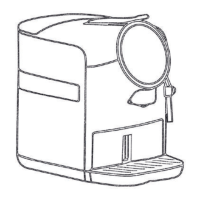
Identifies key parts like brewing options, operating lever, water tank, and drip tray via labels A-N.
Guides on initial setup: filling water tank, plugging in, and preheating the machine.
Details warming the cup, inserting capsules, and using brew buttons for Espresso and Medium coffee.
Guides on how to empty the machine, including boiler and pump operation until dry.
Explains setting custom brew volumes for Espresso, Medium, and Lungo by brewing and stopping.
Details restoring all settings like volume, temp, and power save to factory defaults.
Explains entering standby mode after preheating, with indicator lights remaining on.
Describes entering power save mode after inactivity or manual activation, with buttons turning off.
Outlines configuring power save duration (15 or 30 mins) or disabling it.
Details setting pre-infusion time (off, 1.5s, or 3s) via specific button presses.
Explains adjusting brewing temperature in 2°C increments and indicator behavior.
Describes setting the machine to room temperature water mode, stopping boiler heating.
Alerts to low water levels, indicated by blinking Lungo button and buzzer.
Indicates blockage due to capsules, shown by blinking Lungo button, and how to resolve.
Signals an NTC error, shutting down boiler/pump, with blinking lights and buzzer.
Notifies of high boiler temperature, stopping heating, and blinking Lungo button.
Alerts to overuse (1.5L continuous brewing), indicated by blinking buttons and buzzer.
Indicates the lever is not securely closed, shown by blinking Espresso button and off other buttons.
Signals pump working continuously for over 2 mins, with blinking Espresso/Lungo buttons.
Instructions to lift and close the lever to eject the capsule into the used container.
Instructions to empty the drip tray, drip base, and used capsule container.
Guidance on mixing descaling agent with water to the MAX line in the water tank.
Instructs to place a minimum 1L container under the coffee outlet.
Details pressing Espresso, Medium, and Lungo buttons for 3 seconds to enter descaling mode.
Explains starting descaling by pressing any button; all buttons blink until the tank is empty.
Instructs to refill the tank with solution/water and repeat descaling until empty.
Guides to rinse the tank and machine with fresh water, repeating steps 4 and 6 twice.
Explains exiting descaling mode by pressing three buttons simultaneously for 3 seconds.
Instruction to empty the drip base.
Informs about the descaling reminder mechanism based on usage count.
Guides on entering the water quality selection mode by holding the Espresso button.
Explains how to decrease water quality level by pressing the Espresso button.
Explains how to increase water quality level using the Lungo button.
Describes indicator light behavior for different water quality settings and descaling reminders.
Warns against immersing the machine in water due to electric shock risk.
Instructs to empty and clean the drip tray, drip base, and used capsule container.
Details cleaning the capsule box.
Guides on cleaning the drip grid, its cover, and the tray.
Provides instructions for cleaning the water tank.
Offers solutions like checking the plug, voltage, and contacting service.
Suggests unplugging/replugging and contacting service if keys are unresponsive.
Advises checking for obstructions or incorrect capsule placement and contacting service.
Recommends checking water tank and capsule placement, and contacting service.
Suggests changing to a new capsule if only water is dispensed.
Guides to check water tank, positioning, and using handle assistance, or calling service.
Directs users to contact the service center for any other issues.
 General
| Type | Espresso Machine |
|---|---|
| Power | 1450 W |
| Pressure | 15 bar |
| Color | Black |
| Water tank capacity | 0.8 L |
| Product Type | Coffee Maker |


 To Next Page