Need help?
Do you have a question about the Segway NINEBOT ONE S2 and is the answer not in the manual?
Identification of key parts like handle, battery cover, pedals, wheel, and ports.
Guidance on managing speed and handling bumps, slopes, and uneven terrain.
Warnings about riding through water, puddles, and being aware of doorways.
Advice against abrupt acceleration and overriding the speed limiter.
Specifies that the vehicle is for one rider only, with no passengers or children.
Steps for downloading the Ninebot app and activating the vehicle.
Instructions on connecting the vehicle via Bluetooth and initial setup.
Information about following the app's tutorial for safe riding.
Recommendation to wear protective gear for minimizing injury.
Detailed steps for learning to balance, glide, and maneuver the vehicle.
Understanding risks, local laws, speed, braking distance, and maintaining alertness.
Supervising new riders, pre-ride checks, wearing helmets, and choosing safe locations.
Warnings against riding under influence, in adverse weather, over obstacles, or modifying the vehicle.
Enables an alarm when the vehicle is moved while powered on.
Allows setting a user-configurable maximum speed limit.
Change the pattern and colors of the vehicle's side lights.
Guidelines for cleaning, storing the vehicle, and tire pressure.
Guidelines for battery care, charging, and safety warnings for handling.
Step-by-step instructions for safely removing the battery, including warnings.
Information regarding product warranty terms and conditions.
Contact information for EMEA and APAC regions for assistance.
Advice to consult local dealers or retailers for initial support.
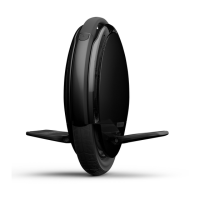
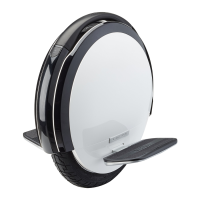
The Ninebot One S2 by Segway is a portable, smart electric self-balancing vehicle designed for leisure and personal transportation. It is a unicycle-style device with a central wheel, foot pedals, and a handle for carrying. The device is activated and managed via the "Ninebot" App, which is compatible with Android (version 4.3 or above) and iOS (version 7.0 or above) smartphones.
The Ninebot One S2 operates as a self-balancing personal transporter. Users stand on the foot pedals on either side of the central wheel and control movement by shifting their body weight. The device is designed for single riders and is not intended for carrying passengers or children. It features a "Carry Mode" which prevents the wheel from spinning when the vehicle is lifted by the handle while powered on, allowing users to navigate obstacles without powering down. This mode can be enabled or disabled via the App. The device also includes a "Lock Mode" which, when enabled via the App, triggers an alarm if the One S2 is moved while powered on. A "Speed Limit Mode" allows users to set a maximum speed, with a default of 7 km/h, configurable through the App. The side lights can also be customized in pattern and color using the Ninebot App.
Dimensions:
Weight:
Rider Requirements:
Performance:
Environmental Conditions:
Battery:
Motor:
Display:
Charger (Model HT-A10-120W):
Activation and Initial Setup: The Ninebot One S2 requires activation via the "Ninebot" App. Before activation, the maximum speed is limited to 4 km/h. After activation and before completing the New Rider Tutorial, the speed is limited to 7 km/h. For the first 1 km after completing the tutorial, the speed is limited to 12 km/h, after which the speed limiter can be disabled via the App to reach the maximum speed of 24 km/h. The App guides new riders through a tutorial, which is mandatory for safe operation.
Charging: The vehicle must be turned off before charging. The charge port is located on the side of the vehicle, protected by a rubber plug. When charging, pressing the power button activates a visual display of the charge level. The charger's LED changes from red (charging) to green (trickle charge) when fully charged. It is crucial not to connect the charger if the charge port or cable is wet.
Battery Charge Level Display: When stationary, the vehicle displays the battery charge level using a series of lights. Each pair of lights represents 14% of battery life. When the battery is nearly empty, the lights blink red. The App provides more detailed information on remaining power and estimated range. As the power level decreases, the vehicle gradually reduces its speed limit.
Learning to Ride: Learning to ride proficiently takes time and practice. Users are advised to wear an approved helmet and other protective gear. The manual outlines a step-by-step learning process, starting with balancing on one pedal with assistance, then gliding, and finally controlling movement and turning by shifting body weight.
Safety Guidelines: The manual emphasizes numerous safety warnings, including:
Cleaning: The Ninebot One S2 should be cleaned with a soft, wet cloth. For stubborn stains, a toothbrush and toothpaste can be used. Scratches on plastic parts can be polished with extra fine grit abrasive paper. It is crucial to ensure the device is powered OFF, the charge cable is unplugged, and the silicone cap on the charge port is tightly sealed before cleaning to prevent electric shock or damage to electronic components. Harsh solvents like alcohol, gasoline, acetone, or other corrosive/volatile substances should not be used, nor should a power washer or high-pressure hose.
Storing: The vehicle should be stored in a cool, dry place, away from direct sunlight or extreme temperatures (both hot and cold) for extended periods, as these can affect the vehicle's appearance, battery life, and tires.
Tire Pressure: The tire should be inflated to 35 psi.
Battery Maintenance: To extend battery life, it should be charged frequently and not allowed to drain completely. Battery performance and range are optimal at 77°F (25°C) and decrease significantly at lower temperatures (e.g., half the range at -4°F (-20°C)). A fully charged Ninebot One S2 can remain in standby mode for 120 to 180 days. Completely draining the battery can cause permanent damage, which is not covered by the Limited Warranty. Users are warned against disassembling the battery due to fire risk and are advised to refer to local laws for battery recycling/disposal.

 To Next Page
 General