EasyManua.ls Logo

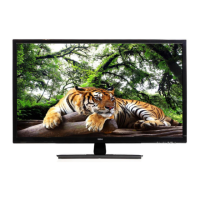
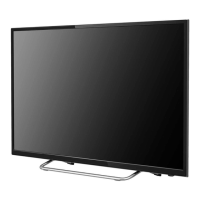
Seiki SE50FY - User Manual

Seiki SE50FY
74 pages
Print Icon
To Next Page IconTo Next Page
Loading...
USER MANUAL
Read the User Manual carefully before using the TV and keep it for further reference.
MANUEL D’UTILISATION
MANUAL DEL USUARIO
Avant d’utiliser le téléviseur, lisez attentivement le manuel d’utilisation et conservez-le
pour consultation future
Lea el Manual del usuario antes de utilizar el televisor y consérvelo para futuras consultas
SE50FY

Table of Contents

Questions and Answers

  • R
    Robert LewisSep 23, 2025
    Why is there an unusual sound coming from inside my Seiki SE50FY?
    • R
      renee10Sep 23, 2025
      A change in ambient humidity or temperature may result in an unusual noise when the Seiki TV is switched on or off. This does not indicate a fault with the TV.
  • E
    Elizabeth OlsonAug 23, 2025
    How to fix a Seiki SE50FY TV that cannot be switched on?
    • D
      David BarnesAug 23, 2025
      First, ensure that your Seiki TV is properly connected to the power supply. Additionally, make sure all connected AV devices are switched off before you attempt to switch on your TV.
  • C
    Charles WillisAug 25, 2025
    Why does my Seiki SE50FY power suddenly turn off?
    • K
      Kim RomeroAug 26, 2025
      If your Seiki TV is suddenly turning off, there might be a few reasons. First, check the power supply to ensure it hasn't been interrupted. Also, check to see if the sleep timer is set or if the Auto Standby feature is activated.
  • A
    Amber TannerAug 27, 2025
    Why is there no picture and no sound on my Seiki SE50FY?
    • M
      Michelle HayesAug 27, 2025
      If your Seiki TV has no picture and no sound, first check to make sure that the TV is switched on. If it is, try changing to another channel. The issue might be with the broadcaster.
  • J
    Julia DeanAug 27, 2025
    What to do if my Seiki TV picture is OK but there is no sound?
    • P
      Phillip DuarteAug 27, 2025
      If you see a picture on your Seiki TV but hear no sound, try pressing the VOL +/- buttons to increase the volume. Check if the sound is muted by pressing the MUTE button. You might also want to try another channel in case the problem is with the broadcaster.
  • P
    Phillip JacksonSep 18, 2025
    Why does the picture appear slowly after switching on my Seiki TV?
    • T
      thomasmahoneySep 18, 2025
      It is normal for the picture to appear slowly after switching on your Seiki TV; the image is muted during the TV startup process. If the picture hasn't appeared after five minutes, further assistance may be needed.
  • R
    Rebecca YoderSep 15, 2025
    How to eliminate audio noise on Seiki SE50FY?
    • C
      Carolyn CarterSep 15, 2025
      To reduce audio noise on your Seiki TV, keep the RF coaxial cable away from the other connected cables.
  • D
    David DanielsSep 16, 2025
    How to recover a lost password on a Seiki SE50FY?
    • K
      Kristine WagnerSep 17, 2025
      To recover a lost password on your Seiki TV, select the SET Password setting in the LOCK menu, then enter the master password '8899'. This will clear your previous password and allow you to enter a new one.
  • D
    Diamond GoodSep 6, 2025
    How to fix no output from one of the speakers of Seiki SE50FY TV?
    • S
      samueldixonSep 6, 2025
      If you're not getting any sound from one of the speakers on your Seiki TV, adjust the Balance settings in the AUDIO menu.
  • J
    Jeanne MorganSep 4, 2025
    What causes horizontal or vertical bars or picture shaking on a Seiki SE50FY?
    • S
      sanchezkarenSep 4, 2025
      Horizontal or vertical bars, or picture shaking on your Seiki TV, can be caused by local interference. Check for nearby electrical appliances or power tools that may be causing the interference.

Summary

Important Safety Instructions

Safety Information

Electrical Safety

Safety guidelines for electrical connections and usage.

Physical Safety

Guidelines for physical handling, placement, and environment.

Preparation

Connecting External Devices

Customizing TV Settings

Initial Setup Wizard

Guides through initial TV setup, including language, time zone, and connection devices.

Picture Settings

Adjusts picture quality parameters like brightness, contrast, color, and mode.

Audio Settings

Configures sound modes, volume, balance, and audio output.

Parental Control

Troubleshooting

TV Operation Issues

Solves problems like TV not responding, not switching on, or remote issues.

Video Function Problems

Addresses issues like no picture/sound, slow picture, or poor quality.

Audio Function Problems

Resolves issues related to sound output, mute, and audio noise.

Seiki SE50FY Specifications

General IconGeneral
BrandSeiki
ModelSE50FY
CategoryTV
LanguageEnglish

Related product manuals