Need help?
Do you have a question about the Seiki SE50UY04EC and is the answer not in the manual?
Details electrical safety precautions and physical safety measures for operating the TV.
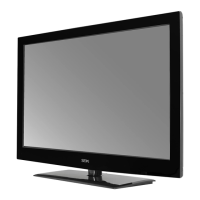
Lists included items and provides views of the front and rear of the TV.
Instructions for attaching the base stand and removing it for wall-mounting.
Explains the function of each button on the TV remote control.
Details connections for various devices via HDMI, USB, SCART, AV, RF, and PC inputs.
Guides through first-time connection, aerial setup, and installation settings.
How to select input sources, channels, and manage volume.
How to view current channel information.
Covers channel settings, auto scan, and manual tuning for channels.
Allows editing of programme properties like name, skip, lock, and favourite status.
Viewing signal status for DTV and managing Common Interface modules.
Instructions for starting recordings, viewing recorded lists, and managing PVR system.
Details adjustments for picture modes, colour, brightness, and sound options.
Covers time settings like clock, timers, and option settings for languages and display.
Enables lock settings, password management, and hotel mode configurations.
Explains how to navigate and use the EPG for programme listings and information.
Instructions for using Teletext in ATV and DTV modes, including special functions.
Explains how to virtually record live TV programmes and pause playback.
Steps for recording DTV programmes and playing recorded content.
Instructions for scheduling recordings in advance using timer programming.
Steps for connecting and preparing a USB device for media playback.
How to view photos, listen to music, and watch movies from USB.
 General
| Panel Size | 50 inch diagonally |
|---|---|
| Display Type | LED |
| Panel Technology | TFT |
| Display Resolution | 3840 x 2160 |
| Panel Resolution | 3840 x 2160 |
| Aspect Ratio | 16:9 |
| Dynamic Contrast Ratio-Panel | 3500:1 |
| Brightness (Centre Typ.) Cd/M² | 230 |
| Horizontal Viewing Angle (At CR>10) | 176 |
| Vertical Viewing Angle (At CR>10) | 176 |
| Panel 50 Hz Vs. 100 Hz | 120 Hz |
| Response Time (G To G) | 6.5 ms |
| Lamp Life (Typ. Hours) | 30.000 hours |
| TV Broadcasting | PAL, B/G, D/K, I, SECAM, L/L’ |
| Receiving Channels | VHF (BAND I/III) - UHF (BAND U) - HYPERBAND |
| Number of Preset Channels | 299 |
| Channel Indicator | On Screen Display |
| RF Aerial Input | 75 Ohm (unbalanced) |
| Operating Voltage | AC 100-240V~ 50/60Hz |
| Energy Consumption Data | EEI A |
| On Mode Power Consumption (W) | 93W |
| Standby Mode (W) | <0.5W |
| Maximum Power (W) | 130W |
| Standby Mode | After 4 Hours |
 Weight and Dimensions
| Dimensions DxLxH (with foot) | 250 x 1138 x 728 mm |
|---|---|
| Weight (with foot) | 22.5 kg |
| Weight (without foot) | 19.7 kg |
| Dimensions DxLxH (without foot) | 63 x 1138 x 677 mm |
| Wall-mount(LxW-inches) | 15.75*15.75 VESA(inches) |

 To Next Page