
 Need help?
Do you have a question about the Seiki T Series and is the answer not in the manual?
Welcome and overview of the Seiki T Series vinyl cutter's features and benefits.
Critical safety warnings and guidelines for operation, electrical safety, and environmental conditions.
List of all items included in the package for user verification before setup.
Step-by-step instructions for assembling the cutting plotter's supporting stand.
Procedure for installing a pen into the plotter for plotting operations.
Guide on inserting and adjusting the cutting blade for optimal performance.
Instructions for correctly mounting the pen or blade holder into the carriage.
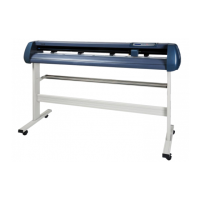
Identification and description of the main physical parts of the cutting plotter.
Explanation of buttons, lights, and functions on the plotter's control interface.
Detailed steps for properly positioning and securing media onto the plotter.
Procedure for performing the first operational test after setup.
Details on plotting functions, speed, and down force regulation during operation.
Explanation of local control modes: reset, offline, setup, and origin settings.
Table of technical data including model compatibility, force, speed, and interface.
Diagnosing and resolving issues causing pattern deformation or incompleteness during cutting.
Steps to identify and fix problems preventing the machine from producing output.
Resolving common causes for the cutting plotter behaving abnormally.
Causes and solutions for patterns deviating from the intended design.
Addressing issues related to the machine losing steps during movement.
Methods to ensure consistent cutting depth across the media.
Solutions for problems with vinyl not tearing off cleanly after cutting.
Instructions on how to set and modify the machine's origin point.
Tips for optimizing settings when cutting small characters or signs.
Guidance on cutting large signs, including software separation techniques.
 General
| Cutting Area | Unknown |
|---|---|
| Blade Type | Unknown |
| Drive Method | Unknown |
| Interface | Unknown |
| Software Compatibility | Unknown |
| Blade Length | Unknown |
| Cutting Capacity | Unknown |
| Motor Power | Unknown |
| Weight | Unknown |
| Voltage | Unknown |

 To Next Page
